


Prepare to install your data compute nodes for AI Data Engine


 Suggest changes

 PDFs
PDFs
Prepare to install your data compute nodes for AI Data Engine (AIDE) by getting the site ready, unpacking the boxes and comparing the contents of the boxes to the packing slip, and registering the system to access support benefits.
Step 1: Prepare the site
To install your data compute nodes, ensure that the site and the cabinet or rack that you plan to use meet specifications for your configuration.
-
Use NetApp Hardware Universe to confirm that your site meets the environmental and electrical requirements for your data compute nodes.
-
Make sure you have adequate cabinet space for your data compute nodes within the existing AFX 1K storage system installation.
-
1U for each data compute node
-
2U for each AFX 1K controller node
-
2U for each NX224 shelf
-
1U or 2U per switch, depending on switch model.
-
Step 2: Unpack the boxes
After you've ensured that the site and the cabinet or rack that you plan to use for your data compute nodes meet the required specifications, unpack all boxes and compare the contents to the items on the packing slip.
-
Carefully open all the boxes and lay out the contents in an organized manner.
-
Compare unpacked items against the packing slip and note any discrepancies.
You can get your packing list by scanning the QR code on the side of the shipping carton.
The following items are some of the contents you might see in the boxes.
Hardware
Cables
-
Bezel
-
Rail kits with instructions
-
Data compute node(s)
-
Power cords
-
Step 3: Register your data compute nodes
After you've ensured that your site meets the requirements for your data compute node specifications, and you've verified that you have all the parts you ordered, you should register your system.
-
Locate the serial numbers for your data compute nodes.
You can find the serial numbers in the following locations:
-
On the packing slip
-
In your confirmation email
-
On each data compute node, or on some systems, on the system management module of each data compute node.
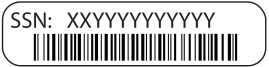
-
-
Navigate to the NetApp Support Site.
-
Determine whether you need to register your storage system:
If you are a… Follow these steps… Existing NetApp customer
-
Sign in with your username and password.
-
Select Systems > My Systems.
-
Confirm that the new serial number is listed.
-
If the serial number is not listed, follow the instructions for new NetApp customers.
New NetApp customer
-
Click Register Now to create an account.
-
Select Systems > Register Systems.
-
Enter the storage system's serial number and requested details.
Once NetApp approves your registration, you can download the required software. Approval takes up to 24 hours.
-
After you've prepared to install your data compute nodes, install the data compute nodes.