Manage your NetApp Console local deployment organization and fleet IDs


 Suggest changes

 PDFs
PDFs
In NetApp Console local deployment, your NetApp Console organization has a name and an ID. You can choose a name for your organization to help identify it. You may also need to retrieve the organization ID for certain integrations.
Super admin or Organization admin. Learn about access roles.
Rename your organization
You can rename your organization.
-
Select Administration > Identity and access.
-
Select Organization.
-
From the Organization page, navigate to the first row in the table, select
 and then select Edit organization.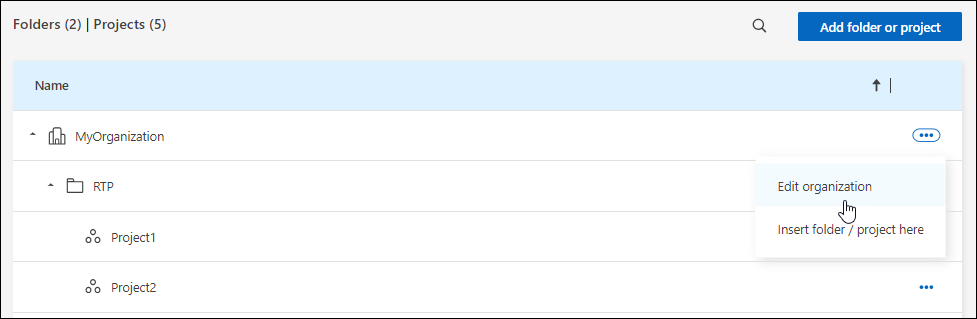
-
Enter a new organization name and select Apply.
Get the organization ID
The organization ID is used for certain integrations with the Console.
You can view the organization ID from the Organizations page and copy it to the clipboard for your needs.
-
Select Administration > Identity and access > Organization.
-
On the Organization page, look for your organization ID in the summary bar and copy it to the clipboard. You can save this for use later or copy it directly to where you need to use it.
Obtain the ID for a fleet
You'll need to obtain the ID for a fleet if you are using the API.
-
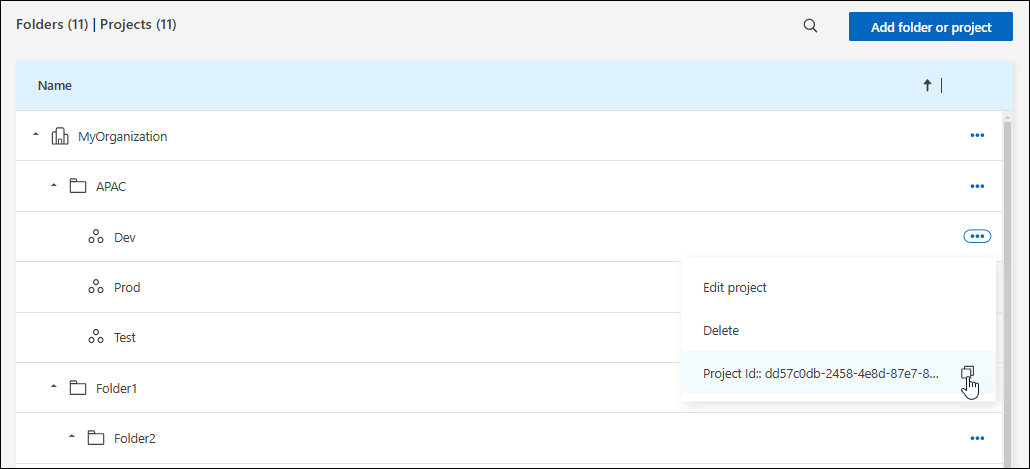
From the Organization page, navigate to a fleet in the table and select
The fleet ID displays.
-
To copy the ID, select the copy button.