Data Infrastructure Insights AI Assistant

 Suggest changes

 PDFs
PDFs
The Data Infrastructure Insights AI Assistant is designed to help you work more efficiently with your infrastructure data. It can help you analyze information, discover insights, resolve operational challenges, and make informed decisions about your resources.
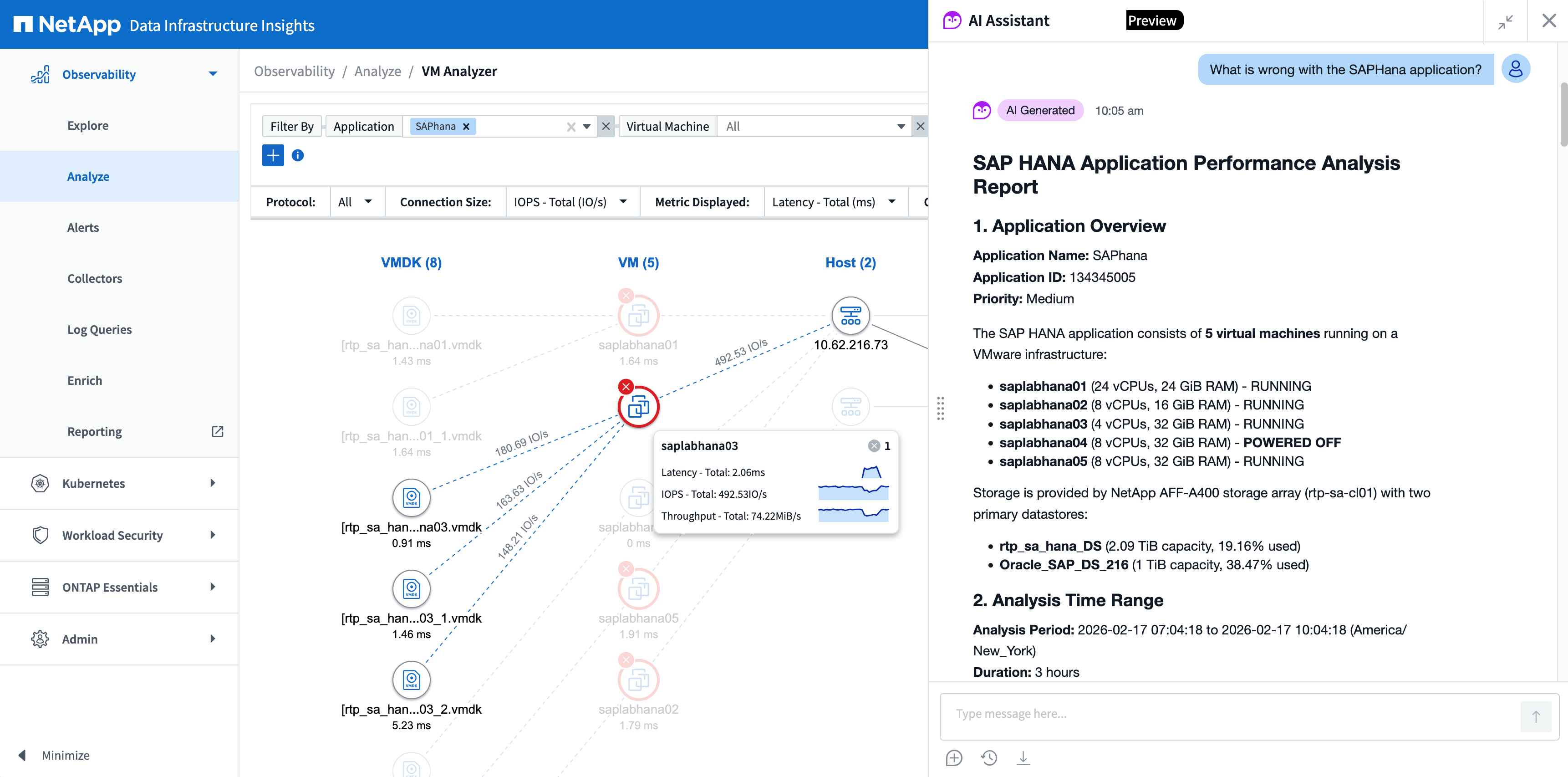
Meet your infrastructure's new intelligent partner
The AI Assistant transforms how you interact with your data, turning complex queries into simple conversations. Instantly uncover hidden patterns, accelerate troubleshooting, and make data-driven decisions with confidence. Get instant answers to questions like:
-
How can I configure a monitor to alert for persistent unacceptable latency?
-
What are the top storage pools with the highest utilization in the environment?
-
How many alerts were generated in the last hour?
-
What are the most common types of logs being collected?
-
Which hosts are experiencing the highest CPU utilization?
-
What asset types are available for monitoring in the environment?
-
Are there any critical alerts currently active?
-
What's the overall health status of the storage systems?
-
Which virtual machines are consuming the most memory?
-
How many monitors are configured in the system?
Before using the AI Assistant
-
The AI Assistant is designed to assist you. While it strives for accuracy, it is strongly recommended to verify its outputs with human oversight for best results.
-
For safety and privacy of you and your colleagues, please do not input personally identifiable information (PII).
-
To help keep your data secure, do not enter sensitive or confidential information.
-
Read the NetApp Data Processing Addendum and the NetApp Privacy Policy.
The AI Assistant works with you
The DII AI Assistant can help you answer questions about your IT Infrastructure's data. To do this effectively, it needs to understand your request as well as what specific data is required in order to respond to your request.
The DII system contains various types of data, including:
-
Asset telemetry (hosts, storage, VMs, etc.)
-
Datalake metrics (Kubernetes, NetApp Storage, VMware)
-
Logs from different systems
-
Alerts that may indicate anomalies
For the best experience, provide the Assistant with specific information about:
-
The type of data you want to analyze (e.g., specific assets, metrics, or systems),
-
The timeframe you're interested in, and
-
Any specific issue types you're concerned about (performance issues, capacity problems, errors, etc.)
Chat naturally
The AI Assistant now supports more than a dozen languages, empowering your team to engage naturally in their preferred language. See the full list here.
Accessing the Assistant
To call the DII AI Assistant, simply select the owl icon in the lower corner of the screen. A user with “Owner” or "Admin" role must accept the terms and conditions before any user can utilize the AI Assistant on your tenant.