


Dashboard Access Management

 Suggest changes

 PDFs
PDFs
Control who can view and modify your dashboards with flexible access management options. Keep dashboards private while developing them, then share with specific users or your entire organization with customizable edit or read-only permissions to protect sensitive information while enabling collaboration.
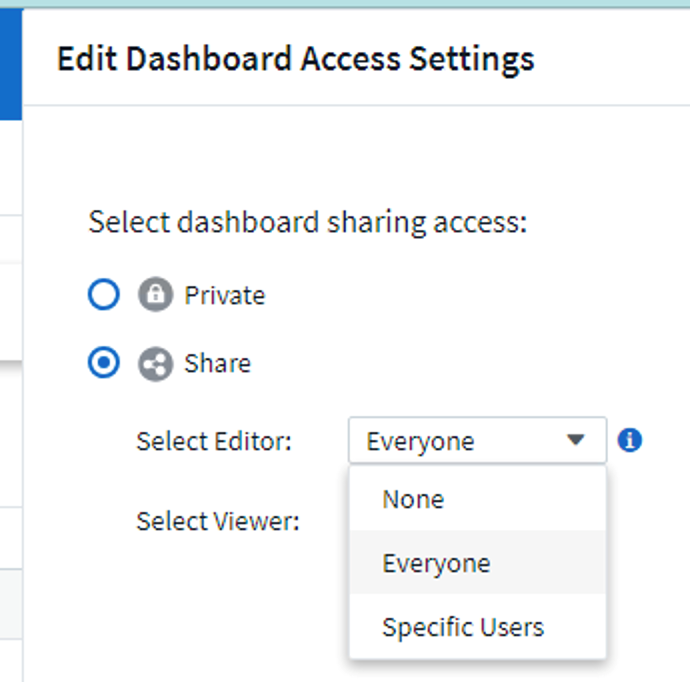
By default, when you create a new dashboard, that dashboard is only visible to you, the creator. No other user can see or modify the dashboard.
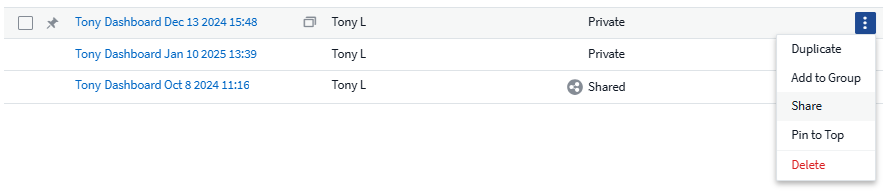
When you have finalized your dashboard, you may choose to allow others in your organization to view it. To share a dashboard, in the dashboard list, select the Share from the right-hand menu.
You can choose to share the dashboard to Everyone or to select users, with either Edit or Read-Only permissions.
