


Alert Exclusions

 Suggest changes

 PDFs
PDFs
Alert Exclusion lets you suppress alert generation for specific file types, users and directory paths. Use this to reduce false positives by excluding known, expected activity that may otherwise match alert patterns.
Note that only the alert for the event is suppressed; the events themselves are still captured and can be reviewed.
Navigate to Workload Security > Policies and select the Alert Exclusions tab.
Alert Exclusion is configured per tenant and includes the following:
-
File Types: suppress File Tampering alerts on specific Allowed File Types
-
Users: suppress alerts triggered by selected users.
-
Paths: suppress alerts for activity on selected directory paths (up to four directory levels, starting at the junction path).
Manage exclusions and auditing
-
Admins can add or remove file extensions, individual users, or paths at any time.
-
Each exclusion entry records the name of the admin who set it and the date it was set. This information is retained for auditing.
Users and Paths
-
Users' exclusion list: Add users to be excluded for alerts.
-
Directory exclusion List: Supports up to four levels of directory paths, beginning with the junction path. All sub-directories and files under this path will be excluded for alert generation. Wildcards in directory paths are not supported.
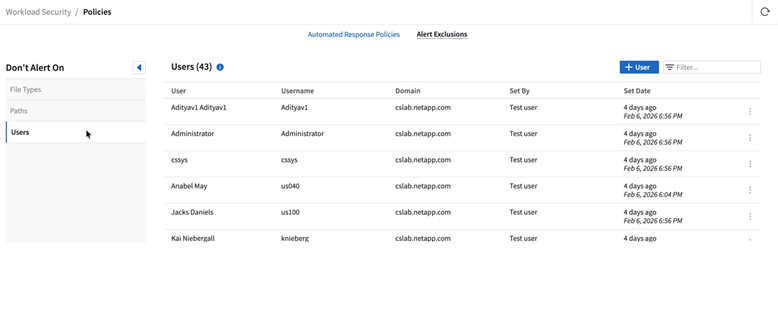
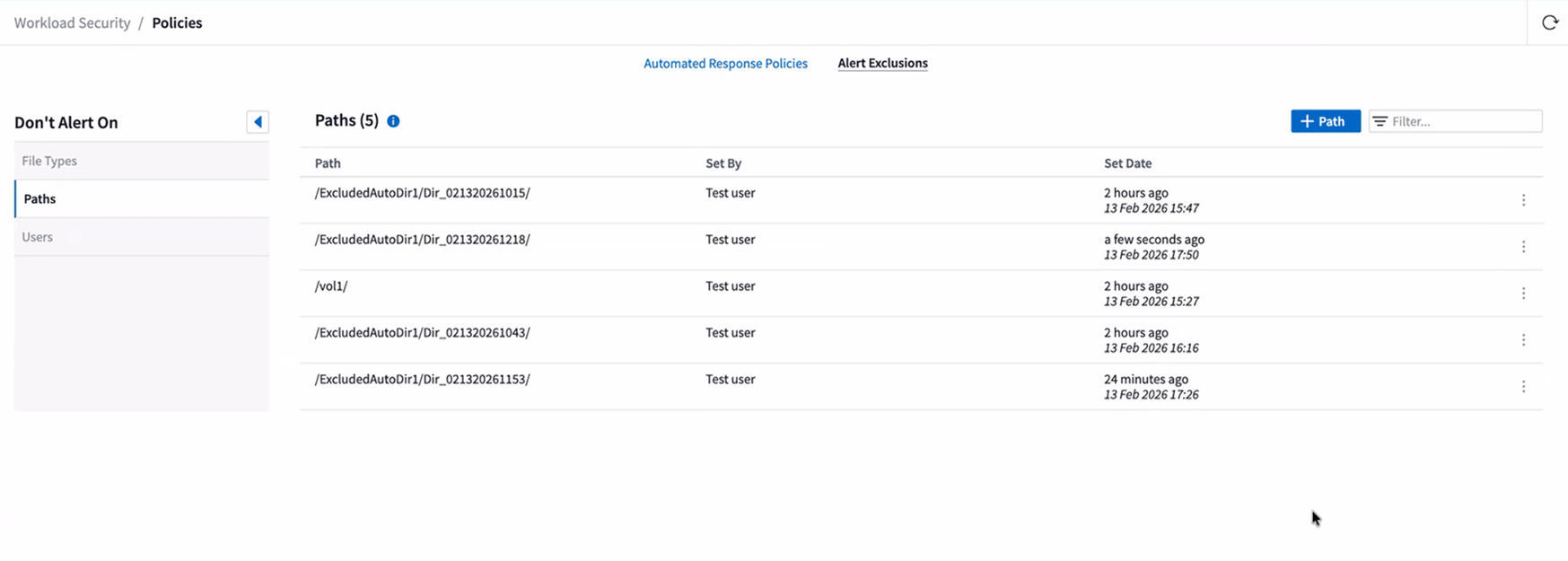
Individual users and directory paths can be added to or removed from the respective exclusion list. Every entry in each list will have the information of when and by whom was it added to the list, and this information will be used for auditing purpose.
File Types
Once added to the File Types list, no file tampering attack alert will be generated for that allowed file type. Note that the File Types policy is only applicable for file tampering detection.

For example, if a file named test.txt is renamed to test.txt.abc and Workload Security is detecting a ransomware attack because of the .abc extension, the .abc extension can be added to the allowed file types list. After being added to the list, ransomware attacks will no longer be generated against files with the .abc extension.
Allowed File Types can be exact matches (e.g., ".abc") or expressions (e.g., .*type, .type*, or .*type*). Expressions of types .a*c, .p*f are not supported.
Additional attributes of 'Set By' and 'Set Date' have been introduced for audit. Existing file types will be migrated to the new format with both these attributes' values set as 'migrated'.