


Metadata collected from data sources in NetApp Data Classification

 Suggest changes

 PDFs
PDFs
NetApp Data Classification collects metadata while scanning your data sources and systems. Some metadata attributes are not available for all protocols.
| Metadata | CIFS | NFS | |
|---|---|---|---|
Time stamps |
Creation time |
Available |
Not available (unsupported in Linux) |
Last accessed time |
Available |
Available |
|
Last modified time |
Available |
Available |
|
Permissions |
Open permissions |
If "EVERYONE" group has access to the file, it is considered "Open to organization" |
If "Others" has access to the file, it is considered "Open to organization" |
Users/group access |
Users and group information is taken from LDAP |
Not available (NFS users are usually managed locally on the server, therefore, the same individual can have a different UID in each server) |

|
|
Last accessed time
When Data Classification extracts data from file shares, the operating system treats it as an access event and updates the "last accessed time" accordingly. After scanning, Data Classification attempts to revert the last accessed time to the original timestamp. If Data Classification does not have write-attributes permissions in CIFS or write permissions in NFS, the system cannot revert the last accessed time to the original timestamp.
By default, Data Classification does not scan files when it does not have the write permissions to restore the original timestamp. If your data can tolerate the last accessed time not being reset to the original timestamp, enable Scan without write permissions on the system configuration page.
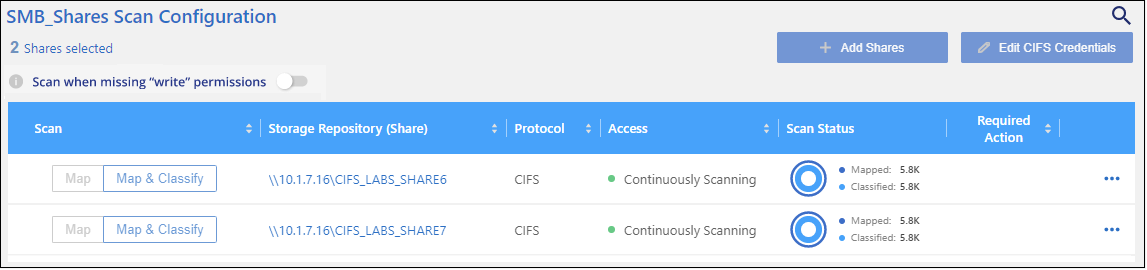
This functionality is applicable to on-premises ONTAP systems, Cloud Volumes ONTAP, Azure NetApp Files, Amazon FSx for NetApp ONTAP management, and third-party file shares.
|
|
ONTAP volumes configured with SnapLock have read-only permissions and also cannot revert the last accessed time to the original timestamp. |