Customize the stale data definition in NetApp Data Classification

 Suggest changes

 PDFs
PDFs
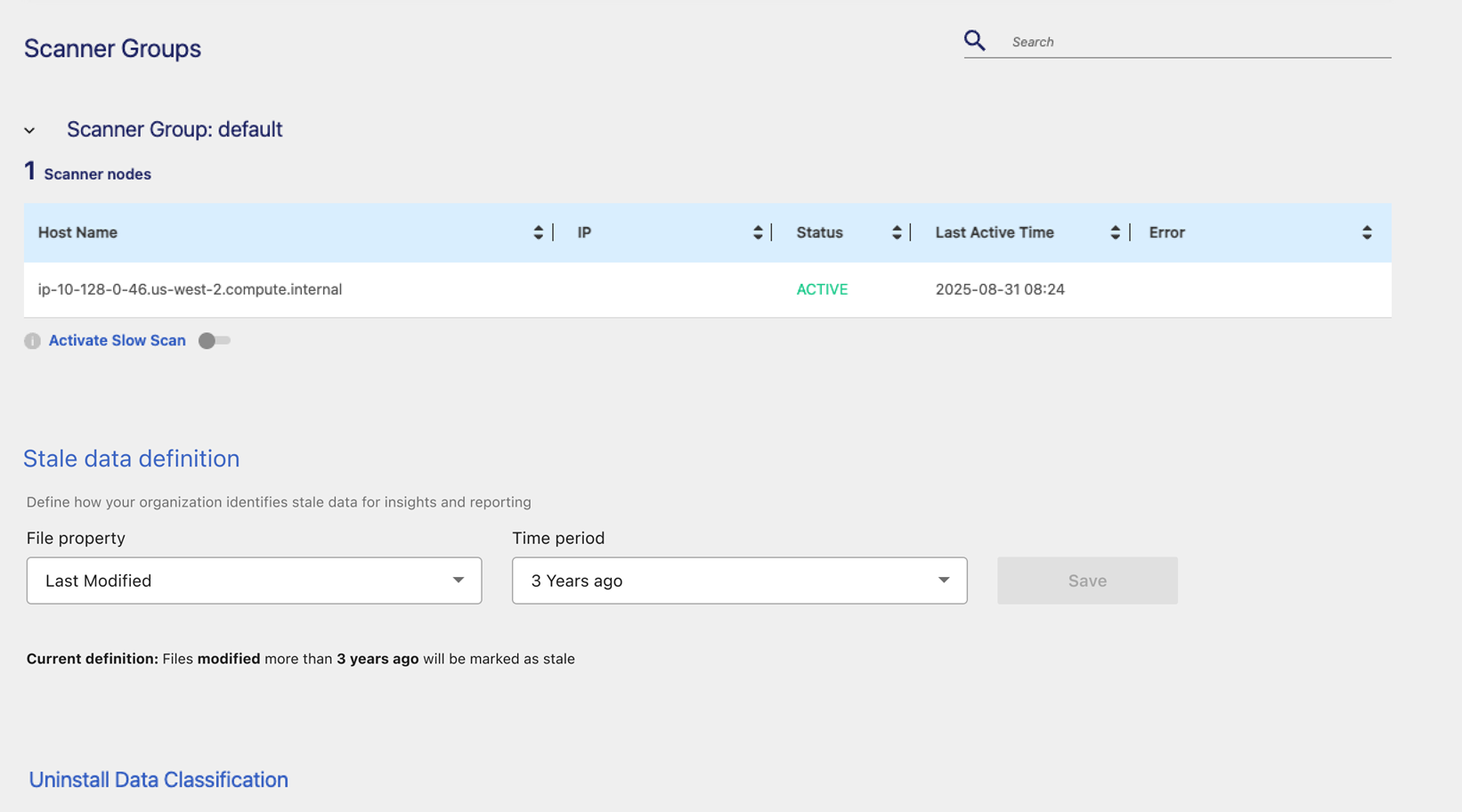
NetApp Data Classification identifies stale data so you can find saving opportunities and address governance risks. Customize the stale data definition to match your organization's needs and identify stale data based on when it was last accessed or last modified.
Stale data can be defined based on when it was last accessed or last modified. You can choose a period from six months to ten years.
By default, data is considered stale if it was last modified three years ago.
-
In Data Classification, select Configuration.
-
In the Configuration page, select the Settings tab.
-
Under the Stale data definition heading, select Edit.
-
In the File property dropdown menu, choose if you want to define stale data based on when it was Last accessed or Last modified.
-
Choose the time period for the stale data definition.
-
Select Save.