


Create a Digital Advisor GraphQL API request

 Suggest changes

 PDFs
PDFs
Learn how to create a GraphQL API request to receive data from the GraphQL API for Digital Advisor.
You need to complete the following before you can create a request.
-
Generate access and refresh tokens for access to the Digital Advisor API service.
-
Open the GraphQL API Explorer tool in a separate browser window to test out the API as you perform these steps.
-
Open the GraphQL API Explorer tool, and select the query you want to run from the left side of the window.
-
Pass your access token in the Headers section of the request as shown below:
{
  "Authorization": "Bearer <YOUR_ACCESS_TOKEN>"
}
You should have already generated and saved your access token using the steps in Generate access and refresh tokens. 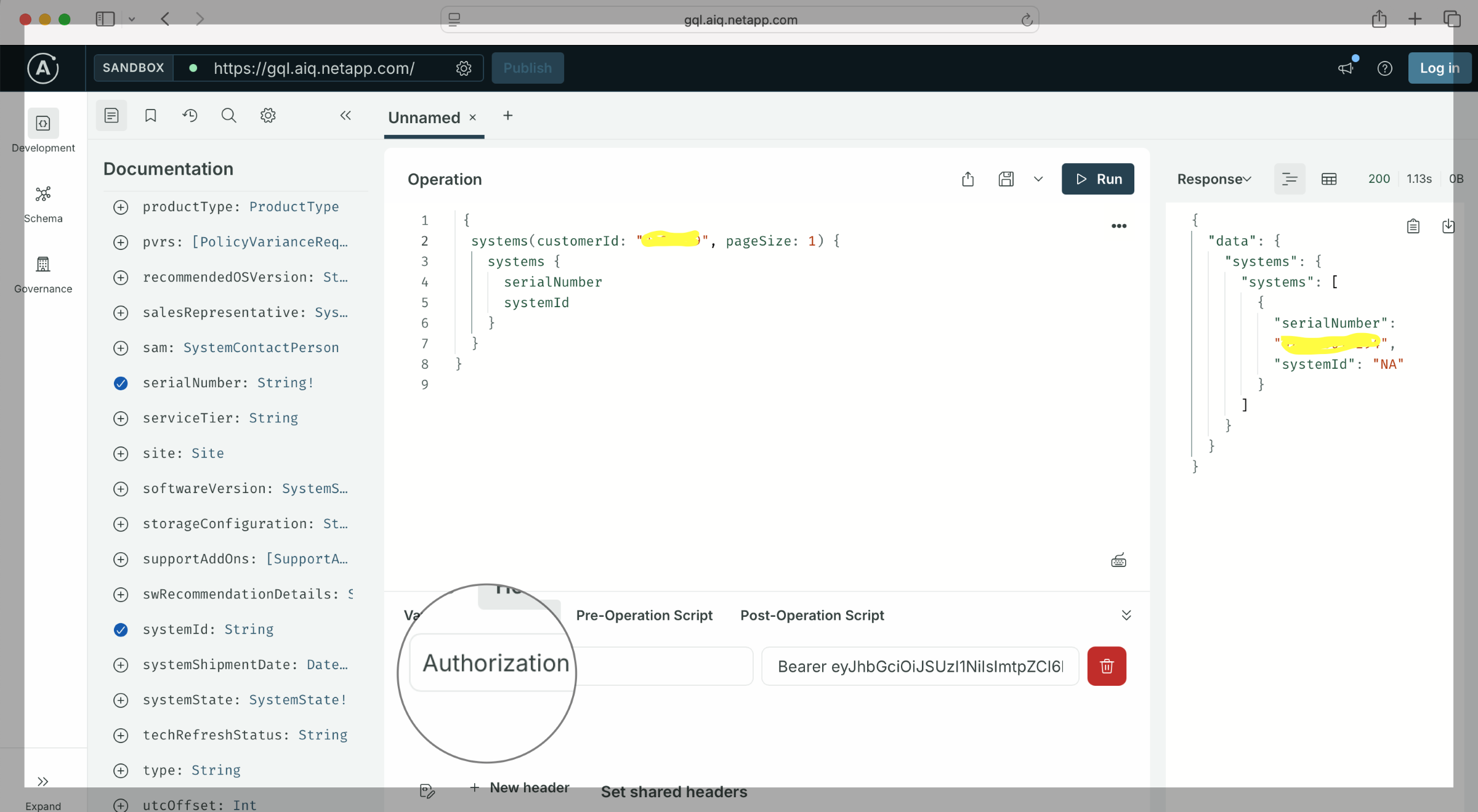
-
Submit the request by selecting Run in the upper right corner.
A JSON response is displayed in the Response Window.
-
Optionally, copy the curl command to run the query outside of the GraphQL API explorer.
-
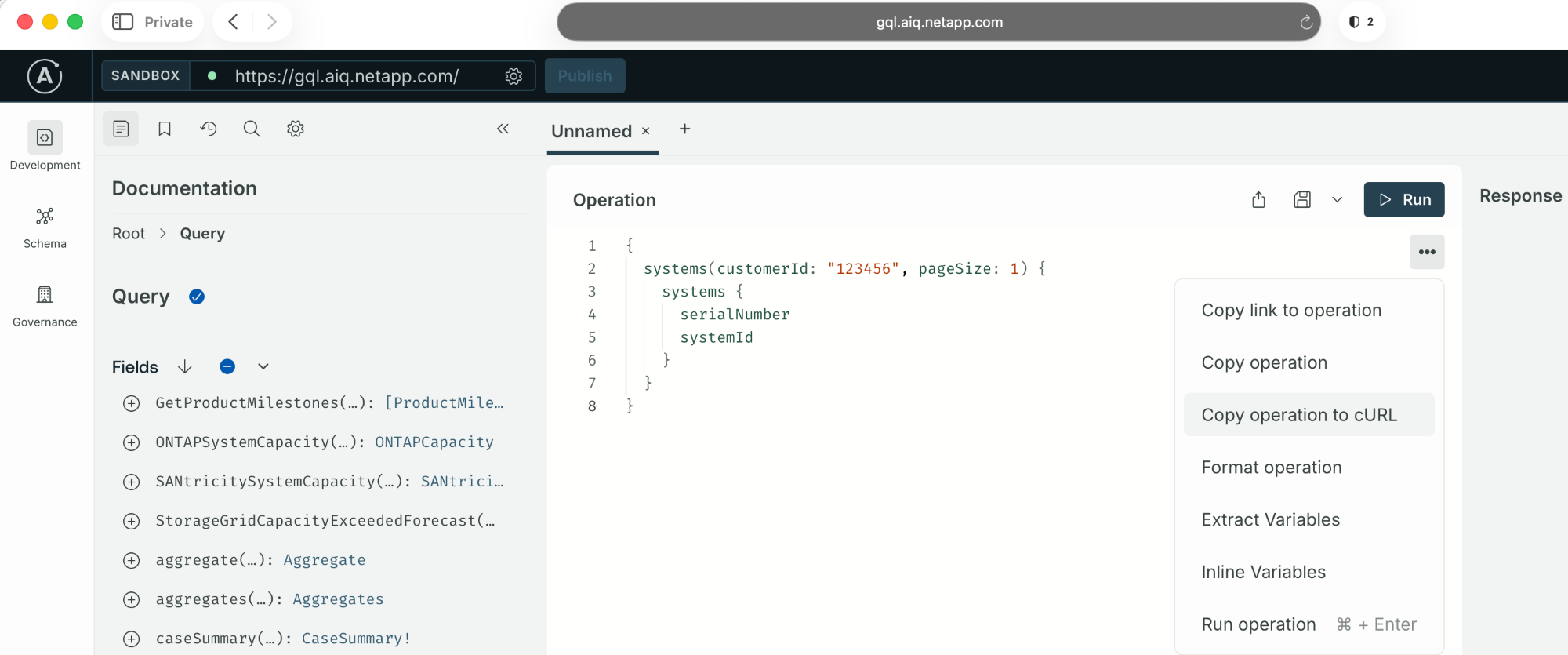
On the right side of the operation block window, select (…), and then select the Copy operation to cURL option from the dropdown menu:
-
The curl command is copied to your clipboard with your pre-configured query, variables, and headers.
You can now paste and run this command in your terminal.
-