


Restore procedure for VMs protected by SnapCenter Plug-in for VMware

 Suggest changes

 PDFs
PDFs
This section covers the steps to restore VMs from backups. SCV can be used to restore VMs within vCenter, allowing them to be recovered to the original datastore on the original ESXi host (overwriting existing content), to restore deleted or renamed VMs from a backup copy, to a different datastore on the original ESXi host, to the original datastore on a different ESXi host managed by the same vCenter, or to a different datastore on another ESXi host within the same vCenter environment.
Steps to perform restore operation
To perform the restore operation, follow these steps:
-
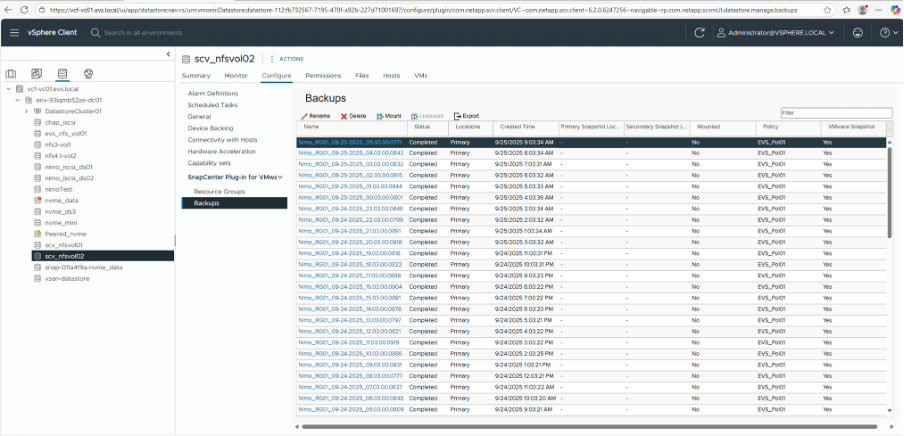
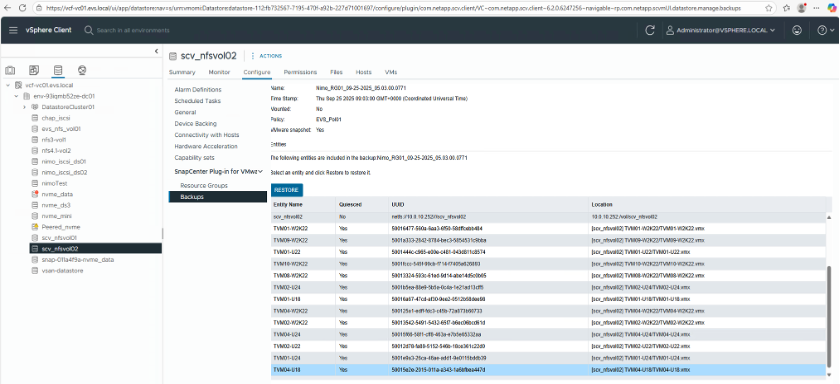
In the EVS vSphere web client GUI, go to "Inventory > Datastores" and select the desired datastore. Then navigate to "Configure > Backups" under the "SnapCenter Plug-in for VMware vSphere" section.
-
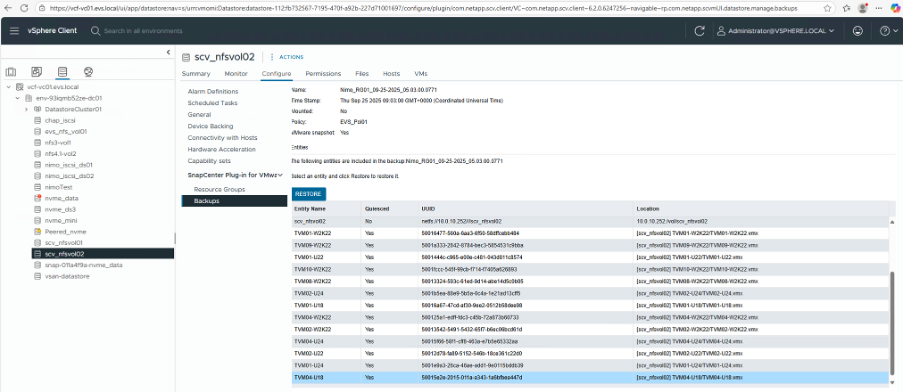
Double-click a backup to view all VMs included in that backup. Find the VM to be restored in the list and select "Restore".
-
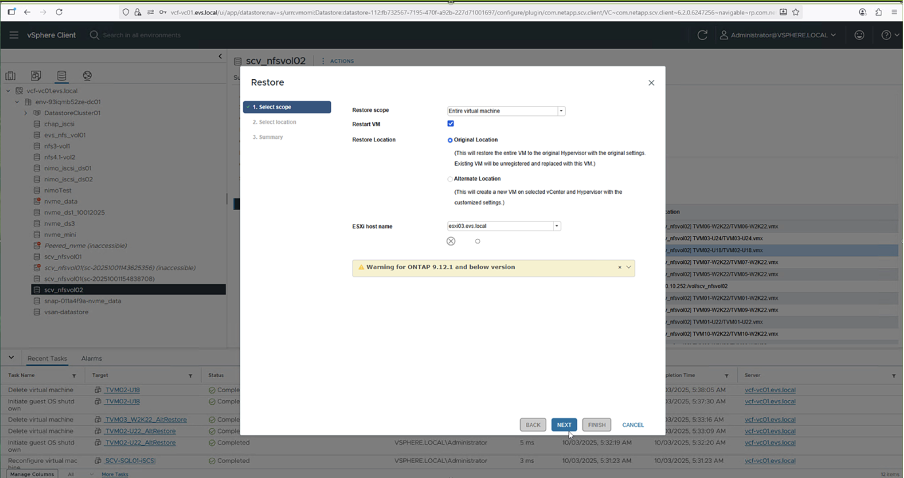
On the "Select Scope page", select "Entire Virtual Machine" in the "Restore scope" field, then select "Restore location" and enter the destination ESXi information where the backup should be mounted.
-
Enable the "Restart VM" checkbox if the VM needs to be powered on after the restore operation.
-
On the "Select Location page", select a primary location.
-
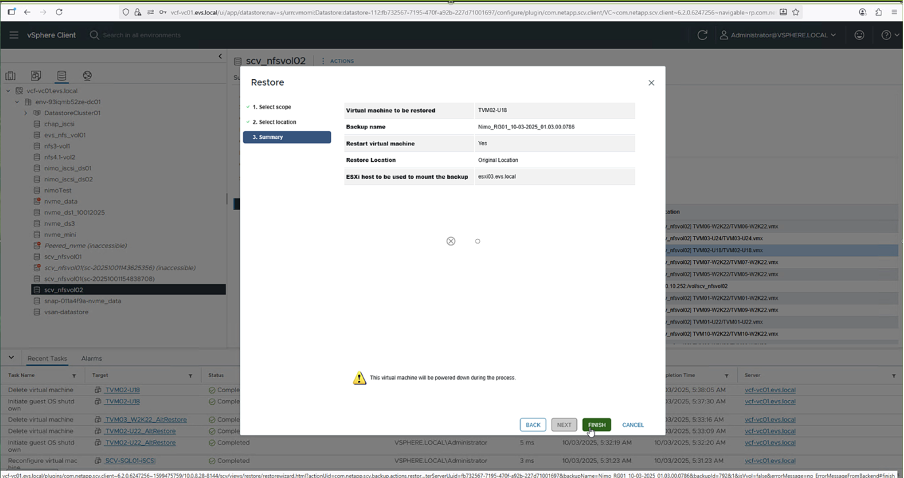
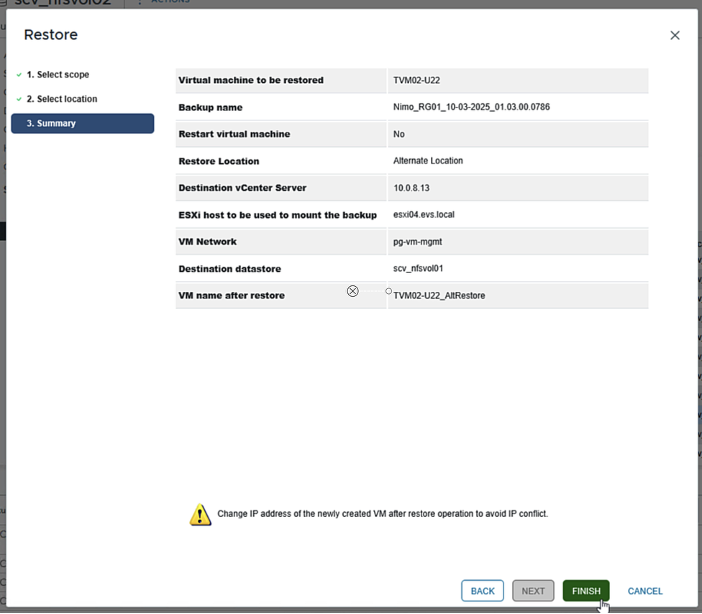
Review the "Summary" page and then select "Finish".
-
Monitor the operation progress by selecting "Recent Tasks" at the bottom of the screen.


|
Although the VMs are restored, they're not automatically added to their former resource groups. If you want to protect those VMs, add them manually to the appropriate resource groups. |
|
|
The restore operation can also be triggered from individual VM level. |
Steps to restore a deleted VM
Restoring a deleted VM is a simple process with SCV.
The restore operation for a deleted VM can be performed from the datastore level.
-
Go to respective Datastore > Configure > Backups. There, select the deleted VM and select "Restore".

-
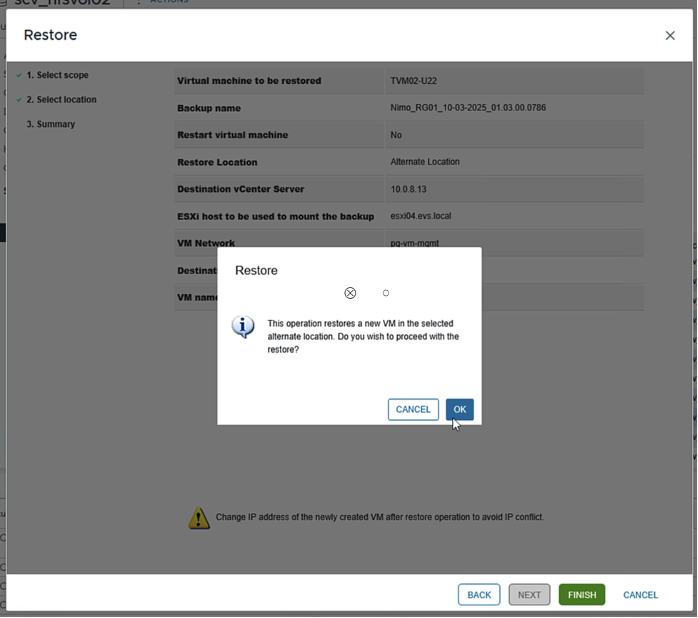
The screenshot flow that follows covers the restoration of a VM to an alternate ESXi host and different datastore.


|
|
The destination datastore must have adequate free space and the vCenter specified in the "Restore to Alternate Location"field must be DNS-resolvable. |
|
|
For better restore efficiency in NFS environments, turn on the VMware vStorage API for Array Integration (VAAI). |
|
|
Restores can also be performed from secondary locations, such as a SnapMirror destination. |
+
