


Attach ONTAP NFS storage to a Nutanix compute cluster

 Suggest changes

 PDFs
PDFs
After you provision the ONTAP volumes and configure connectivity, use Prism Element or Prism Central to attach the ONTAP NFS volumes as storage containers to the Nutanix compute cluster.
Ensure that the following prerequisites are met:
-
The ONTAP cluster or SVM is reachable from the Nutanix cluster.
-
A valid ONTAP management LIF (IP address or FQDN) is available.
-
Appropriate ONTAP credentials are available.
-
The required FlexVol, qtree, or folder export paths have been created and configured for NFS access.
-
Log in to the Prism Element web console.
-
From the main menu, select Storage, and then click + Attach External Storage.
-
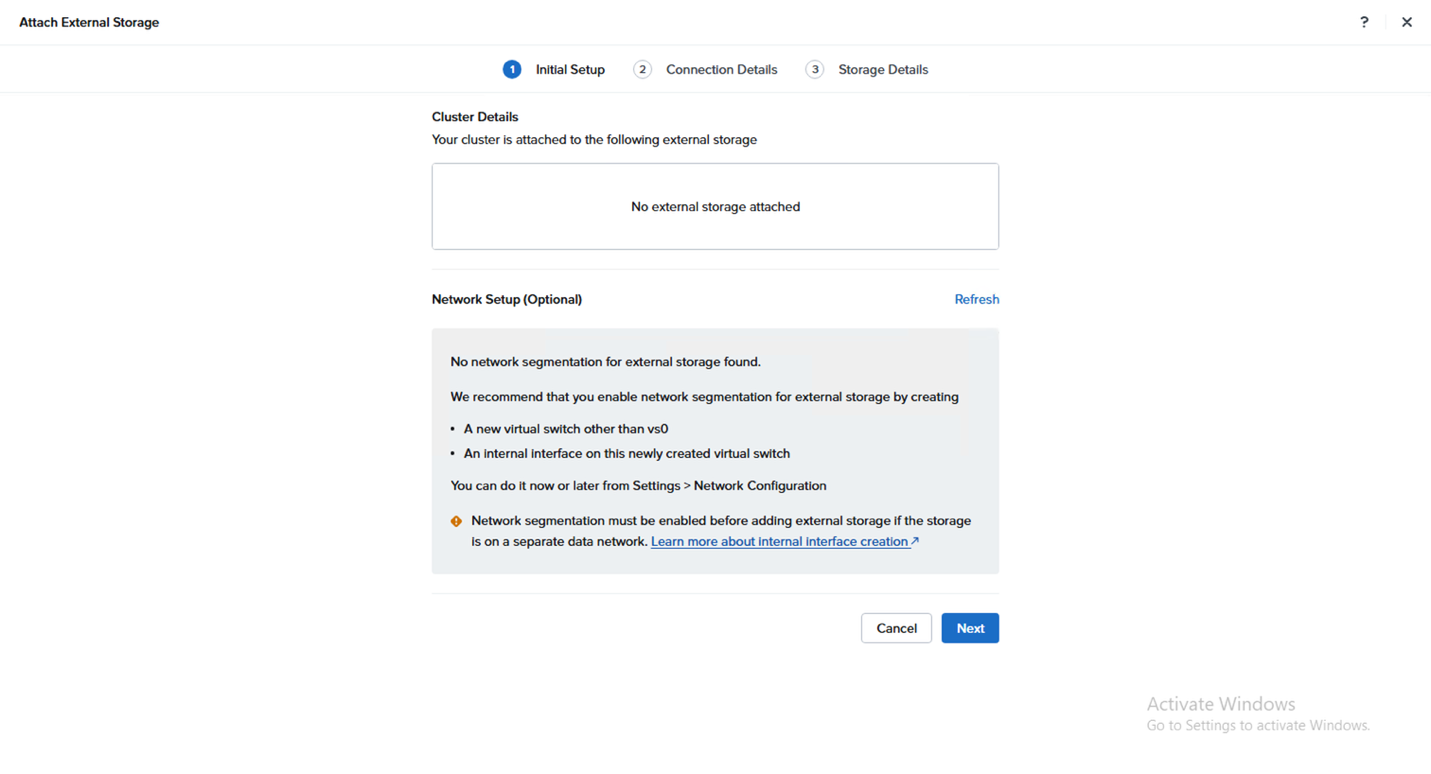
On the Initial Setup page, review the available information and click Next.
-
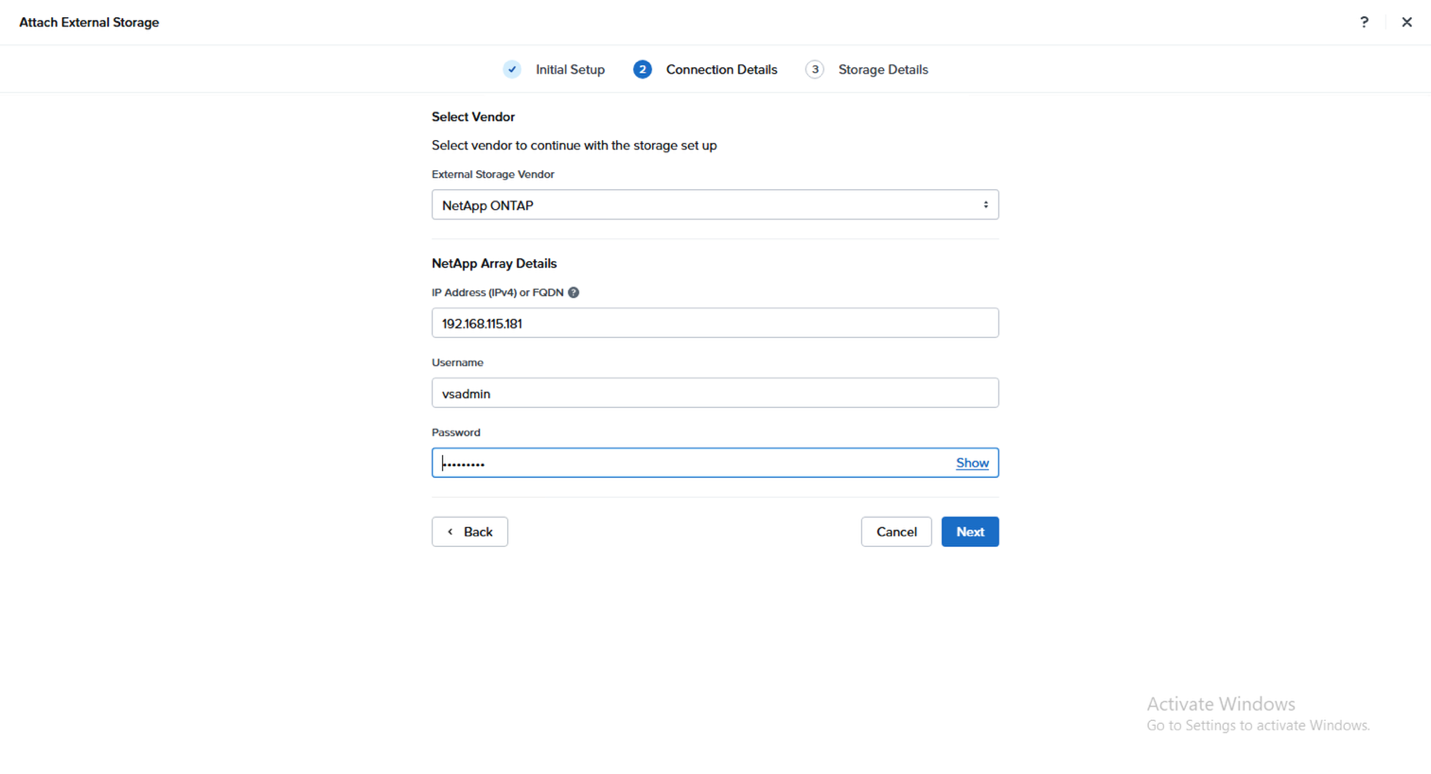
On the Connection Details page, select NetApp ONTAP as the external storage vendor, and then enter the following values:
-
IP Address (IPv4) or FQDN: Enter the ONTAP cluster or SVM management LIF address or FQDN.
-
Username: Enter the ONTAP service account username.
-
Password: Enter the service account password.
Click Next.
-
-
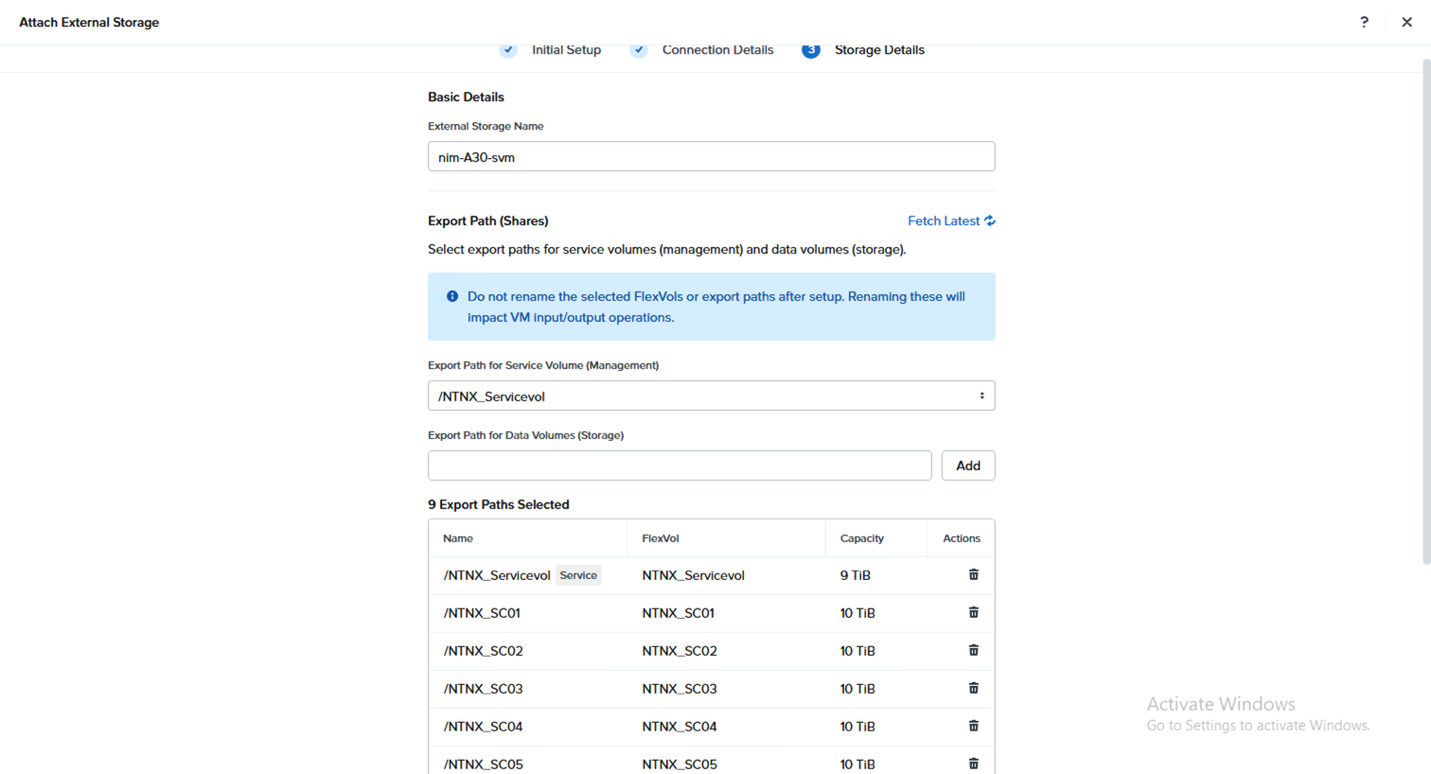
On the Storage Details page, specify a unique name for the ONTAP storage system in External Storage Name, enter one or more storage export paths for Export Path, and then click Add.

Supported export paths include FlexVol and qtree export paths. 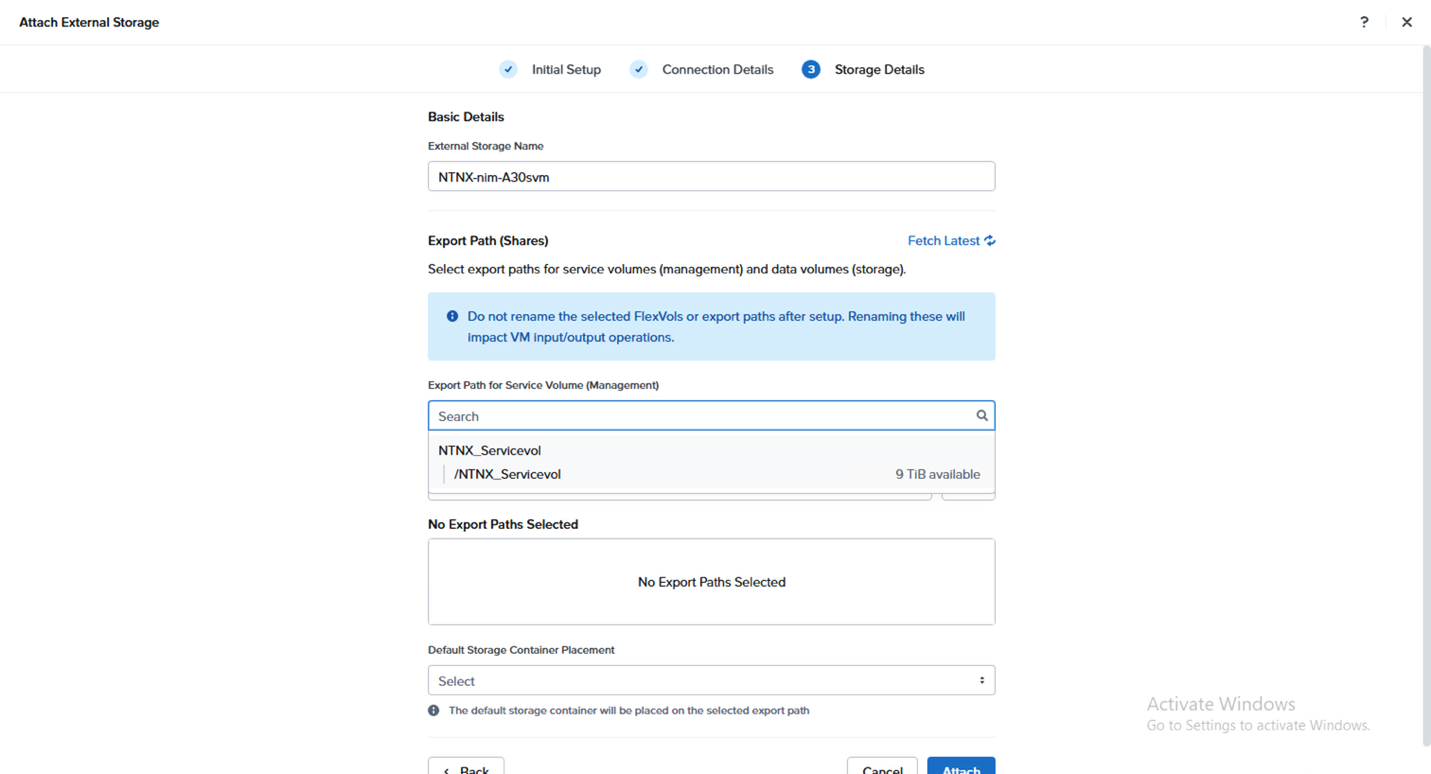
-
Click Attach.
The system attaches the ONTAP storage to the Nutanix cluster. You can monitor progress and status information from Tasks in Prism Element.
The nconnectoption is used in the mount options.
|
|
|
After you attach the storage, deploy Prism Central on the Nutanix Cloud Infrastructure (NCI) platform to perform cluster management and configuration tasks. You can also attach ONTAP storage through Prism Central.