


Configure ONTAP volumes, export policies, and permissions for Nutanix

 Suggest changes

 PDFs
PDFs
Create and configure ONTAP storage volumes, configure export policies, and define the SVM role and service account that Nutanix uses to manage ONTAP storage. After you complete these tasks, you can attach the FlexVol exports to the Nutanix cluster as shared storage for virtual machine workloads.
The process starts by creating ONTAP FlexVol volumes and configuring NFS export policies. You then define the required SVM role and REST API permissions, and finally attach the ONTAP storage to the Nutanix compute cluster.
Create ONTAP FlexVol volumes
Create the required FlexVol volumes and apply the recommended ONTAP settings to optimize capacity utilization, storage efficiency, and performance for Nutanix workloads.
-
Create the FlexVol volumes with the following settings:
Setting Configuration Volume guarantee
None (thin provisioned)
fractional_reserve0%
snap_reserve0%
Autosize
On
Storage efficiency
Enabled
Autodelete
volume/oldest_firstVolume tiering policy
Snapshot only
try_firstAutogrow
Snapshot policy
None

|
|
Calculate the service volume size
Calculate the size of the metadata (service) volume by allocating a minimum of 1 TiB per cluster node (N × 1 TiB). For example, an 8-node cluster requires at least 8 TiB of available capacity.
|
|
|
Calculate the data volume size
Data volume sizing is similar to datastore sizing. Size storage container volumes based on the expected number of virtual machines, their capacity requirements, and projected growth. Plan sufficient free space to accommodate VM provisioning, snapshots, and operational overhead while distributing workloads across multiple volumes to support scalability and balanced resource utilization.
Configure ONTAP export policies
Configure export policies so that only the Nutanix CVMs can access the NFS volumes.
Data volumes
-
Create a volume-level export policy that allows the CVM IP addresses or subnet range.
-
Set the following rules:
-
Read-only rule (
rorule):sys -
Read-write rule (
rwrule):sys -
Superuser:
sys
-
-
If qtrees are used, create a dedicated export policy rule per qtree with the same permissions.
Service or metadata volume
-
Create a volume-level export policy that allows the CVM IP addresses or subnet range.
-
Set the following rules:
-
Read-only rule (
rorule):sys -
Read-write rule (
rwrule):sys -
Superuser:
sys
-
|
|
|
Configure ONTAP roles and permissions
To connect ONTAP storage to a Nutanix compute cluster, Nutanix uses the ONTAP REST API for control plane operations (VM provisioning, cloning, snapshots, and storage management) and NFSv3 for the data path.
Create an ONTAP role with minimum privileges so that you do not need to use the ONTAP admin role to perform operations in the Nutanix compute-only cluster. These minimum roles are required at the SVM level on the ONTAP storage side.
|
|
|
Minimum REST API permissions
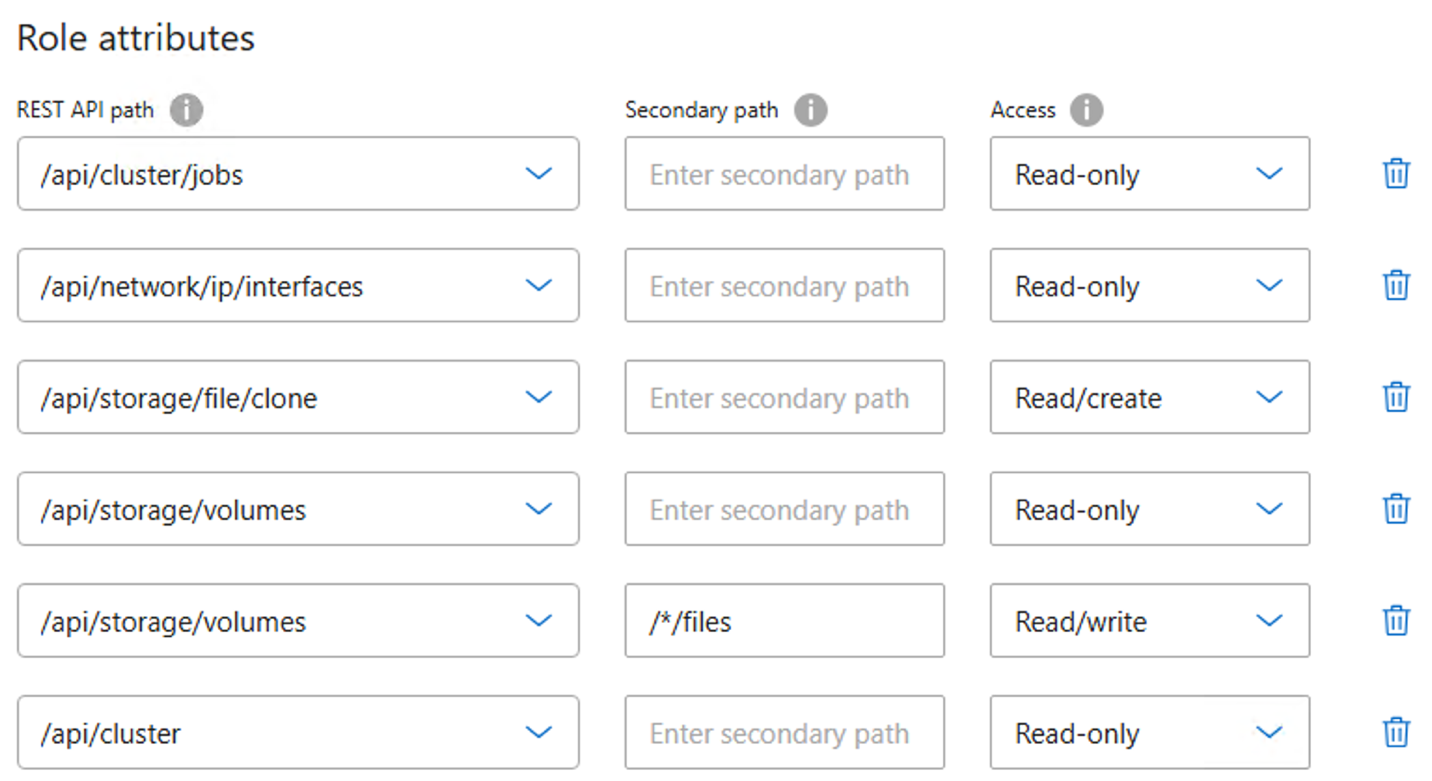
Create a custom ONTAP SVM role with the minimum required REST API permissions to enable Nutanix storage discovery, provisioning, cloning, and management operations.
| REST API endpoint | Access | Purpose |
|---|---|---|
|
Read only |
Cluster authentication and version validation |
|
Read only |
Monitor asynchronous storage operations |
|
Read only |
Discover ONTAP data LIFs |
|
Read/Create |
VM cloning, snapshot, and backup operations |
|
Read only |
Volume discovery and management |
|
Full access |
Create, modify, read, and delete Nutanix-managed files |
Configure the service account
You can create the role and user with ONTAP System Manager or with the ONTAP CLI.
-
Create a custom role at the SVM level.
-
Select Storage > Storage VMs > designated SVM > Settings > Users and Roles.
-
Select the arrow icon (→) next to Users and Roles.
-
Under Roles, select +Add.
-
Define the rules for the role and click Save.
-
-
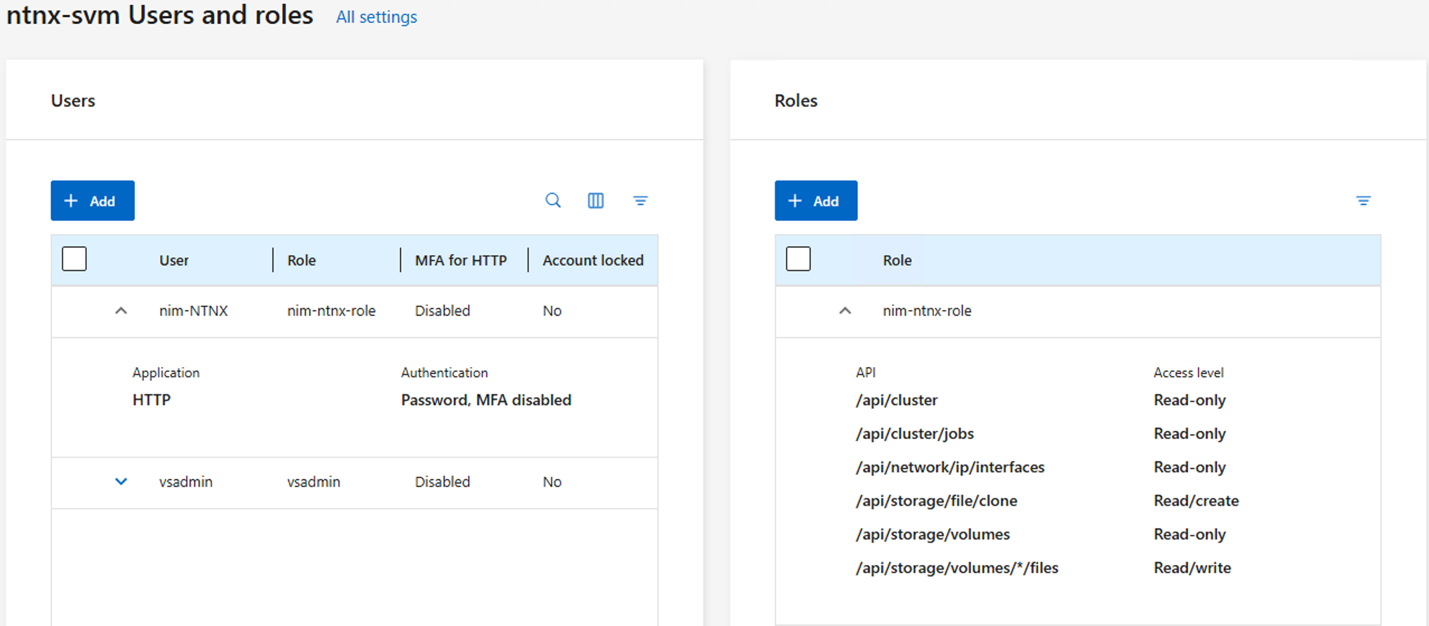
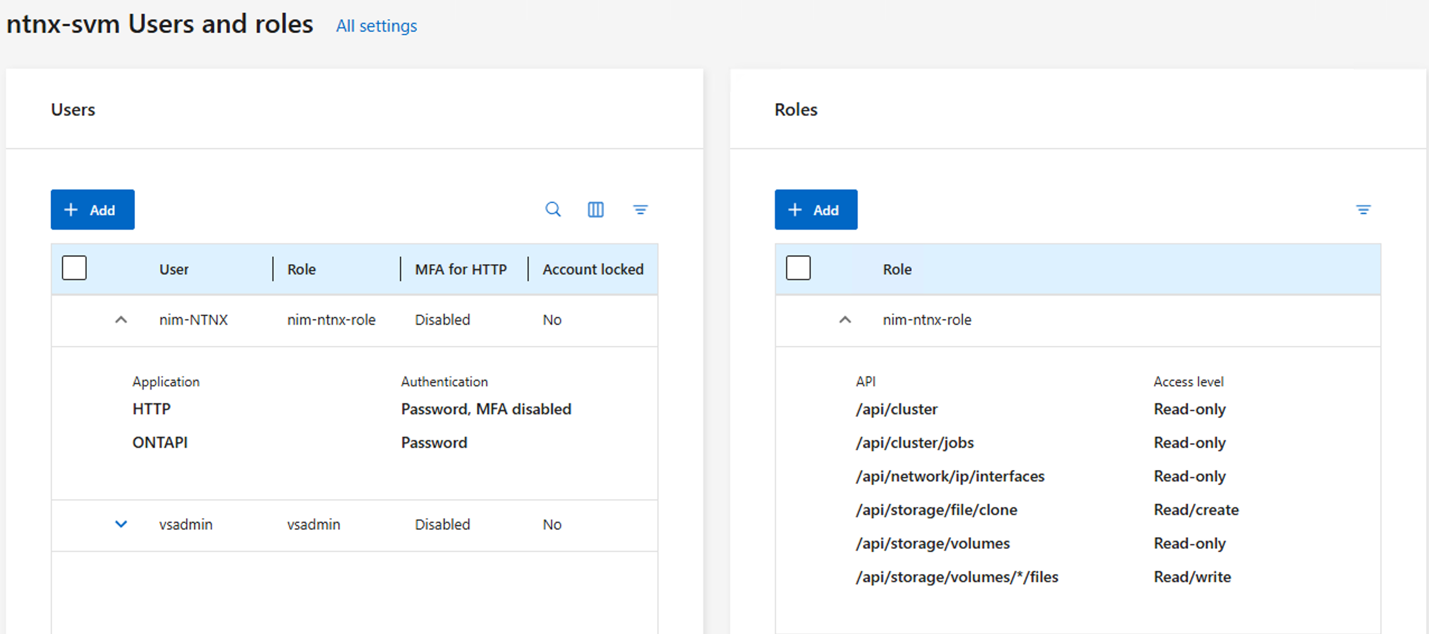
Map the role to the Nutanix admin user.
-
On the Users and Roles page, under Users, select +Add.
-
Select the required username, and then select the role that you created in the previous step from the Role drop-down menu.
-
For user login methods, select HTTP.
-
Click Save.
-
-
Create the role by running the following commands. Replace
ntnx-svmandnim-ntnx-rolewith your SVM and role names.security login rest-role create -vserver ntnx-svm -role nim-ntnx-role -api "/api/cluster" -access readonly security login rest-role create -vserver ntnx-svm -role nim-ntnx-role -api "/api/cluster/jobs" -access readonly security login rest-role create -vserver ntnx-svm -role nim-ntnx-role -api "/api/network/ip/interfaces" -access readonly security login rest-role create -vserver ntnx-svm -role nim-ntnx-role -api "/api/storage/file/clone" -access read_create security login rest-role create -vserver ntnx-svm -role nim-ntnx-role -api "/api/storage/volumes" -access readonly security login rest-role create -vserver ntnx-svm -role nim-ntnx-role -api "/api/storage/volumes/*/files" -access all -
Create the user and map it to the role.
security login create -vserver ntnx-svm -user-or-group-name nim-ntnx-user -application http -authentication-method password -role nim-ntnx-role
|
|
The ONTAP service account username and password are required when you add the ONTAP array to the Nutanix cluster. Use this user when you configure the ONTAP storage SVM in Prism Element or Prism Central. |