


Data protection for VMs in Red Hat OpenShift Virtualization using OpenShift API for Data Protection (OADP)

 Suggest changes

 PDFs
PDFs
OpenShift API for Data Protection (OADP) with Velero provides backup, restore, and disaster recovery capabilities for VMs in OpenShift Virtualization. Use Trident CSI snapshots to back up persistent volumes and VM metadata to NetApp ONTAP S3 or StorageGRID S3. OADP integrates with Velero APIs and CSI storage drivers to manage data protection operations for containerized VMs.
Virtual machines in the OpenShift Virtualization environment are containerized applications that run in the worker nodes of your OpenShift Container platform. It is important to protect the VM metadata as well as the persistent disks of the VMs, so that when they are lost or corrupted, you can recover them.
The persistent disks of the OpenShift Virtualization VMs can be backed by ONTAP storage integrated to the OpenShift Cluster using Trident CSI. In this section, we use OpenShift API for Data Protection (OADP) to back up VMs and their data volumes to
-
ONTAP Object Storage
-
StorageGrid
We then restore from the backup when needed.
OADP enables backup, restore, and disaster recovery of applications on an OpenShift cluster. Data that can be protected with OADP include Kubernetes resource objects, persistent volumes, and internal images.
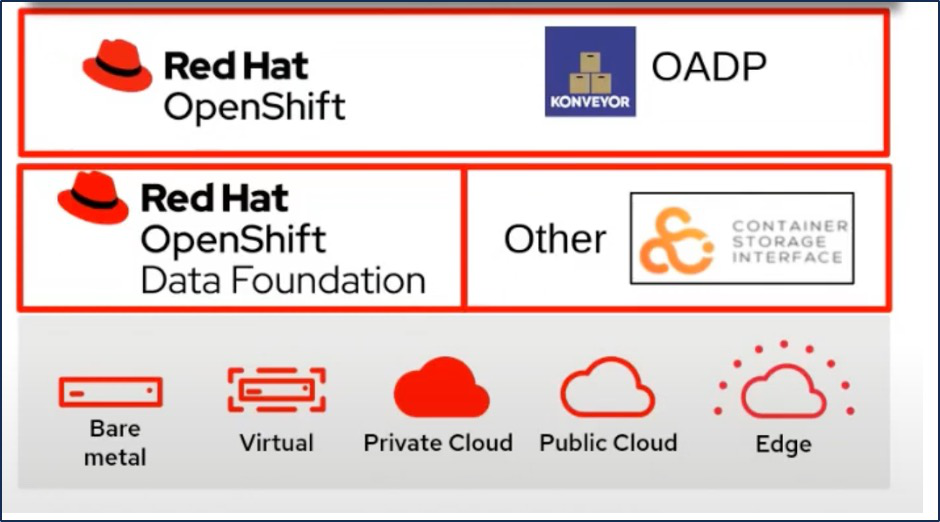
Red Hat OpenShift has leveraged the solutions developed by the open source communities for data protection. Velero is an open-source tool to safely backup and restore, perform disaster recovery, and migrate Kubernetes cluster resources and persistent volumes. To use Velero easily, OpenShift has developed the OADP operator and the Velero plugin to integrate with the CSI storage drivers. The core of the OADP APIs that are exposed are based on the Velero APIs. After installing the OADP operator and configuring it, the backup/restore operations that can be performed are based on the operations exposed by the Velero API.
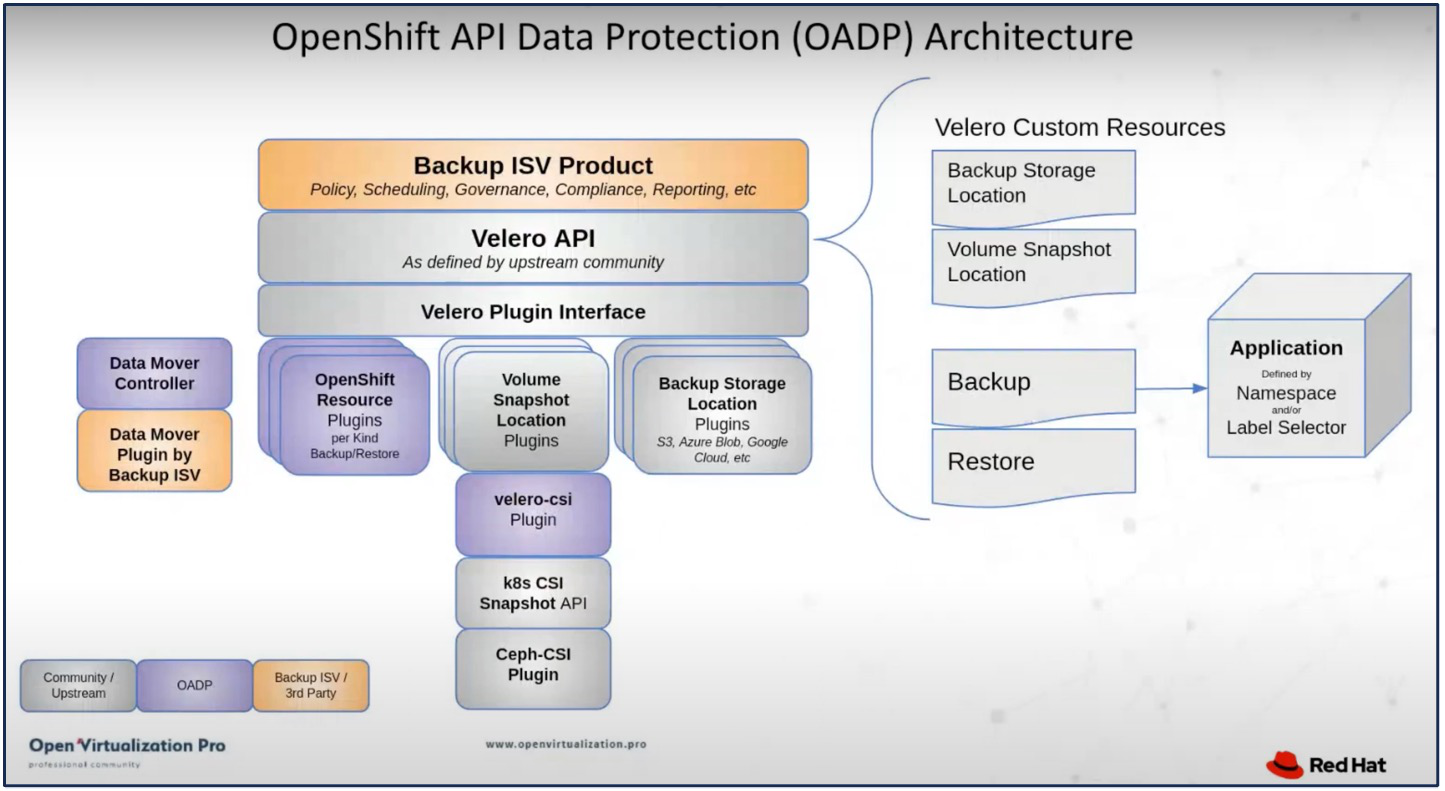
OADP 1.3 is available from the operator hub of OpenShift cluster 4.12 and later. It has a built-in Data Mover that can move CSI volume snapshots to a remote object store. This provides portability and durability by moving snapshots to an object storage location during backup. The snapshots are then available for restoration after disasters.
The following are the various components used for the examples in this section
-
OpenShift Cluster 4.14
-
OpenShift Virtualization installed via OpenShift Virtualization Operator provided by Red Hat
-
OADP Operator 1.3 provided by Red Hat
-
Velero CLI for Linux
-
Trident 24.02 CSI driver for ONTAP
-
ONTAP 9.12
Create on-demand backup for VMs in Red Hat OpenShift Virtualization using Velero
Back up VMs in OpenShift Virtualization using Velero and NetApp ONTAP S3 or StorageGRID. This procedure includes creating Backup Custom Resources (CRs) for on-demand backups and Schedule CRs for scheduled backups. Each backup captures VM metadata and persistent volumes, storing them in the specified object storage location for recovery or compliance purposes.
Steps to create a backup of a VM
To create an on-demand backup of the entire VM (VM metadata and VM disks), click on the Backup tab. This creates a Backup Custom Resource (CR). A sample yaml is provided to create the Backup CR. Using this yaml, the VM and its disks in the specified namespace will be backed up. Additional information can be found in the OpenShift Container Platform documentation.
A snapshot of the persistent volumes backing the disks will be created by the CSI. A backup of the VM along with the snapshot of its disks are created and stored in the backup location specified in the yaml. The backup will remain in the system for 30 days as specified in the ttl.
apiVersion: velero.io/v1
kind: Backup
metadata:
  name: backup1
  namespace: openshift-adp
spec:
  includedNamespaces:
  - virtual-machines-demo
  snapshotVolumes: true
  storageLocation: velero-demo-1
  ##velero-demo-1 is the backupStorageLocation
  ##previously created when Velero is configured.

  ttl: 720h0m0s
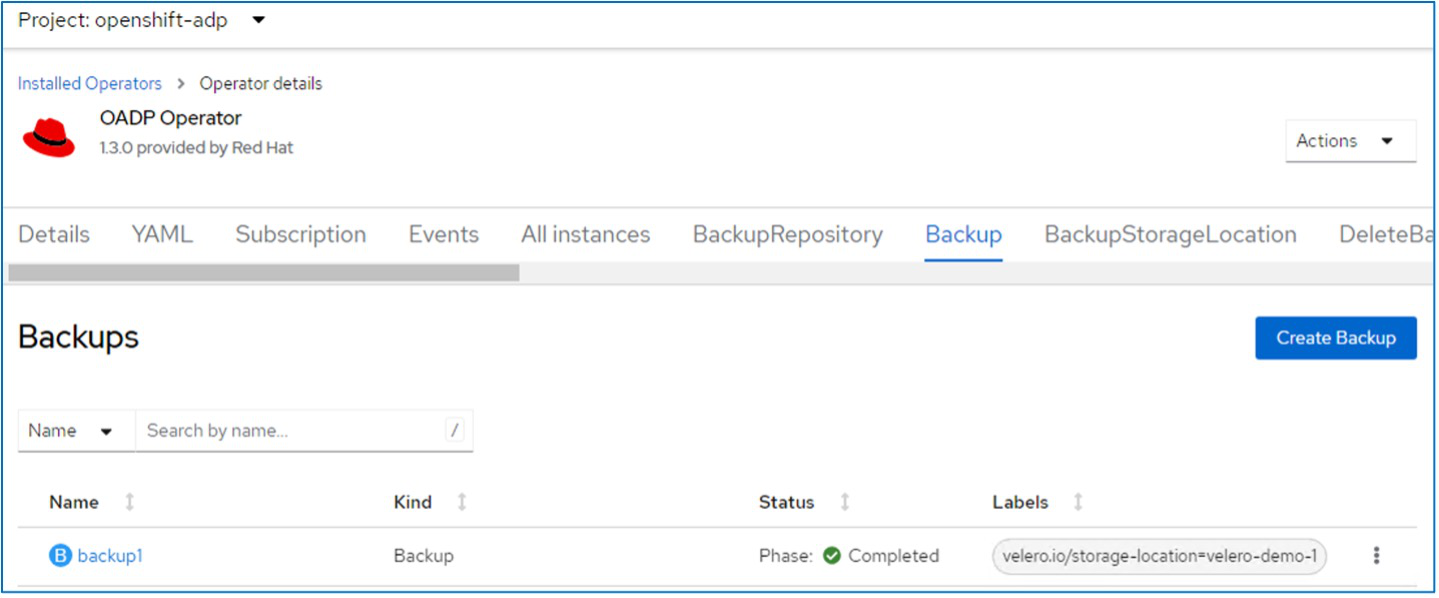
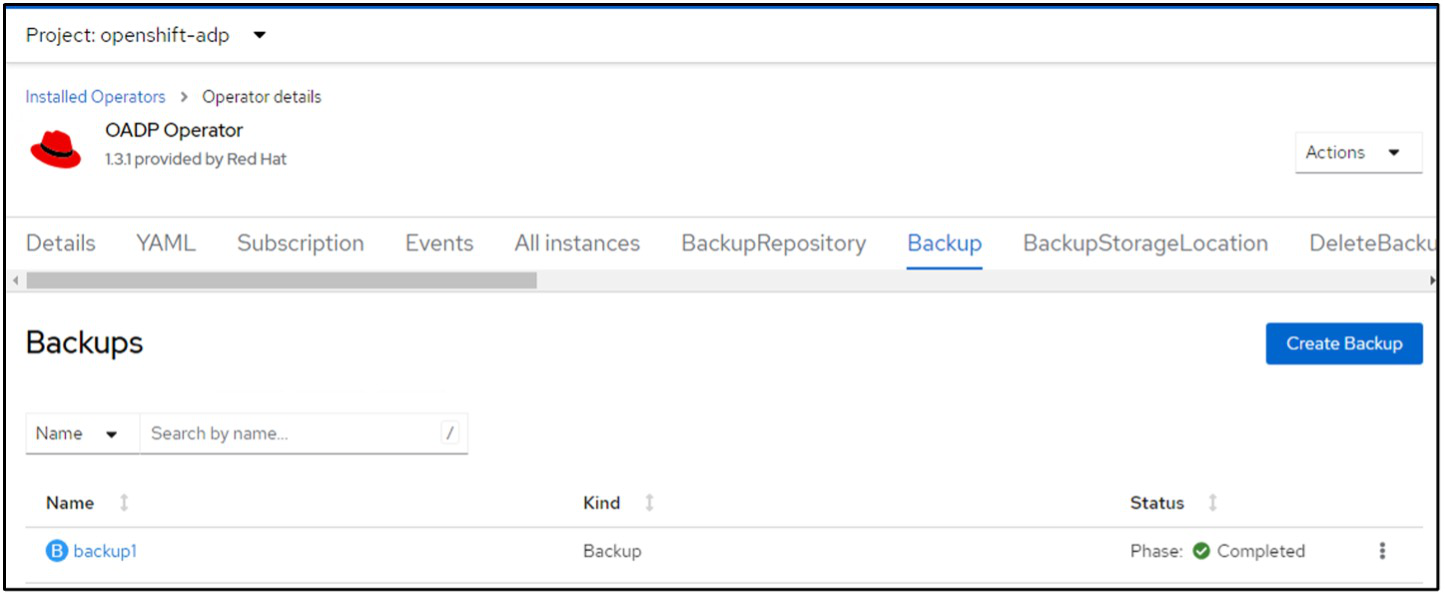
Once the backup completes, its Phase will show as completed.
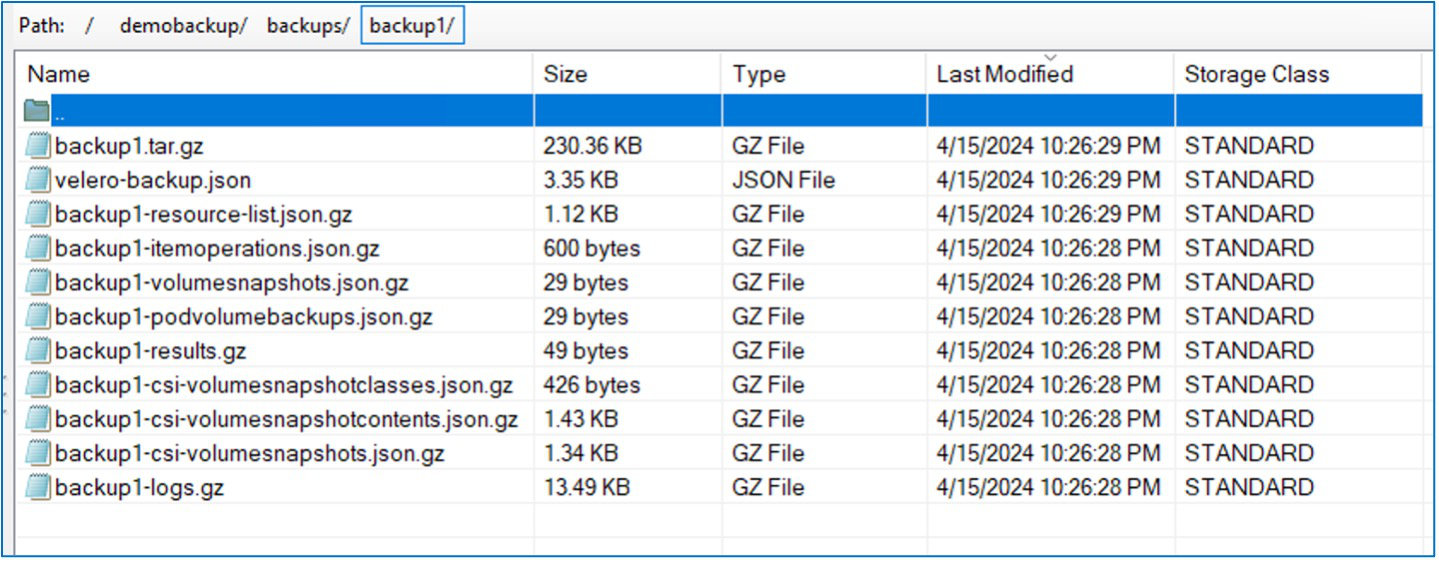
You can inspect the backup in the Object storage with the help of an S3 browser application. The path of the backup shows in the configured bucket with the prefix name (velero/demobackup). You can see the contents of the backup includes the volume snapshots, logs, and other metadata of the virtual machine.

|
In StorageGrid, you can also use the S3 console that is available from the Tenant Manager to view the backup objects. |
Creating scheduled backups
To create backups on a schedule, you need to create a Schedule CR. The schedule is simply a Cron expression allowing you to specify the time at which you want to create the backup. A sample yaml to create a Schedule CR.
apiVersion: velero.io/v1
kind: Schedule
metadata:
  name: <schedule>
  namespace: openshift-adp
spec:
  schedule: 0 7 * * *
  template:
    hooks: {}
    includedNamespaces:
    - <namespace>
    storageLocation: velero-demo-1
    defaultVolumesToFsBackup: true
    ttl: 720h0m0s
The Cron expression 0 7 * * * means a backup will be created at 7:00 every day.
The namespaces to be included in the backup and the storage location for the backup are also specified. So instead of a Backup CR, Schedule CR is used to create a backup at the specified time and frequency.
Once the schedule is created, it will be Enabled.
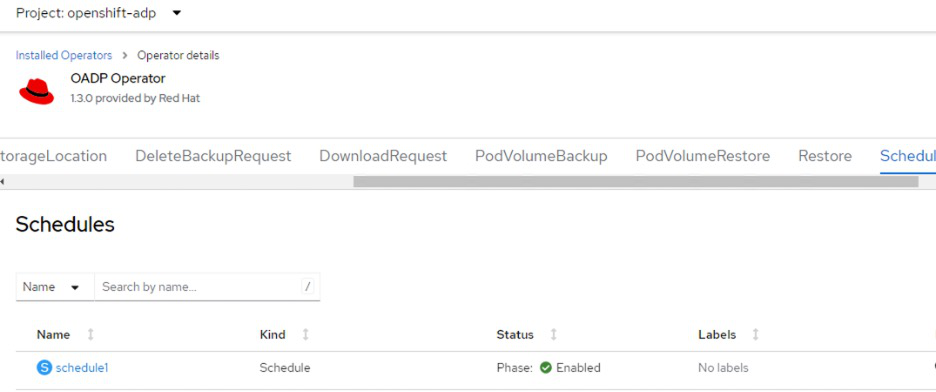
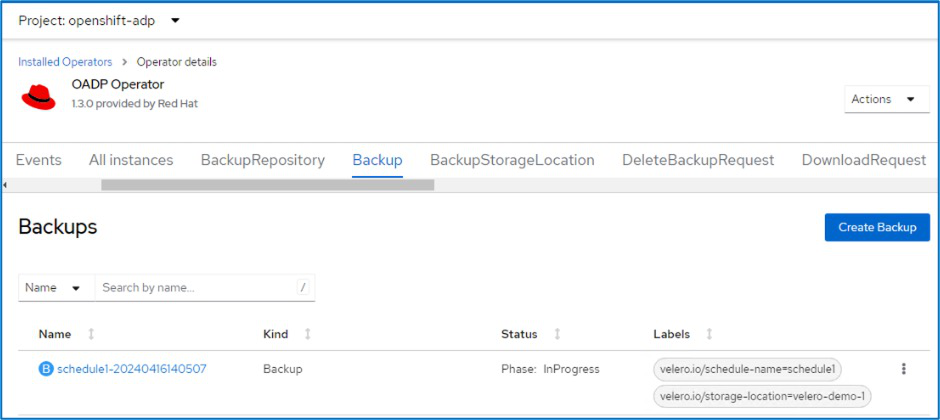
Backups will be created according to this schedule, and can be viewed from the Backup tab.
Restore a VM from backup in Red Hat OpenShift Virtualization using Velero
Restore VMs in OpenShift Virtualization using Velero and the OpenShift API for Data Protection (OADP). This procedure includes creating a Restore Custom Resource (CR) to recover VMs and their persistent volumes from backups, with options to restore to the original namespace, a different namespace, or using an alternative storage class.
Prerequisites
To restore from a backup, let us assume that the namespace where the virtual machine existed got accidentally deleted.
Restore to the same namespace
Details
To restore from the backup that we just created, we need to create a Restore Custom Resource (CR). We need to provide it a name, provide the name of the backup that we want to restore from and set the restorePVs to true. Additional parameters can be set as shown in the documentation. Click on Create button.
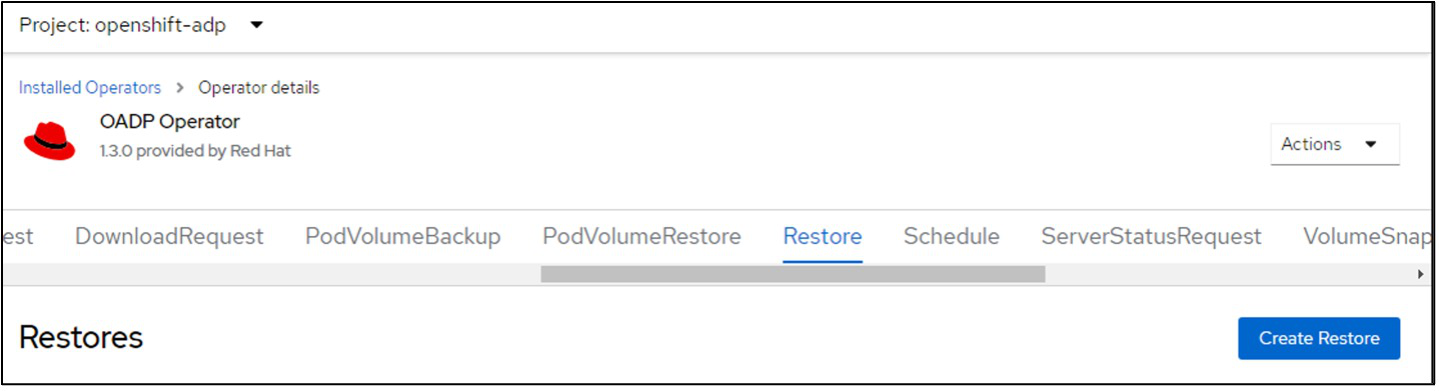
apiVersion: velero.io/v1
kind: Restore
metadata:
  name: restore1
  namespace: openshift-adp
spec:
  backupName: backup1
  restorePVs: true
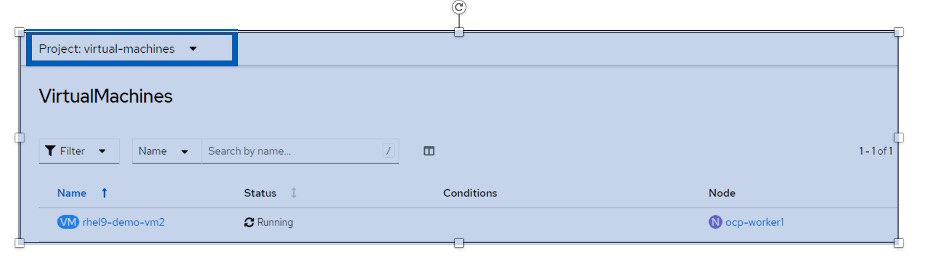
When the phase shows completed, you can see that the virtual machines have been restored to the state when the snapshot was taken. (If the backup was created when the VM was running, restoring the VM from the backup will start the restored VM and bring it to a running state). The VM is restored to the same namespace.
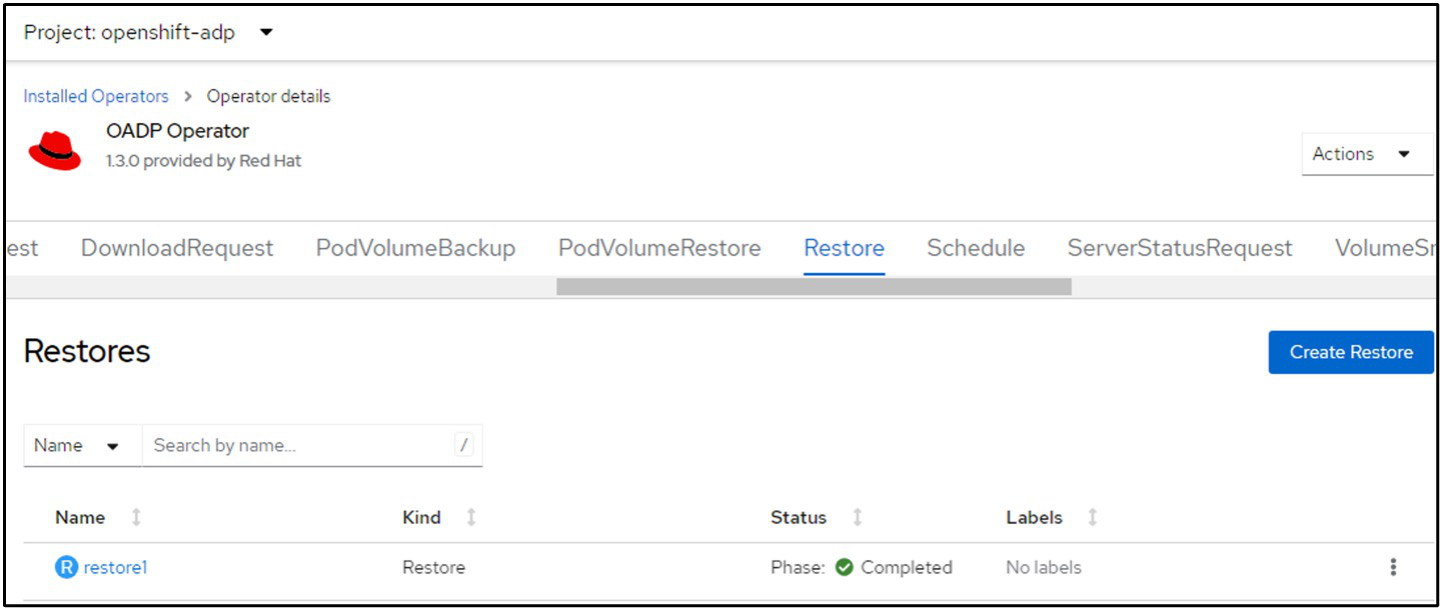
Restore to a different namespace
Details
To restore the VM to a different namespace, you can provide a namespaceMapping in the yaml definition of the Restore CR.
The following sample yaml file creates a Restore CR to restore a VM and its disks in the virtual-machines-demo namespace when the backup was taken to the virtual-machines namespace.
apiVersion: velero.io/v1
kind: Restore
metadata:
  name: restore-to-different-ns
  namespace: openshift-adp
spec:
  backupName: backup
  restorePVs: true
  includedNamespaces:
  - virtual-machines-demo
  namespaceMapping:
    virtual-machines-demo: virtual-machines
When the phase shows completed, you can see that the virtual machines have been restored to the state when the snapshot was taken. (If the backup was created when the VM was running, restoring the VM from the backup will start the restored VM and bring it to a running state). The VM is restored to a different namespace as specified in the yaml.
Restore to a different storage class
Details
Velero provides a generic ability to modify the resources during restore by specifying json patches. The json patches are applied to the resources before they are restored. The json patches are specified in a configmap and the configmap is referenced in the restore command. This feature enables you to restore using different storage class.
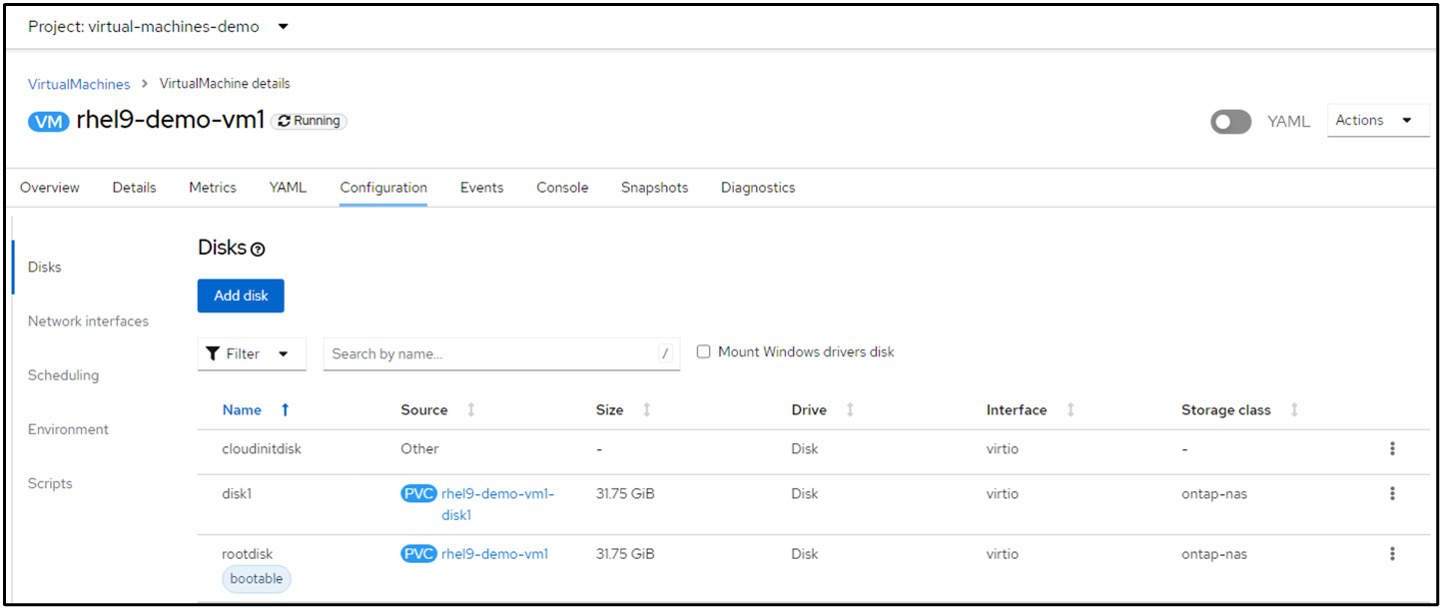
In the example below, the virtual machine, during creation uses ontap-nas as the storage class for its disks. A backup of the virtual machine named backup1 is created.
Simulate a loss of the VM by deleting the VM.
To restore the VM using a different storage class, for example, ontap-nas-eco storage class, you need to do the following two steps:
Step 1
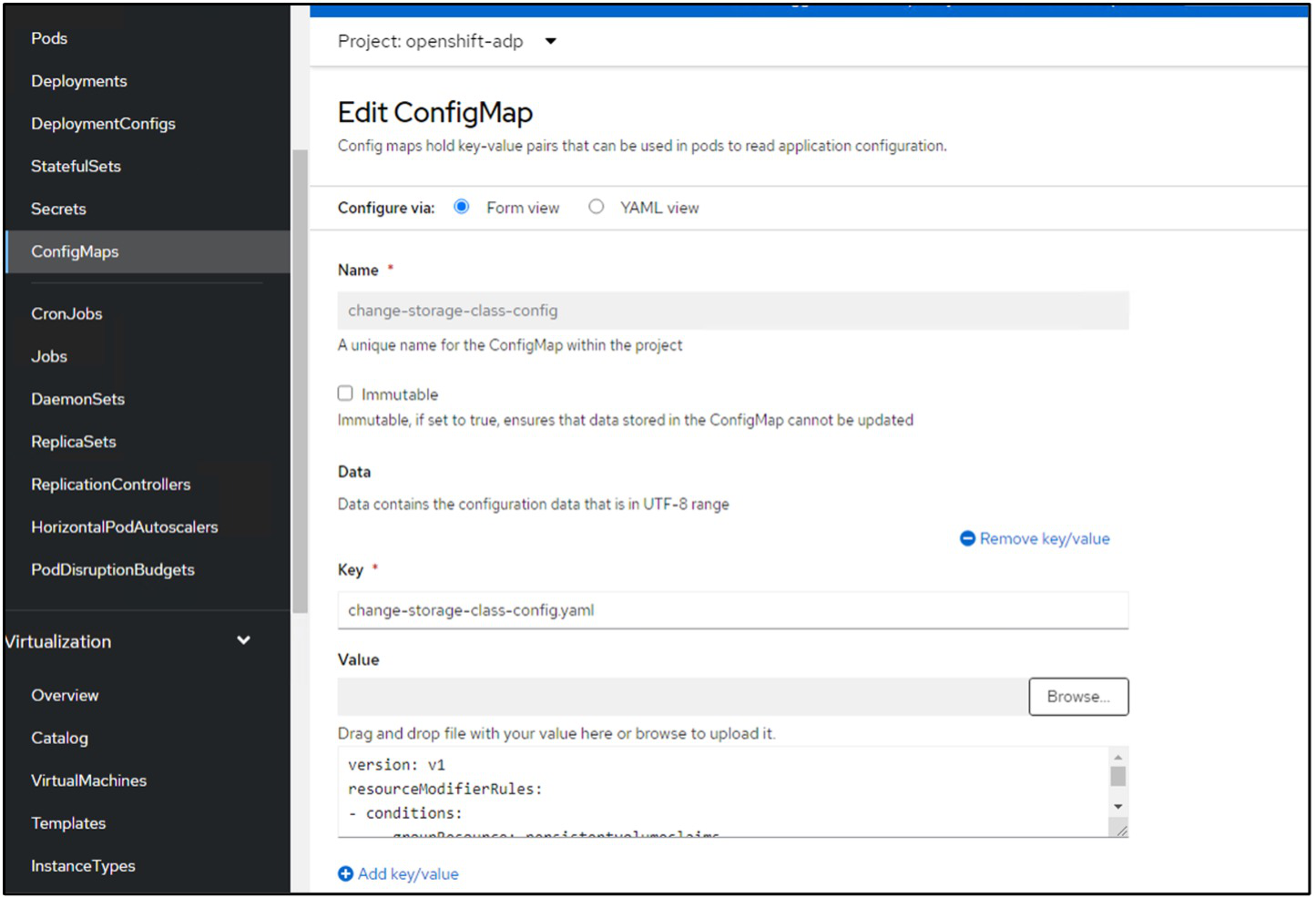
Create a config map (console) in the openshift-adp namespace as follows:
Fill in the details as shown in the screenshot:
Select namespace : openshift-adp
Name: change-storage-class-config (can be any name)
Key: change-storage-class-config.yaml:
Value:
version: v1
resourceModifierRules:
  - conditions:
      groupResource: persistentvolumeclaims
      resourceNameRegex: "^rhel*"
      namespaces:
        - virtual-machines-demo
    patches:
      - operation: replace
        path: "/spec/storageClassName"
        value: "ontap-nas-eco"
The resulting config map object should look like this (CLI):
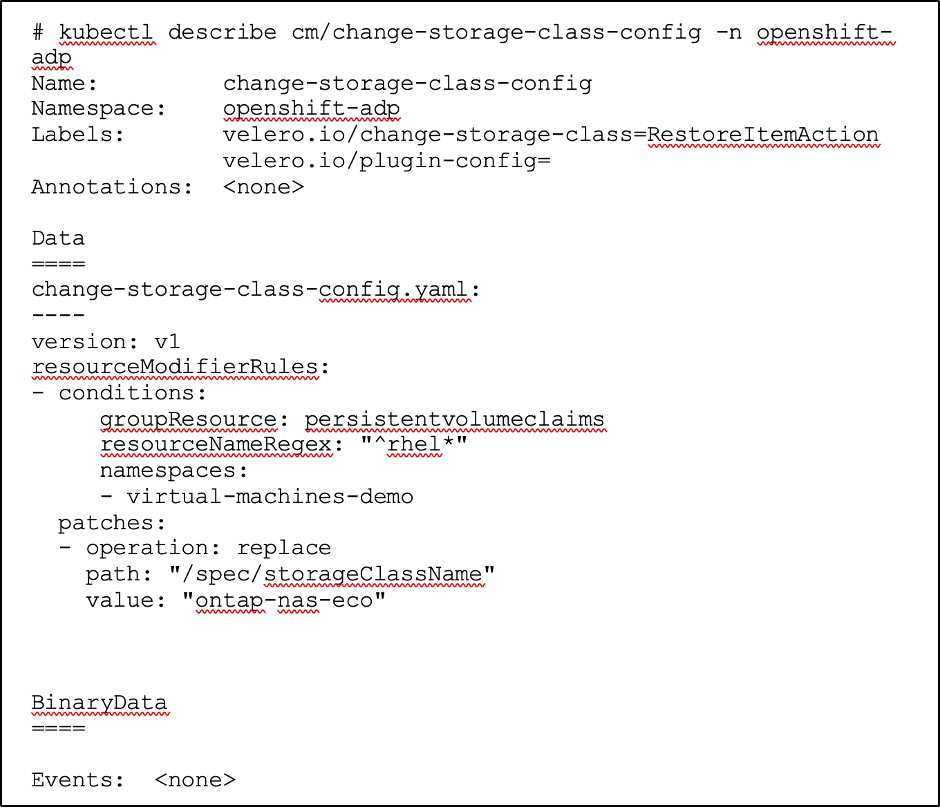
This config map will apply the resource modifier rule when the restore is created. A patch will be applied to replace the storage class name to ontap-nas-eco for all persistent volume claims starting with rhel.
Step 2
To restore the VM use the following command from the Velero CLI:
#velero restore create restore1 --from-backup backup1 --resource-modifier-configmap change-storage-class-config -n openshift-adp
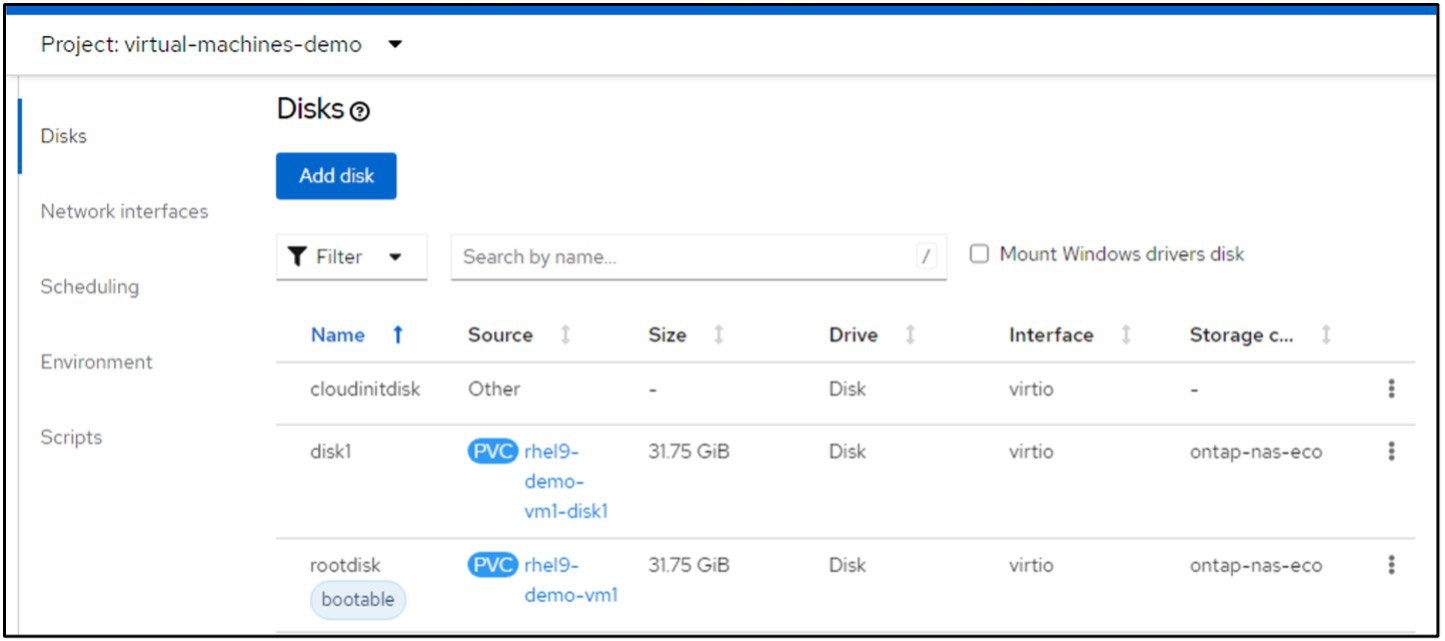
The VM is restored in the same namespace with the disks created using the storage class ontap-nas-eco.
Delete a backup CR or restore CR in Red Hat OpenShift Virtualization using Velero
Delete backup and restore resources for VMs in OpenShift Virtualization using Velero. Use the OpenShift CLI to delete backups while retaining object storage data, or the Velero CLI to delete both the Backup Custom Resource (CR) and associated storage data.
Deleting a backup
You can delete a Backup CR without deleting the Object Storage data by using the OC CLI tool.
oc delete backup <backup_CR_name> -n <velero_namespace>If you want to delete the Backup CR and delete the associated object storage data, you can do so by using the Velero CLI tool.
Download the Velero CLI from velero.io. Use the version that is compatible with your version of the OADP operator. You can find the compatible version from the documentation here.
Execute the following delete command using the Velero CLI
velero backup delete <backup_CR_name> -n <velero_namespace>Deleting a Restore
You can delete the Restore CR using the Velero CLI
velero restore delete restore --namespace openshift-adpYou can use oc command as well as the UI to delete the restore CR
oc delete restore <restore_CR_name> -n <velero_namespace>