


Failback of a VM in OpenShift Virtualization Disaster Recovery

 Suggest changes

 PDFs
PDFs
This section provides information about the failback process for a VM in OpenShift Virtualization disaster recovery using NetApp Trident Protect and AppMirror. After a failover operation has been performed to switch to a disaster recovery target cluster, you can use the failback process to reverse the replication direction and restore the original source cluster as the primary cluster for the VM. This involves resyncing any changes made to the VM during the failover period back to the original source cluster and then promoting the replication relationship in the reverse direction. By following these steps, you can ensure that your VM is running on the original source cluster with all changes intact after a disaster recovery event.
Failback for OpenShift Virtualization Disaster Recovery
Using Trident Protect, you can achieve "fail back" after a failover operation by using the following sequence of operations. In this workflow to restore the original replication direction, Trident Protect replicates (resyncs) any application changes back to the original source application before reversing the replication direction.
This process starts from a relationship that has completed a failover to a destination and involves the following steps:
-
Start with a failed over state.
-
Reverse resync the replication relationship
When you reverse resync a failed over replication relationship, the destination application becomes the source application, and the source becomes the destination. Changes made to the destination application during failover are kept.
-
On the original destination cluster, delete the AppMirrorRelationship CR. This causes the destination to become the source. If there are any protection schedules remaining on the new destination cluster, remove them.
Show example

-
Create a Snapshot on the new source cluster (original destination) to capture any changes made during the failover period. This ensures that all changes are replicated back to the original source cluster during the resync process.
Show example
# snapshot.yaml
apiVersion: protect.trident.netapp.io/v1
kind: Snapshot
metadata:
  name: test-source-dr-init-snapshot-failback
  namespace: test-dr-ns
spec:
  applicationRef: test-dest-app
  appVaultRef: ontap-s3-appvault
  reclaimPolicy: Delete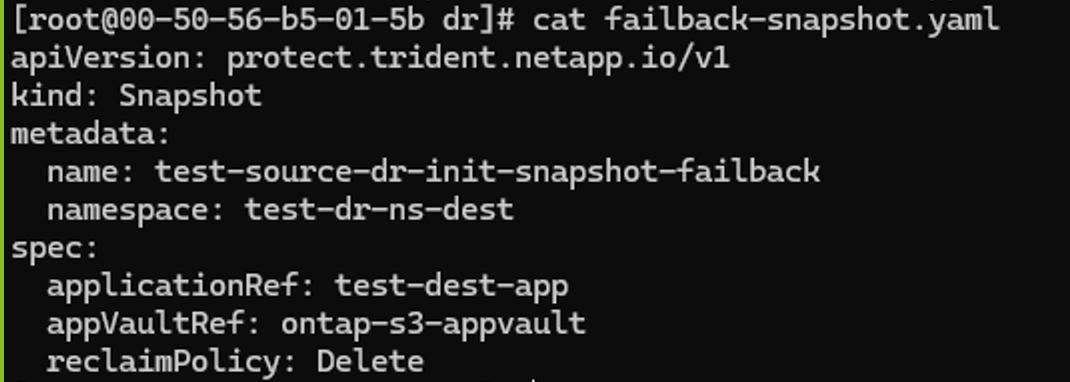


-
Set up a replication relationship from the new source cluster (original destination) to the original source cluster, configuring values for the reverse direction.
Show example
# application-mirror-relationship.yaml
apiVersion: protect.trident.netapp.io/v1
kind: AppMirrorRelationship
metadata:
  name: amr1
spec:
  desiredState: Established
  destinationAppVaultRef: ontap-s3-appvault
  destinationApplicationRef: dr-source-vm-failback
  namespaceMapping:
  - destination: test-dr-ns
    source: test-dr-ns-dest
  recurrenceRule: |-
    DTSTART:20240901T000200Z
    RRULE:FREQ=MINUTELY;INTERVAL=5
  sourceAppVaultRef: ontap-s3-appvault
  sourceApplicationName: test-dest-app
  sourceApplicationUID: "uid of the app in the original source cluster"
  storageClassName: "sc-nas"

-
Promote the replication relationship from the new source cluster (original destination) to the original source cluster by updating the desiredState field in the AppMirrorRelationship CR to "Promoted".
Show example

You will now see the VM running in the original source cluster. The failback process is now complete. You can now clean up the resources in the original destination cluster. You can also set up a new replication relationship if you want to maintain disaster recovery capabilities after the failback process.

Do not perform a normal resync operation, as this will discard data written to the destination cluster during the fail over procedure.
-