


Configure LVM with iSCSI for Proxmox VE


 Suggest changes

 PDFs
PDFs
Configure Logical Volume Manager (LVM) for shared storage across Proxmox Virtual Environment (VE) hosts using iSCSI protocol with NetApp ONTAP. This configuration enables block-level storage access over standard Ethernet networks with multipath support.
Initial virtualization administrator tasks
Complete these initial tasks to prepare Proxmox VE hosts for iSCSI connectivity and collect the necessary information for the storage administrator.
-
Verify two Linux VLAN interfaces are available.
-
Ensure multipath-tools is installed on all Proxmox VE hosts and starts on boot.
apt list | grep multipath-tools
# If need to install, execute the following line.
apt-get install multipath-tools
systemctl enable --now multipathd
The desired configuration for ONTAP devices multipath is already included in package. For more information, refer to the ONTAP 9 documentation on Proxmox VE 9.x for FCP and iSCSI with ONTAP storage -
Collect the iSCSI host IQN for all Proxmox VE hosts and provide it to the storage administrator.
cat /etc/iscsi/initiator.name
Storage administrator tasks
If you are new to ONTAP, use System Manager for a better experience.
-
Ensure the SVM is available with iSCSI protocol enabled. Follow ONTAP 9 documentation.
-
Create two LIFs per controller dedicated for iSCSI.

-
Create an igroup and populate the host iSCSI initiators.
-
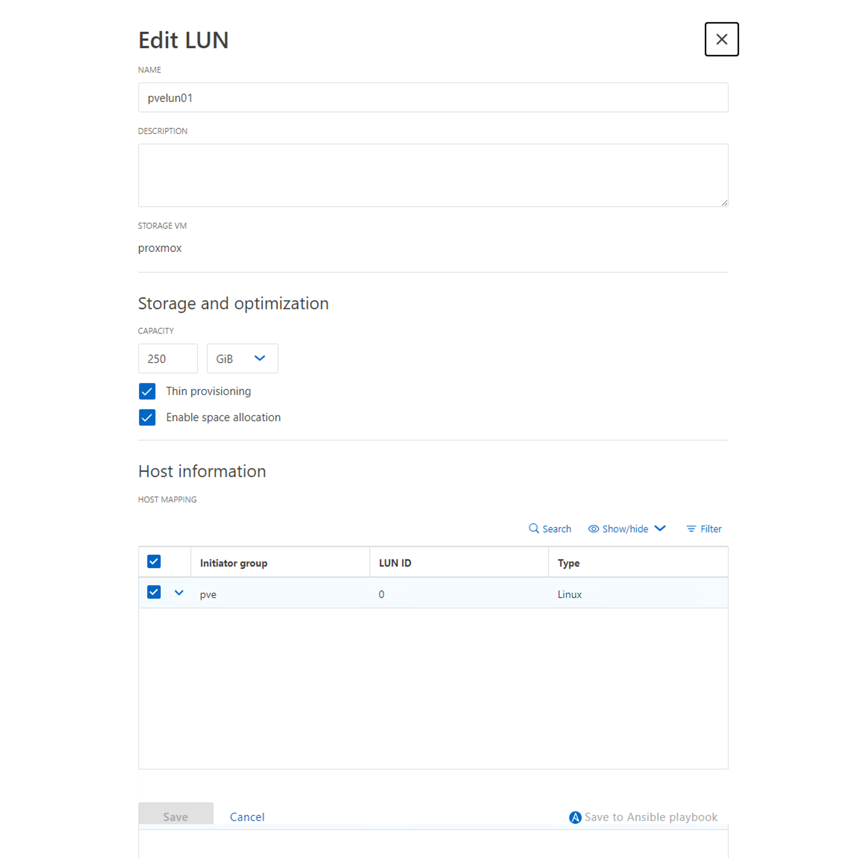
Create the LUN with the desired size on the SVM and present it to the igroup created in the previous step. Ensure Anti-Ransomware protection is enabled on the security tab for ASA systems. For AFF/FAS systems, ensure Anti-Ransomware protection is enabled on the security tab for the volume.
-
Notify the virtualization administrator that the LUN is created.
Final virtualization administrator tasks
Complete these tasks to configure the iSCSI LUN as shared LVM storage in Proxmox VE.
-
Using the Management UI at
https:<proxmox node>:8006, click Datacenter, select Storage, click Add, and select iSCSI.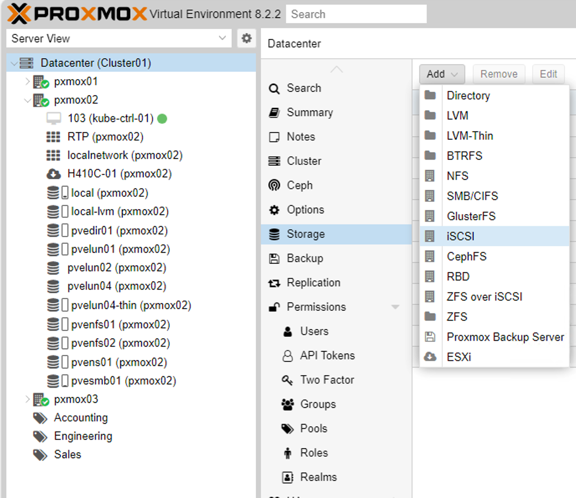
-
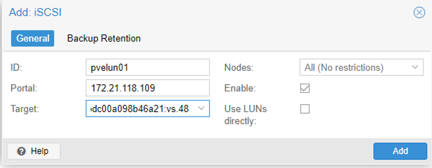
Provide the storage ID name. The iSCSI LIF address from ONTAP should be able to pick the target when there is no communication issue. If the intention is to not directly provide LUN access to guest VMs, uncheck that option.
-
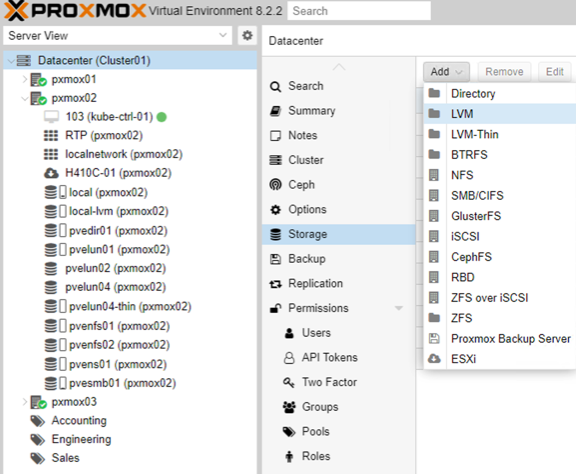
Click Add and select LVM.
-
Provide the storage ID name and select the base storage that matches the iSCSI storage created in the previous step. Select the LUN for the base volume and provide the volume group name. Ensure the shared option is selected. With Proxmox VE 9 and above, enable the
Allow Snapshots as Volume-Chainoption, which is visible when the Advanced check box is enabled.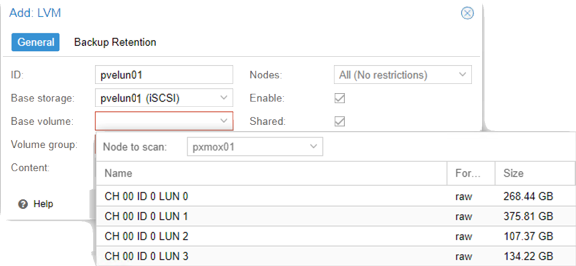
-
The following shows the sample storage configuration file for LVM using iSCSI:
Show example
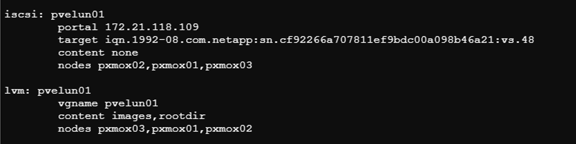
With Proxmox VE 9 and above, the storage configuration file includes the additional option
snapshot-as-volume-chain 1whenAllow Snapshots as Volume-Chainis enabled.