


本繁體中文版使用機器翻譯,譯文僅供參考,若與英文版本牴觸,應以英文版本為準。
新增Google Cloud NetApp Volumes系統
貢獻者

 建議變更
建議變更

 PDF
PDF
設定服務帳戶後,在NetApp Console中新增Google Cloud NetApp Volumes系統,以便您可以查看Google Cloud NetApp Volumes實例。
此訂閱的雲卷顯示在系統中。

|
如果您在多個 Google Cloud 專案中擁有訂閱和磁碟區,則需要為每個專案執行此任務。 |
開始之前
在為每個專案新增系統之前,請確定:
-
Google Cloud 服務帳戶已設定,且其憑證可在 NetApp Console 中取得。如需詳細資訊,請參閱 "設定Google Cloud NetApp Volumes"。
-
您在 NetApp Console 中擁有 Google Cloud NetApp Volumes 管理員或檢視者角色。如需詳細資訊,請參閱 "指派Google Cloud NetApp Volumes角色"。
步驟
-
從NetApp Console選單中,選擇“儲存”,然後選擇“管理”。
-
在系統頁面上,選擇*新增系統*並選擇*Google Cloud Platform*。
-
在 * Google Cloud NetApp Volumes* 旁邊,選擇 Discover。
-
提供有關您的NetApp Volumes 訂閱的資訊:
-
輸入您想要使用的系統名稱。
-
從 憑證 中,選取要使用的 Google Cloud NetApp Volumes 憑證。
如果未列出任何憑證,請先新增 Google Cloud NetApp Volumes 憑證,然後再繼續。在新增憑證之前,專案和區域選擇功能將無法使用。
-
從 區域 中選擇 Google Cloud NetApp Volumes 支援的區域。
-
選擇*發現*。
-
結果
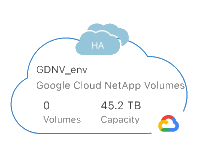
控制台顯示您的Google Cloud NetApp Volumes系統。
下一步是什麼?
"查看您的捲" 。