


Configure Google SecOps SIEM in NetApp Ransomware Resilience

 Suggest changes

 PDFs
PDFs
NetApp Ransomware Resilience provides native support for security information and event management (SIEM) with Google SecOps. By connecting Ransomware Resilience to Google SecOps, you can automatically send event data for threat analysis and detection to streamline ransomware protection and event management.
Before you begin
Before you enable Google SecOps in Ransomware Resilience, you must register the log type and webhook in Google SecOps to enable a connection between services.
Configure Google SecOps
Perform the following steps in Google SecOps:
-
In Google SecOps, navigate to Settings > SIEM Settings > Available Log Types.
It's recommended that you use the NETAPP_RANSOMWARE_RESILIENCE log type. If you don't want to use this, create a custom log type.
-
If you use the NETAPP_RANSOMWARE_RESILIENCE log type, it includes a prebuilt parser, and no further action is necessary.
If you use a custom log type, you must create a parser. Go to SIEM Settings > Parsers > Create Parser to create the parser.
-
In Google SecOps, navigate to Settings > SIEM settings > Feeds.
-
Select Add new feed.
-
Select the log type you used in the Create a log type workflow.
-
Set the Source type to Webhook then save the feed.
-
Open the Details tab. Copy the Webhook endpoint URL to use when you authenticate in Ransomware Resilience.
-
Open the Secret key tab. Generate the secret key or copy it if you've already created one. Save the key to use when you authenticate in Ransomware Resilience.
-
Create an API key using your organization's Google API key process.
Authenticate Google SecOps in Ransomware Resilience
-
In Ransomware Resilience, select Settings in the sidebar.
-
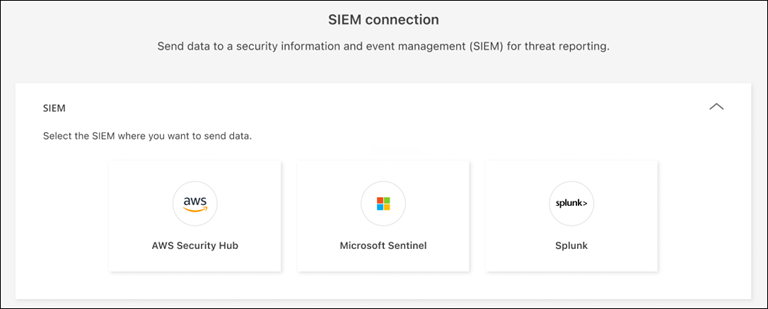
In the Settings page, select Connect in the SIEM connection tile then choose Google SecOps from the dropdown menu.
-
Review the Prerequisites and Webhook feed sections.
-
Expand the Authentication section.
-
Enter the Webhook URL you copied from Google SecOps.
-
Enter the Secret key and API key from Google SecOps.
-
-
Choose the event delivery route. To deliver SIEM events to your SIEM endpoint, select Deliver via NetApp Console. To route events through the Console agent already on your network, select Deliver via Console agent.
If you chose Deliver via Console agent, select the Console agent to use from the dropdown menu.
-
Select Connect to begin sending SIEM data.