


Configure a SIEM in NetApp Ransomware Resilience using webhooks

 Suggest changes

 PDFs
PDFs
NetApp Ransomware Resilience provides native support for multiple security information and event management (SIEM) systems. If your chosen SIEM system is not available, you can configure any other SIEM system for event management using webhooks.
Before you begin
Before creating the SIEM connection with Ransomware Resilience, you must have configured the SIEM on its own platform. After you configure the SIEM, you can authenticate it in Ransomware Resilience.
Authenticate a SIEM in Ransomware Resilience via webhook
-
In Ransomware Resilience, select Settings.
-
In the SIEM tile, select Connect then Webhooks if this is your first time configuring a SIEM. Otherwise, select Manage. On the overview page, select + Connect then Webhook.
-
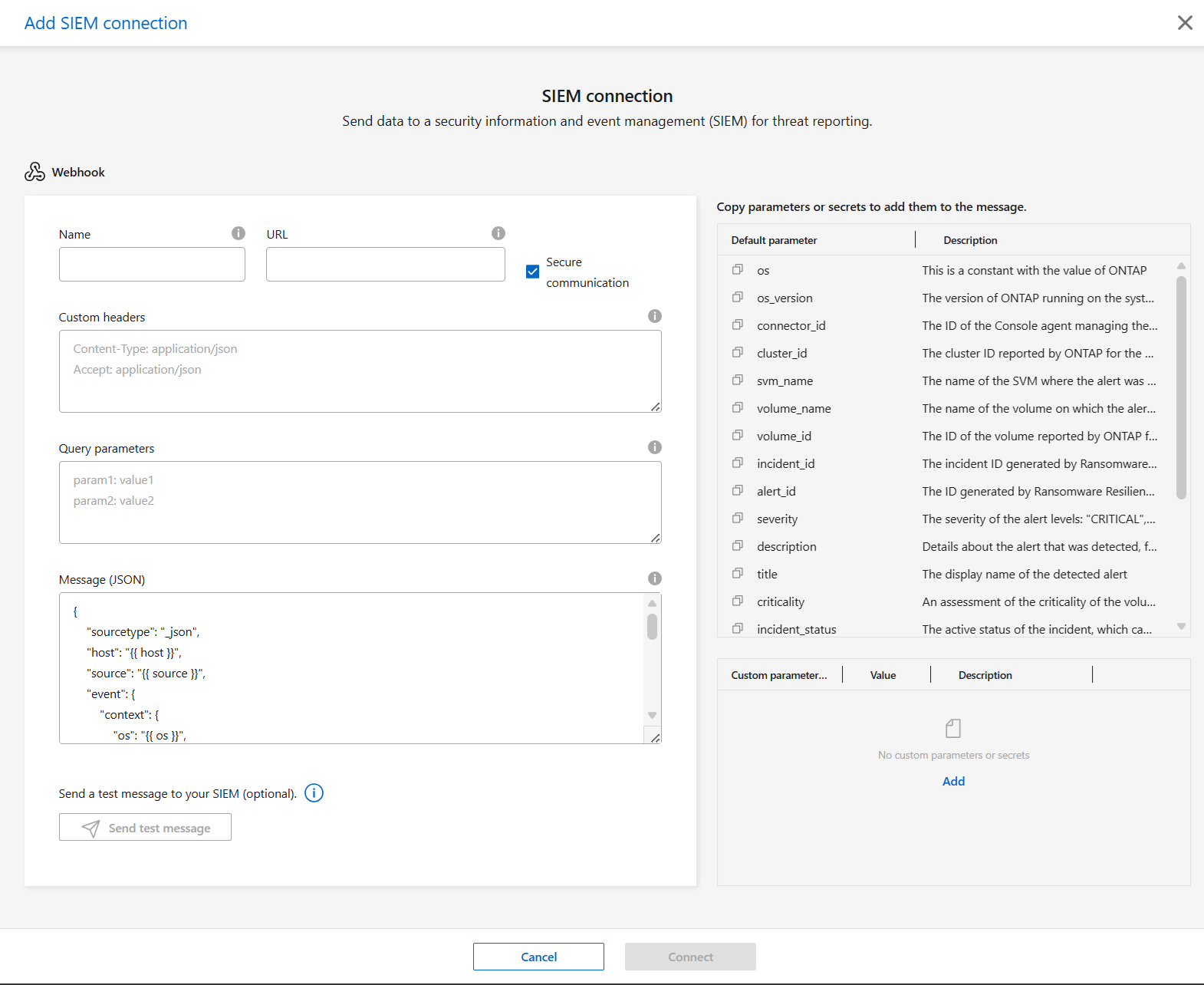
Provide the Name of the SIEM product and URL for the connection. You cannot use an encoded URL.
-
Enter the Custom headers using the format of "Key: Value". Each key-value pair must be entered on a separate line.
-
Review the Message template in JSON format.
To add additional parameters, copy them from the list next to the input fields then paste in the appropriate part of the message. You can also add custom parameters: in the custom parameters, select Add then enter the Name, Value, and Description. Copy and paste the parameter in the message field.
-
Choose the event delivery route. To deliver SIEM events to your SIEM endpoint, select Deliver via NetApp Console. To route events through the Console agent already on your network, select Deliver via Console agent.
If you chose Deliver via Console agent, select the Console agent to use from the dropdown menu.
-
Optionally, select Send test message to test connectivity.
-
Select Connect to initiate the connection to Ransomware Resilience.

|
You can edit the SIEM configuration after creating it. You can edit all fields except for the name. |