


Rack and Cable Lustre Hardware
 Suggest changes

 PDFs
PDFs
Rack the Lustre servers and NetApp EF80 arrays, then cable the backend NVMe-oF and frontend LNet fabrics for each building block.
Before you begin
Review the HCA counts, PCIe slot requirements, path requirements, and MTU guidance in Hardware components.
-
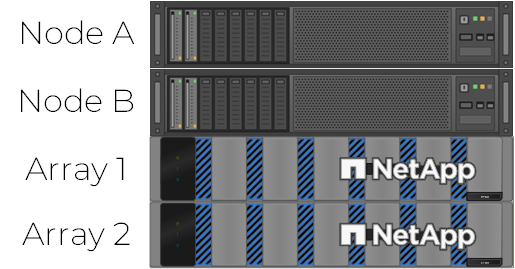
Rack and cable all Lustre servers and E-Series storage arrays according to the building block topology.
-
For each EF80 array, cable controller A port 4a to controller B port 4a, and controller A port 4b to controller B port 4b. These dedicated connections provide inter-controller mirroring and are not used for host traffic. See Cable the EF50 and EF80 inter-controller mirroring connections.
-
Cable the backend NVMe-oF network between servers and arrays according to the EF80 six-HCA topology.
EF80 six-HCA backend cabling (RoCE or InfiniBand)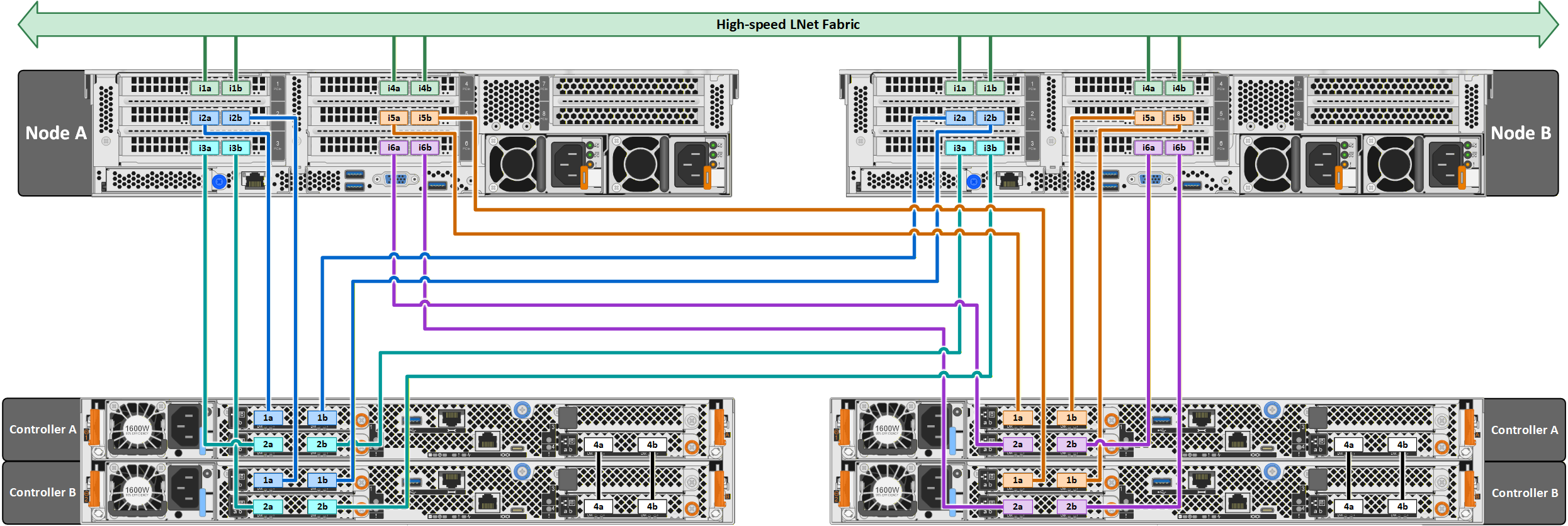
-
Connect the four frontend LNet interfaces (the i1 and i4 HCAs) on each Lustre server and the Lustre clients to the dedicated InfiniBand or RoCE switch fabric.
-
When using RoCE, configure the fabric for lossless operation with priority flow control (PFC). The Ansible playbooks configure lossless RoCE on all interfaces in the building block.