


Deploy a Nutanix compute cluster with ONTAP storage

 Suggest changes

 PDFs
PDFs
Deploy a Nutanix compute cluster that consumes storage from NetApp ONTAP. You download the AOS and AHV installation packages, set up Foundation Central, image and onboard the compute nodes, create the cluster, and then connect ONTAP storage to it.
-
Download the AOS and AHV installation packages.
For more information, see Downloading the AOS and AHV Installation Packages.
-
Set up Foundation Central.
Nutanix Foundation Central (FCA) is the recommended deployment tool for imaging the supported OEM servers and creating the Nutanix compute cluster.
-
Download the Foundation installer bundle and deploy the Foundation VM.
-
Complete the Foundation Central setup.
-
Update the management IP address and network settings as required.
-
Access the Foundation Central web UI using the configured IP address.

If the Foundation Central deployment fails, log in to the FCA VM, run k3d cluster delete fccluster, and then rerun the setup process.For more information, see Installing the Foundation VM.
-
-
Upload the AOS and AHV installation images.
Use Foundation Central image management to do the following:
-
Upload the AOS and AHV images into Foundation Central.
-
Verify that the images are available for deployment.
-
-
Discover and image the compute nodes.
Choose one of the following options.
Option A: Hardware provider (recommended)
Use a hardware provider to automate node imaging and onboarding.
-
Configure a hardware provider connection using HPE iLO or Dell iDRAC.
-
Discover the target servers automatically.
-
Select the uploaded AOS and AHV images.
-
Image the nodes directly from Foundation Central.
Option B: Manual imaging
If hardware provider discovery is unavailable, use manual imaging.
Before you begin, ensure that the following prerequisites are met:
-
UEFI boot mode is enabled.
-
Secure Boot is disabled.
-
The out-of-band (OOB) and data networks are reachable.
-
There is no time skew between the hosts and Foundation Central.
-
One AHV IP address is available for each host.
Do not assign IP addresses from a subnet that overlaps with the 192.168.5.0/24 address space on the default VLAN.
-
-
Create secure claim tokens.
-
Mount the AHV installation ISO on each compute node.
-
Boot and install AHV manually.
-
-
Onboard the nodes.
Onboarding registers the discovered servers with the Foundation Central Appliance and prepares them for imaging or cluster creation workflows.
-
Select the discovered AHV hosts.
-
Begin the onboarding process.
-
Verify that all nodes appear under the nodes inventory.
After onboarding is complete, the hosts are ready for cluster creation.
-
-
Create the Nutanix cluster.
-
Select the onboarded nodes.
-
Click Create Cluster.
-
Provide the cluster configuration information.
-
Enter the Controller VM (CVM) IP addresses when prompted.
The cluster creation workflow does the following:
-
Deploys the CVMs.
-
Installs AOS.
-
Configures cluster services.
-
Performs validation checks.
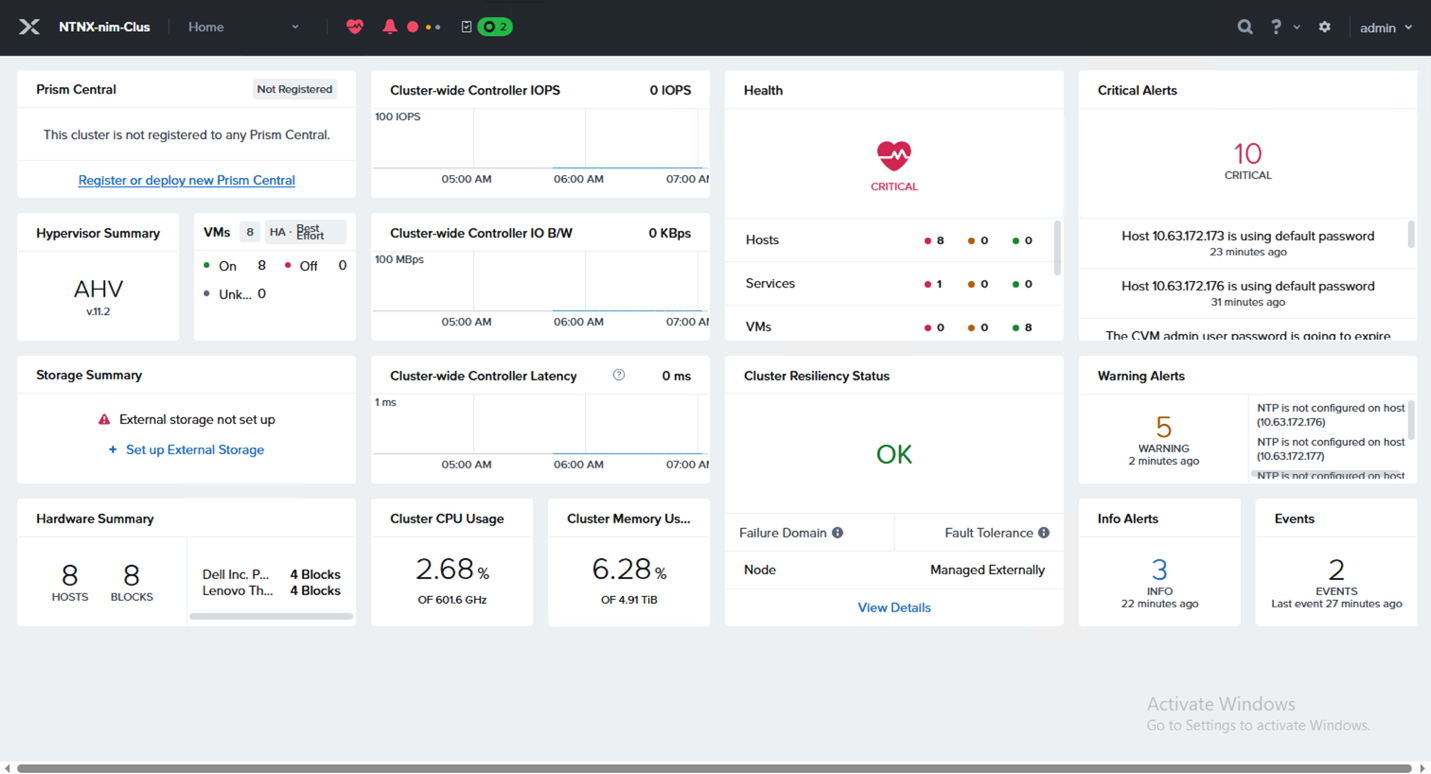
Ensure that there is no time skew between nodes. Clock synchronization failures can cause cluster deployment to fail, requiring the process to be restarted.
-
-
-
Connect ONTAP storage to the Nutanix compute cluster.
After the Nutanix cluster is operational, do the following:
-
Verify connectivity between all AHV hosts and the ONTAP NFS data LIFs.
-
Add the ONTAP NFS exports to the Nutanix cluster.
-
Mount the exported FlexVol NFS shares.
-
Validate read/write access.
-
Confirm datastore visibility and availability.
You can use the mounted NFS storage for the following:
-
Virtual machine workloads
-
Image repositories
-
Templates
-
Application data
For the detailed procedure, see Attach ONTAP NFS storage to a Nutanix compute cluster.
-
-