


Configure NVMe/TCP datastore in a VCF workload domain


 Suggest changes

 PDFs
PDFs
Configure NVMe/TCP datastore in a VMware Cloud Foundation workload domain. You'll deploy ONTAP tools, register a storage system, create a storage capability profile, and provision a NVMe/TCP datastore in the vSphere client.
-
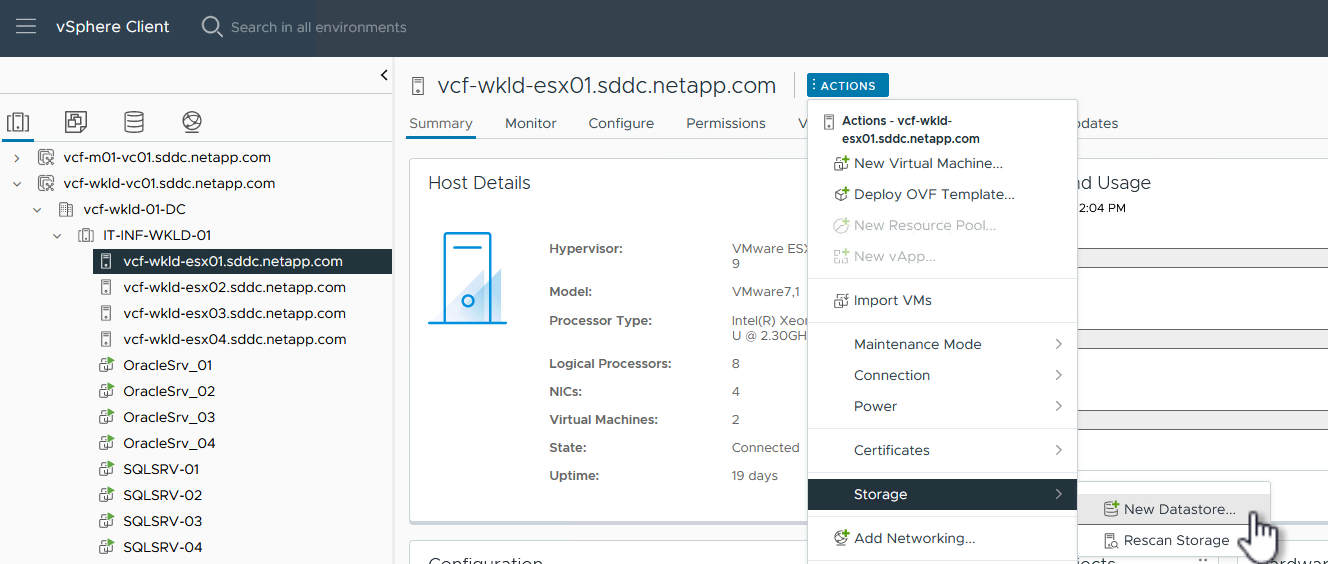
In the vSphere client, navigate to one of the ESXi hosts in the workload domain cluster. From the Actions menu select Storage > New Datastore….
Show example
-
In the New Datastore wizard, select VMFS as the type. Click Next to continue.
-
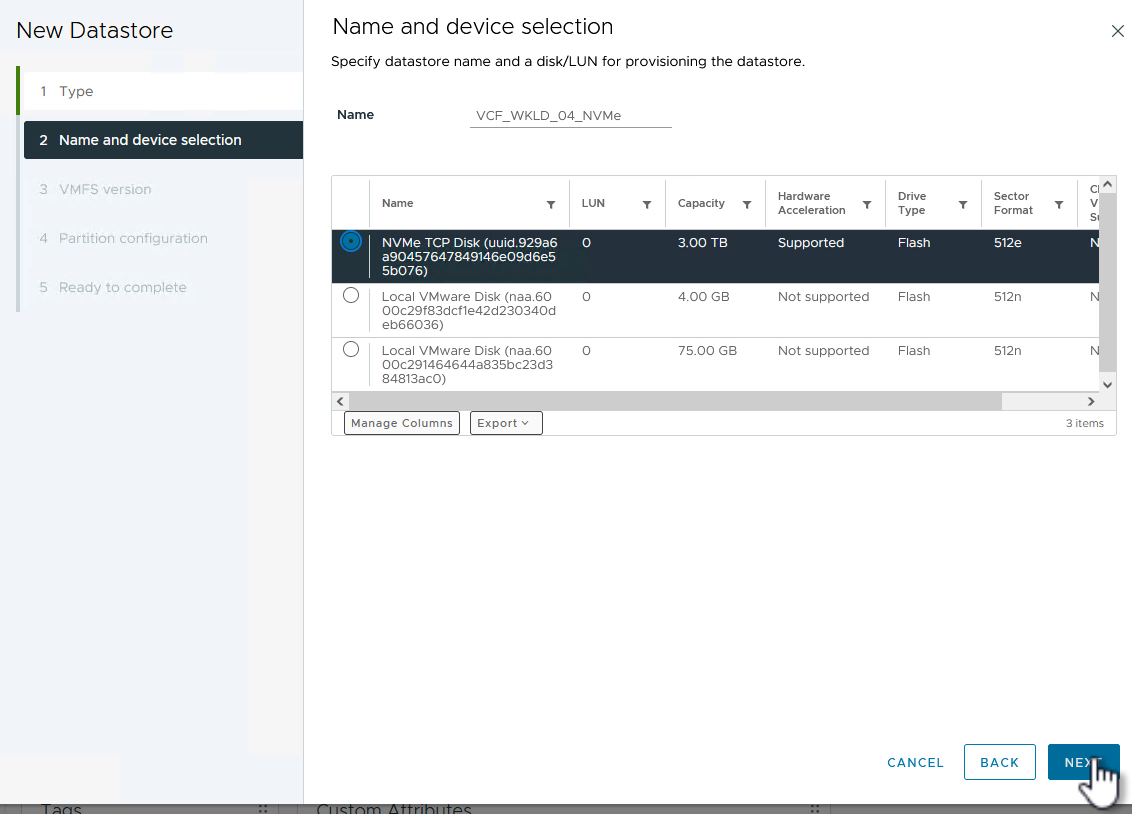
On the Name and device selection page, provide a name for the datastore and select the NVMe/TCP namespace from the list of available devices.
Show example
-
On the VMFS version page, select the version of VMFS for the datastore.
-
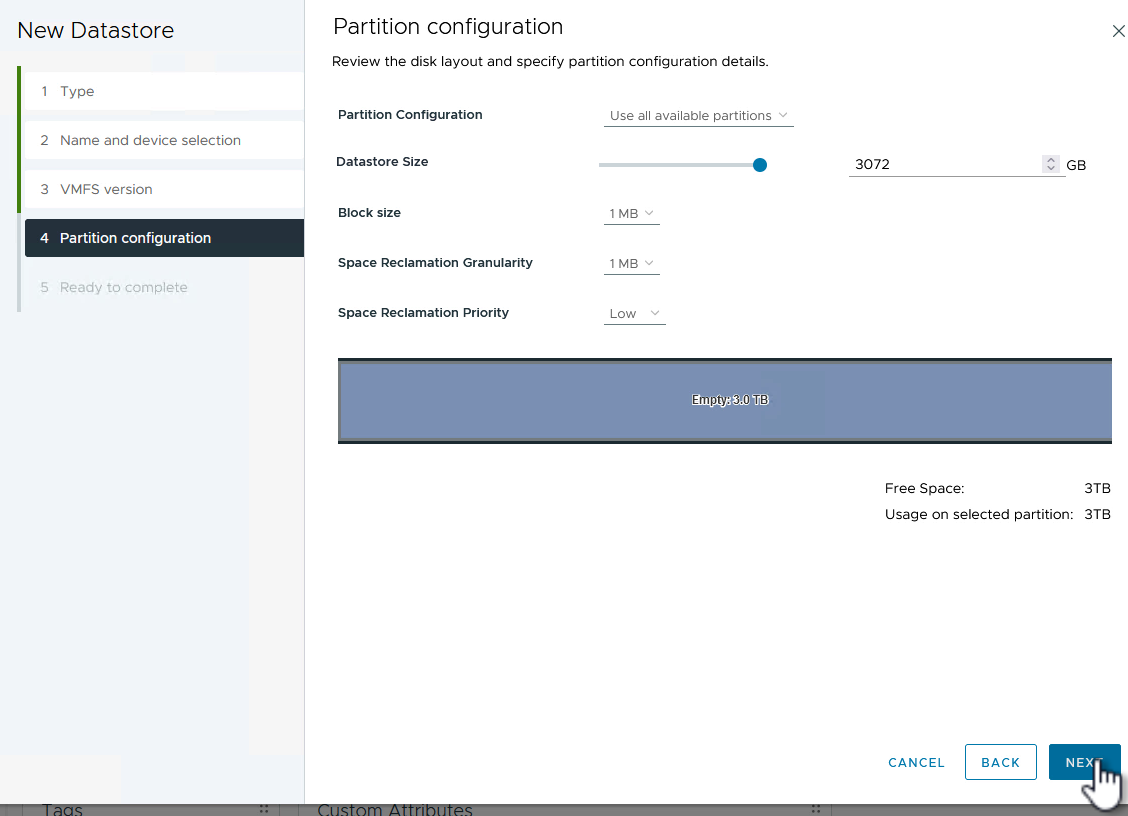
On the Partition configuration page, make any desired changes to the default partition scheme. Click Next to continue.
Show example
-
On the Ready to complete page, review the summary and click Finish to create the datastore.
-
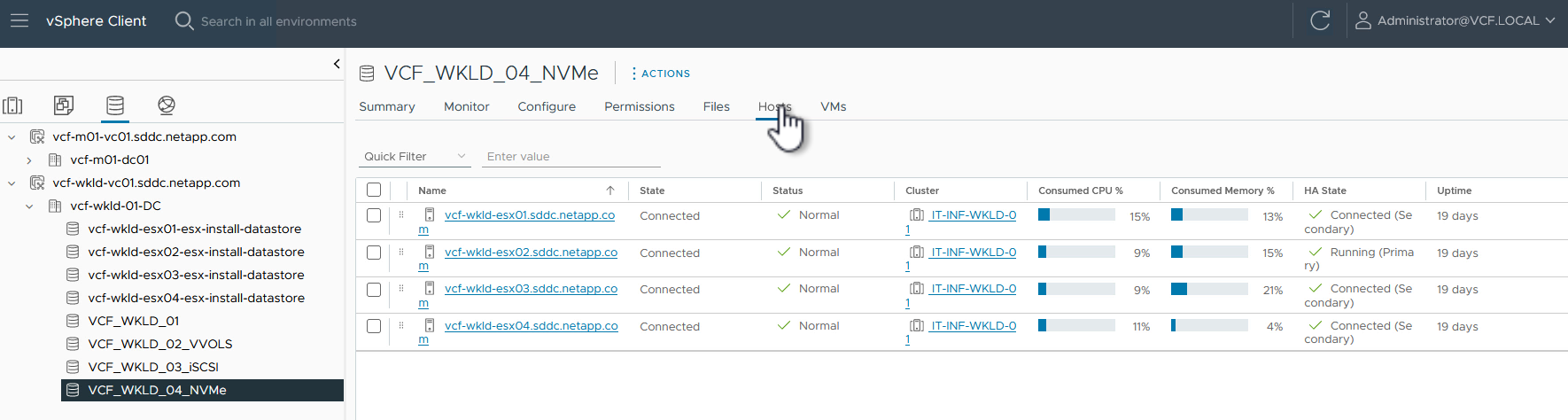
Navigate to the new datastore in inventory and click the Hosts tab. If configured correctly, all ESXi hosts in the cluster should be listed and have access to the new datastore.
Show example
Additional information
-
For more information on configuring SAN for redundancy, refer to the NetApp SAN configuration reference.
-
For additional information on NVMe design considerations for ONTAP storage systems, refer to NVMe configuration, support and limitations.
-
For information on configuring ONTAP storage systems, refer to the ONTAP 9 documentation.
-
For information on configuring VCF, refer to the VMware Cloud Foundation documentation.