


Configure cluster for datastore protection with ONTAP tools

 Suggest changes

 PDFs
PDFs
Use ONTAP tools for VMware vSphere to configure cluster configuration (host-to-storage proximity) settings, enabling efficient datastore protection and streamlined failover management for your virtualized environment.
-
Verify that you have administrative privileges in vSphere.
-
Cluster configuration settings are applicable for uniform and non-uniform configurations, while access settings are applicable only for AFD type of relationship.
-
In the vSphere client, right-click the host cluster and select Configure cluster protection.

If the cluster already has a cluster configuration, this option allows you to edit the existing configuration. -
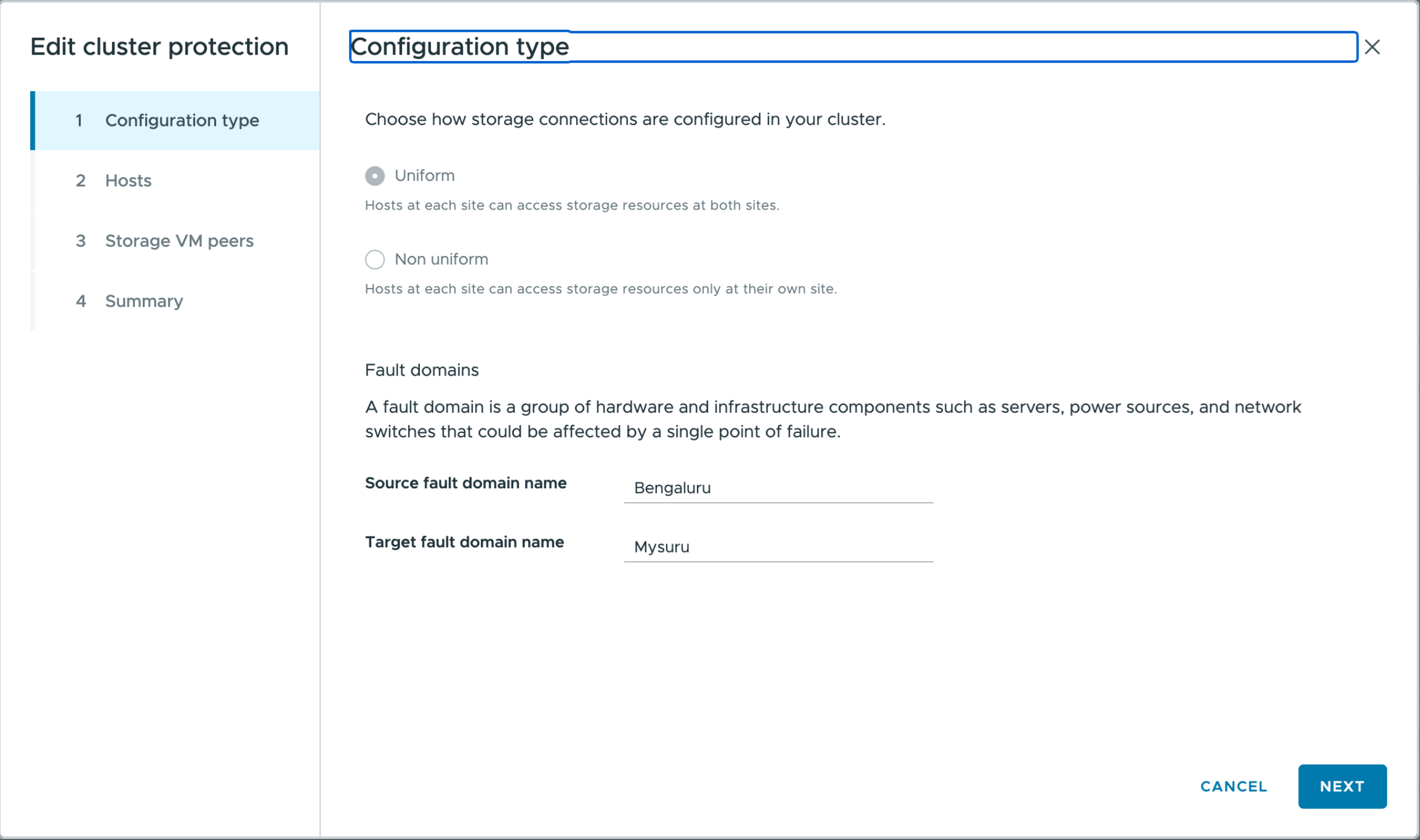
In the Configuration type window:
-
Select Uniform to allow hosts in both fault domains to access storage resources at both sites. Fault domain is a group of hardware and infrastructure components. Assign each host to a fault domain for both sites.
-
Select Non-uniform to restrict hosts at each site to access storage only at their respective site. Assign hosts to fault domains accordingly.
-
Enter fault domain names. The default names are "Site A" and "Site B". You can edit these values. Site names map to the source and target fault domains. The UI validates entries as you type and displays messages for unsupported characters or values that exceed the character limit.
The configuration type cannot be modified after it is set. To change the configuration type, delete the cluster configuration and create a new one with the desired settings.
-
-
Select Next.
-
In the Hosts window, assign each host to either the source fault domain or the target fault domain. All hosts must be assigned, and a host cannot belong to both sites. The site names shown in the wizard are the source and target fault domain names. The Next button is enabled after all hosts are assigned.
-
Select Next.
-
On the Storage SVM peers page, assign each SVM to the appropriate site. You can assign multiple SVM peers, but at least one must be assigned to each site. When you assign an SVM to a site, its peer SVM is automatically assigned to the opposite site.
-
Select Next.
-
Review the Summary page. Confirm the cluster configuration settings for the respective fault domains.
-
Select Create to apply the configuration.
-
To view or edit an existing cluster protection configuration:
-
Go to the ONTAP tools plug-in view.
-
Navigate to Protection > Cluster protection configuration.
-
Select the cluster to view its current configuration.
-
Click the vertical ellipsis and select Edit to modify the configuration. The wizard displays the current settings for editing.
-
The configuration is applied, and you can view or edit it in the ONTAP tools plugin.