Add a Google Cloud NetApp Volumes system

 Suggest changes

 PDFs
PDFs
After you set up a service account, add a Google Cloud NetApp Volumes system in the NetApp Console so you can view your Google Cloud NetApp Volumes instances.
Cloud volumes for this subscription are displayed in the system.

|
If you have subscriptions and volumes in multiple Google Cloud projects, you need to perform this task for each project. |
Before adding a system for each project, make sure that:
-
The Google Cloud service account is set up and its credentials are available in the NetApp Console. For details, see Set up Google Cloud NetApp Volumes.
-
You have the Google Cloud NetApp Volumes admin or viewer role in the NetApp Console. For details, see Assign Google Cloud NetApp Volumes roles.
-
From the NetApp Console menu, select Storage and then Management.
-
On the Systems page, select Add System and select Google Cloud Platform.
-
Next to Google Cloud NetApp Volumes, select Discover.
-
Provide information about your NetApp Volumes subscription:
-
Enter the system name you want to use.
-
From Credentials, select the Google Cloud NetApp Volumes credentials to use.
If no credentials are listed, add Google Cloud NetApp Volumes credentials before continuing. Project and region selection are unavailable until credentials are available.
-
From Region, select a supported region for Google Cloud NetApp Volumes.
-
Select Discover.
-
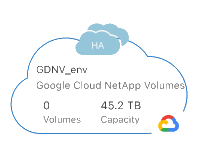
The Console displays your Google Cloud NetApp Volumes system.