


Relocate SG120 and SG1200 in cabinet or rack

 Suggest changes

 PDFs
PDFs
Remove the SG120 or SG1200 from a cabinet or rack to access the top cover or to move the appliance to a different location, then reinstall the appliance into a cabinet or rack when hardware maintenance is complete.
-
You have labels to identify each cable that is connected to the SG120 or SG1200.
-
You have physically located the SG120 or SG1200 where you are performing maintenance in the data center.
-
You have shut down the SG120 or SG1200.

Don't shut down the appliance using the power switch.
Step 1: Remove SG120 or SG1200 from cabinet or rack
-
Label and then disconnect the appliance power cables.
-
Wrap the strap end of the ESD wristband around your wrist, and secure the clip end to a metal ground to prevent static discharge.
-
Label and then disconnect the appliance data cables and any SFP+, SFP28, or SFP56 transceivers.

To prevent degraded performance, don't twist, fold, pinch, or step on the cables. -
Loosen the two captive screws on the appliance front panel.

-
Slide the SG120 or SG1200 forward out of the rack until the mounting rails are fully extended and you hear the latches on both sides click.
The appliance top cover is accessible.

If you are fully removing the appliance from the cabinet or rack, follow the instructions for the rail kit to remove the appliance from the rails.
Step 2: Reinstall SG120 or SG1200 into cabinet or rack
-
Press the blue rail releases on both rack rails at the same time and slide the SG120 or SG1200 into the rack until it is fully seated.
When you can't move the controller any further, pull the blue latches on both sides of the chassis to slide the controller all the way in.
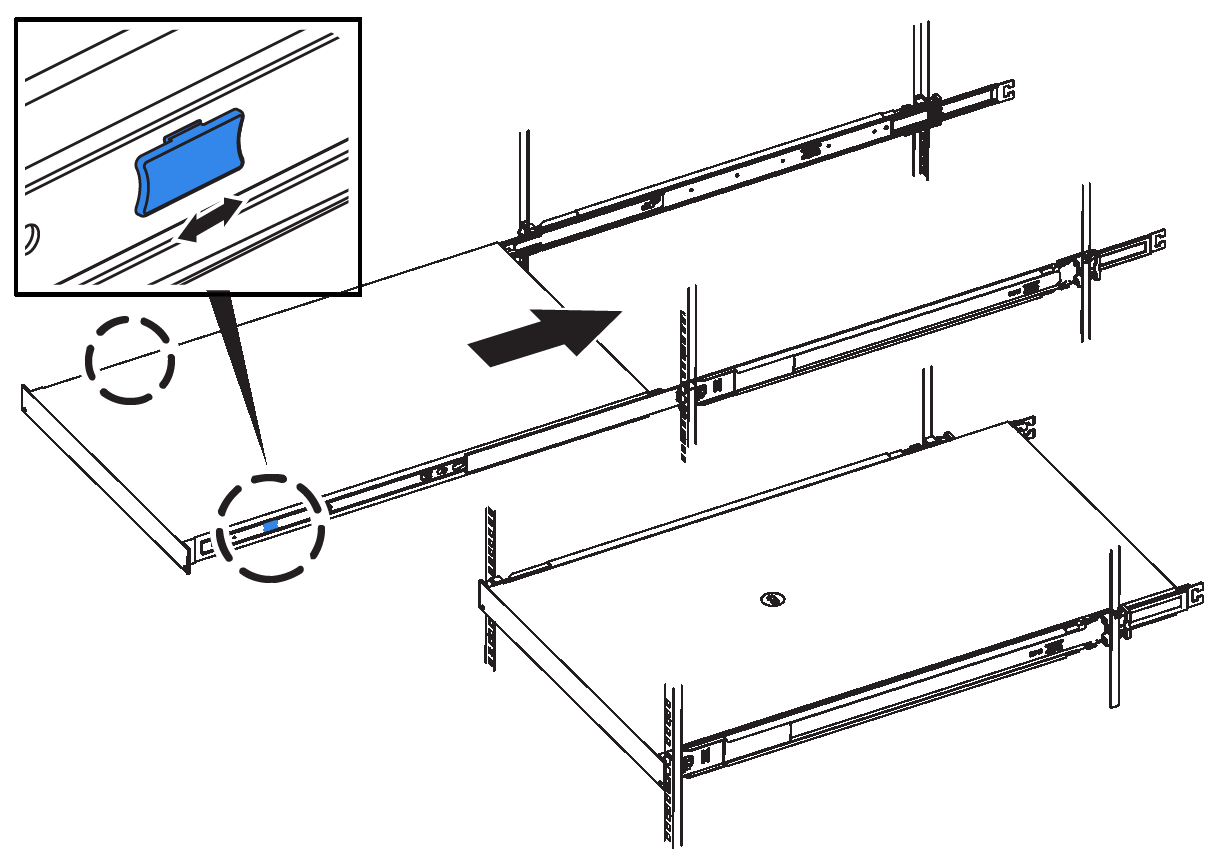
Don't attach the front bezel until after you power on the controller. -
Tighten the captive screws on the controller front panel to secure the controller in the rack.
-
Wrap the strap end of the ESD wristband around your wrist, and secure the clip end to a metal ground to prevent static discharge.
-
Reconnect the controller data cables and any SFP transceivers.
To prevent degraded performance, don't twist, fold, pinch, or step on the cables.