


Switch to the OpenShift certified Trident operator


 Suggest changes

 PDFs
PDFs
You can switch to the Red Hat OpenShift certified Trident operator from the community operator, a Helm-based installation, or a manually deployed operator. The process for each method involves uninstalling the existing operator and then installing the certified operator using the OperatorHub.
Before you begin the installation, prepare your environment for Trident installation.

|
Do not delete the TridentOrchestrator custom resource (CR) during the uninstall process. The TridentOrchestrator CR preserves your backend and storage class configuration, which is required after you install the certified operator.
|
Switch from the community operator
-
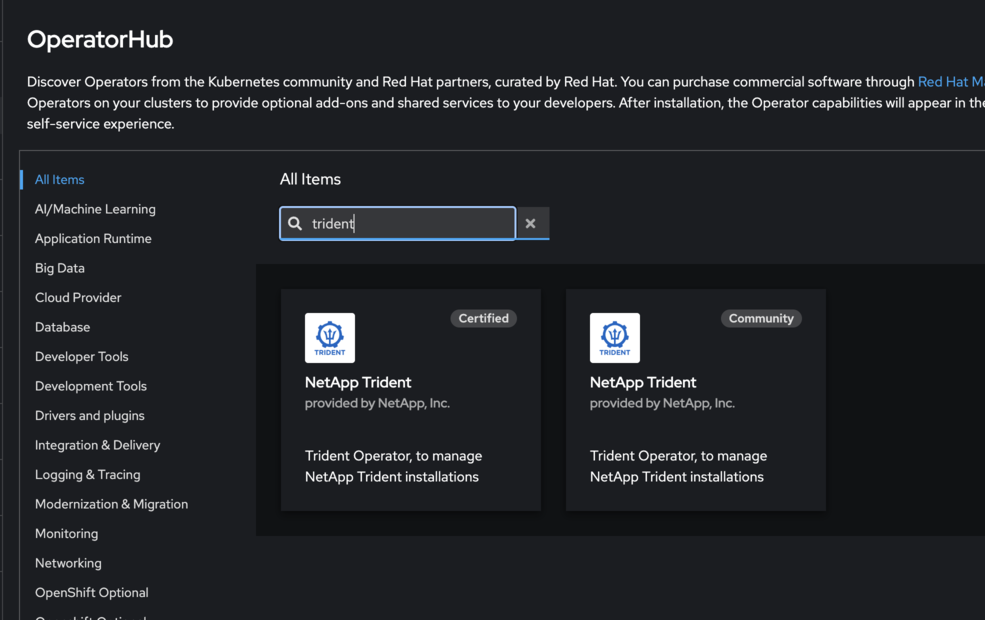
Use the OpenShift console to navigate to the OperatorHub.
-
Find the NetApp Trident community operator.


Do not select Delete all operand instances from this operator. -
Click Uninstall.
-
After the uninstall completes, proceed to Install the OpenShift certified operator.
Switch from a Helm-based operator installation
-
List the Helm release for your Trident installation:
helm ls -n trident
-
Uninstall the Helm release:
helm uninstall <release-name> -n trident
-
After the uninstall completes, proceed to Install the OpenShift certified operator.
Switch from a manually deployed operator
If you installed Trident by manually deploying the operator using a bundle.yaml from the installer package, remove it by deleting the same manifest.
-
Delete the operator deployment using the bundle manifest:
kubectl delete -f deploy/bundle.yaml -n trident
-
After the uninstall completes, proceed to Install the OpenShift certified operator.
Install the OpenShift certified operator
-
Navigate to the Red Hat OperatorHub.
-
Search for and select the NetApp Trident Operator.
-
Follow the on-screen instructions to install the operator.
Verification
-
Check the OperatorHub in the console to ensure the new certified operator has been installed successfully.