


Install Trident using OpenShift OperatorHub


 Suggest changes

 PDFs
PDFs
If you use Red Hat OpenShift, you can install NetApp Trident using the Red Hat certified operator. Use this procedure to install Trident from the Red Hat OpenShift Container Platform.
Before you begin the installation, prepare your environment for Trident installation.
Find and install the Trident operator
-
Navigate to OpenShift OperatorHub and search for NetApp Trident.
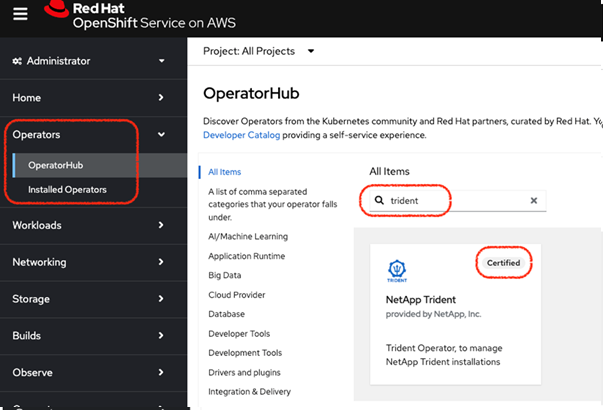
-
Click NetApp Trident to open the installation settings.
-
Select the required options and click Install to open the Operator configuration.
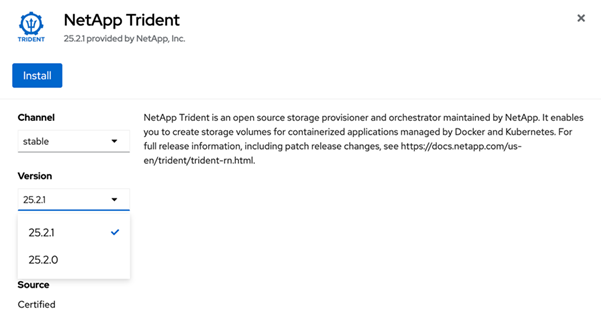

Make sure that you select the most recent Operator version. -
Retain all the parameters as they are and click Install.
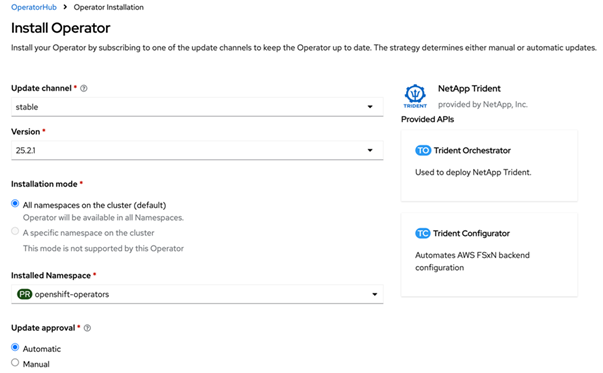
-
Click View Operator to view the details of the Operator.
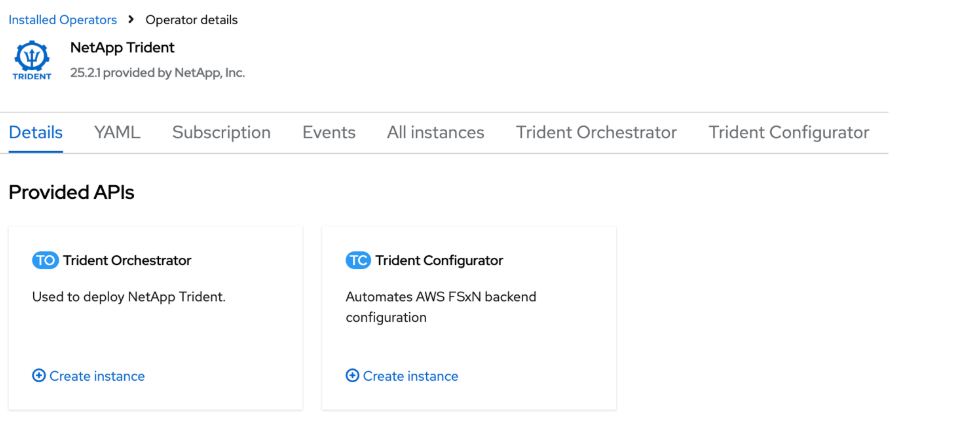
-
Click YAML view and paste the following in the form:
apiVersion: trident.netapp.io/v1
kind: TridentOrchestrator
metadata:
  name: trident
  namespace: openshift-operators
spec:
  IPv6: false
  debug: false
  nodePrep:
  - iscsi
  imageRegistry: ''
  k8sTimeout: 180s
  namespace: trident
  silenceAutosupport: false
The UI provides a default example. You can edit it directly instead of copying a full configuration.
|
|
Optional: Enable concurrency To enable concurrency, add the following field to the spec: |
|
|
|
-
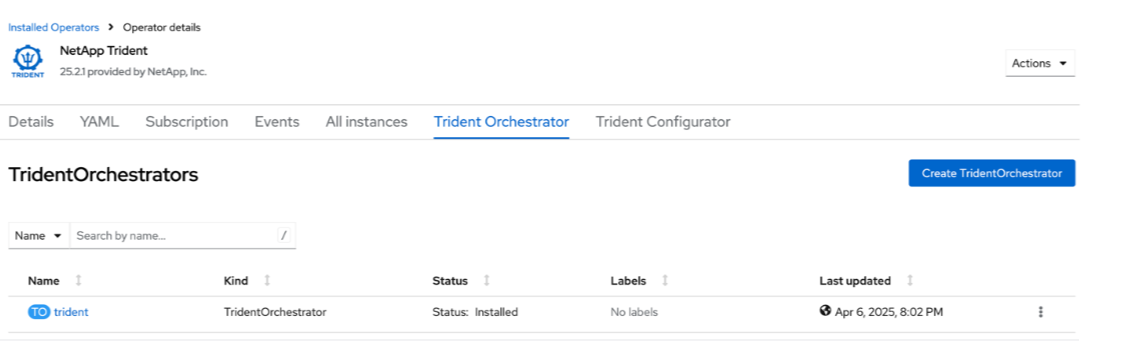
Click Create; the Trident Orchestrator will be fully installed.
Uninstall Trident operator
-
Select the Trident operator from the list of installed operator.
-
Select if you want to delete all the operand instance from the operator.

If you do not select the Delete all operand instances from this operator checkbox, Trident will not be uninstalled. -
Click Uninstall.