


Learn about NetApp Console

 Suggest changes

 PDFs
PDFs
The NetApp Console helps you manage and protect your data across all your cloud and on-premises systems. It includes tools to keep your data safe and working well.
Use the Console as a software-as-a-service (SaaS) application or install it in your cloud or on-premises environment (restricted or private mode). Each mode supports different feature sets and security requirements.
The Console works with Console agents that you deploy in your environment to manage resources and orchestrate processes across your on-premises and cloud environments.
Choose how to access NetApp Console
Start using NetApp Console by signing up for the SaaS application (standard mode), installing it in your cloud (restricted mode), or on your premises (private mode). Some features are unavailable in restricted or private mode.
Extend Console capabilities with Console agents
Console agents are lightweight software components that provide connectivity to the NetApp Console SaaS application and cloud-based APIs, enabling advanced features and data services.
In restricted or private mode, install a Console agent in your cloud or on-premises environment to access the NetApp Console application. You need to deploy additional agents to support features that require direct connectivity to NetApp Console and its APIs.
Manage user access and permissions in NetApp Console
The Console provides identity and access management (IAM) to improve security and control across your data infrastructure. Organize your storage and data services around organizational roles and responsibilities to reduce the risk of unauthorized access while maintaining operational efficiency:
-
A top-level organization enables you to grant and revoke access to storage systems and projects across your entire infrastructure
-
Folders enable you to group storage resources and projects together based on business function or compliance requirements
-
Projects enable you to control which teams access specific storage systems, volumes, and data services
-
Role-based access control (RBAC) lets you give storage management permissions to team members at different levels, so you can delegate tasks without giving too much access
Security and compliance in NetApp Console
Enable security and compliance features like single sign-on (SSO) to control access to your storage and data services. Users with the Organization admin role can set read-only mode by default, requiring users to request elevated permissions to make changes to storage systems and use data services. You can also use NetApp Console to monitor storage management and user activity. NetApp Console is SOC 2 Type 2 certified, and NetApp provides SOC 2 reports to customers.
NetApp Console capabilities and supported storage
NetApp Console supports a wide range of storage types, features, and data services across your on-premises and cloud environments. Use the Console to manage your storage systems, monitor their health and performance, and enable data services to protect and optimize your data.
Supported cloud and on-premises storage in NetApp Console
Manage these storage types from the Console:
- Cloud storage solutions
-
-
Amazon FSx for NetApp ONTAP
-
Azure NetApp Files
-
Cloud Volumes ONTAP
-
Google Cloud NetApp Volumes
-
- On-premises flash and object storage
-
-
E-Series systems
-
ONTAP clusters
-
StorageGRID systems
-
- Cloud object storage
-
-
Amazon S3 storage
-
Azure Blob storage
-
Google Cloud Storage
-
Storage management and health services in NetApp Console
NetApp Console provides unified management of your NetApp storage infrastructure through a single interface.
In the Console, Systems represent your discovered or deployed storage. Manage storage volumes directly in the Console or open the system's management interface for more options.
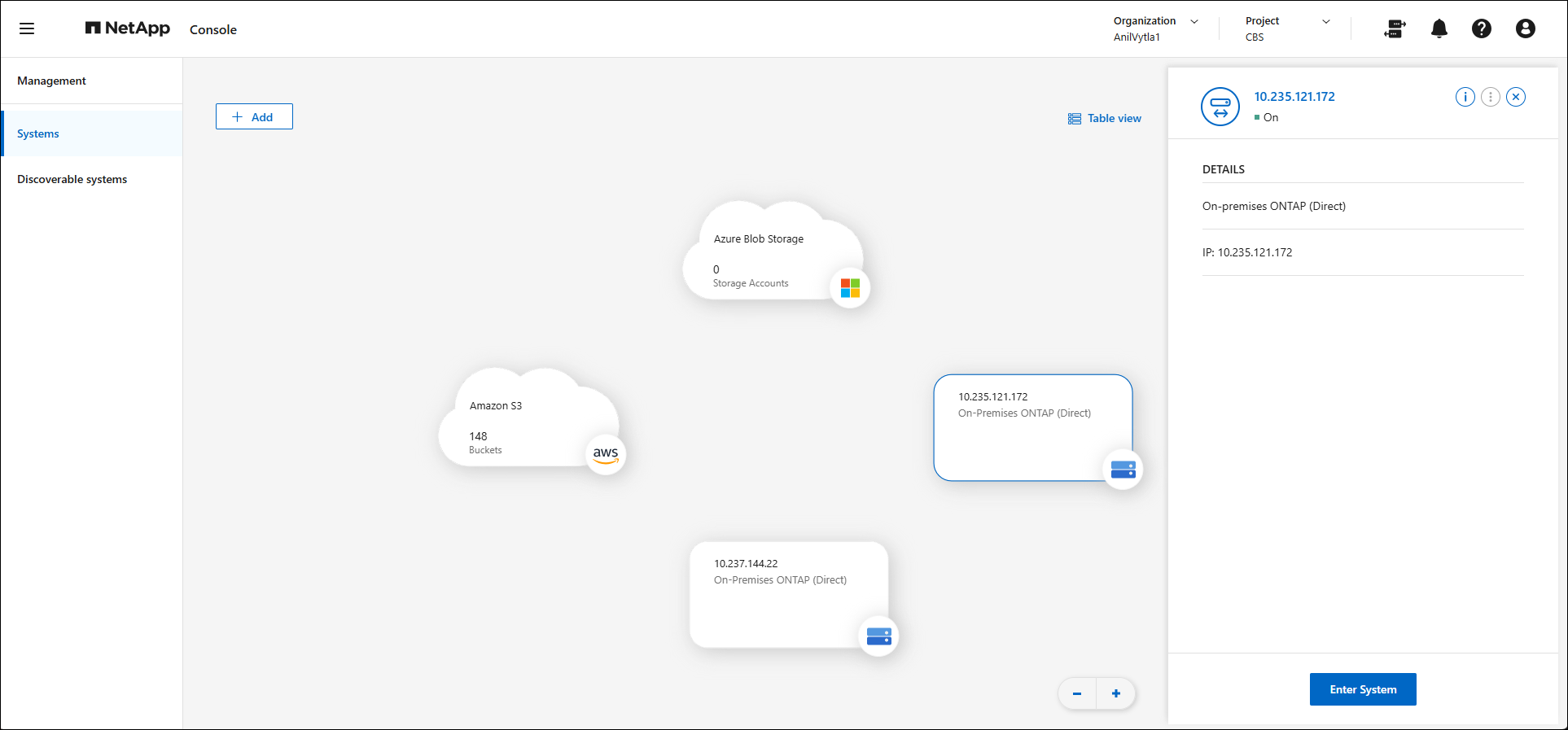
In addition to storage administration, use infrastructure services to monitor and manage your storage infrastructure across all your environments.
- Health and performance monitoring
-
View a dashboard of your storage systems' health and performance and get alerts to fix issues before they cause problems.
- Licenses and subscriptions
-
Manage and monitor your licenses and subscriptions.
- Lifecycle planning
-
Identify clusters low on space and add capacity or move data as needed.
- NetApp digital advisor (Active IQ)
-
Use predictive analytics and proactive support to optimize your data infrastructure.
- Software updates
-
Automate the assessment, planning, and completion of ONTAP upgrades.
- Storage alerts
-
View issues related to capacity, availability, performance, protection, and security in your ONTAP environment.
- Systems page
-
View all your storage systems in one place and quickly access their management interfaces. Drag-and-drop to enable data services directly from the Systems page.
- Sustainability dashboard
-
Analyze the sustainability of your storage systems.
Data security and protection services in NetApp Console
Use built-in data services to protect critical data and optimize storage efficiency.
- NetApp Backup and Recovery
-
Back up and restore cloud and on-premises data. Requires subscription.
- NetApp Copy and Sync
-
Sync data between on-premises and cloud data stores.
- NetApp Disaster Recovery
-
Protect on-premises VMware workloads using VMware Cloud on Amazon FSx for ONTAP as a disaster recovery site. Requires subscription.
- NetApp Ransomware Resilience
-
Detect anomalies that might result in ransomware attacks. Protect and recover workloads. Requires subscription.
- NetApp Replication
-
Replicate data between storage systems to support backup and disaster recovery.
Cost and compliance management services in NetApp Console
Track contract status across all systems to improve cost management, compliance, and purchasing decisions.
- Automation hub
-
Use scripted solutions to automate the setup and connection of NetApp products and services for smoother and more consistent operations.
- NetApp Cloud Tiering

|
NetApp Cloud Tiering is no longer available for purchase or license renewal as of April 26, 2026. Existing customers can continue to use and receive support for NetApp Cloud Tiering until their subscription or license contract expires. After the subscription expires, customers will no longer have access to NetApp Cloud Tiering features or support. NetApp recommends that customers work with their NetApp representative to transition their existing tiering licenses to ONTAP FabricPool licenses, which provide the functionality for data tiering in ONTAP. For more information on how to set up data tiering in ONTAP using FabricPool, see Install a FabricPool license on an ONTAP cluster. |
- NetApp Data Classification
-
Get your application data and cloud environments privacy ready for compliance with data privacy regulations. Free with subscription.
- NetApp Volume Caching
-
Create a writable cache volume to speed up access to data or offload traffic from heavily accessed volumes for increased performance and cost efficiency.
- NetApp Workloads
-
Design, set up, and operate key workloads using Amazon FSx for NetApp ONTAP to optimize performance and cost for specific applications.
NetApp Console cost
NetApp does not charge for the Console. You incur costs when you deploy Console agents or use Restricted mode in the cloud. Some NetApp data services also have associated costs.
Learn about NetApp data services pricing