


Identify privacy exposures with NetApp Ransomware Resilience

 Suggest changes

 PDFs
PDFs
Use NetApp Data Classification in NetApp Ransomware Resilience to identify privacy exposures, find personally identifiable information (PII), and understand how those exposures affect workload importance.
Required Console role
To perform this task, you need the Super admin or Ransomware Resilience admin role. Learn about Ransomware Resilience roles for NetApp Console.
Identify privacy exposures
Before you can identify privacy exposures in Ransomware Resilience, you need to enable Data Classification to scan your data.
Data Classification is a core component of the NetApp Console and a separate product from Ransomware Resilience. Using it does not require a license. Depending on your setup, deployment can incur costs, which are not charged by Ransomware Resilience.
You can deploy Data Classification from the Protection page of Ransomware Resilience. Follow the procedure to identify the privacy exposure. When you select Identify exposure, a dialog appears; select Deploy Classification for free. After successful deployment, you can return to Ransomware Resilience to identify the exposure on the workload.
Scanning for PII data in Ransomware Resilience is available if you've deployed Data Classification.
-
From the Ransomware Resilience menu, select Protection.
-
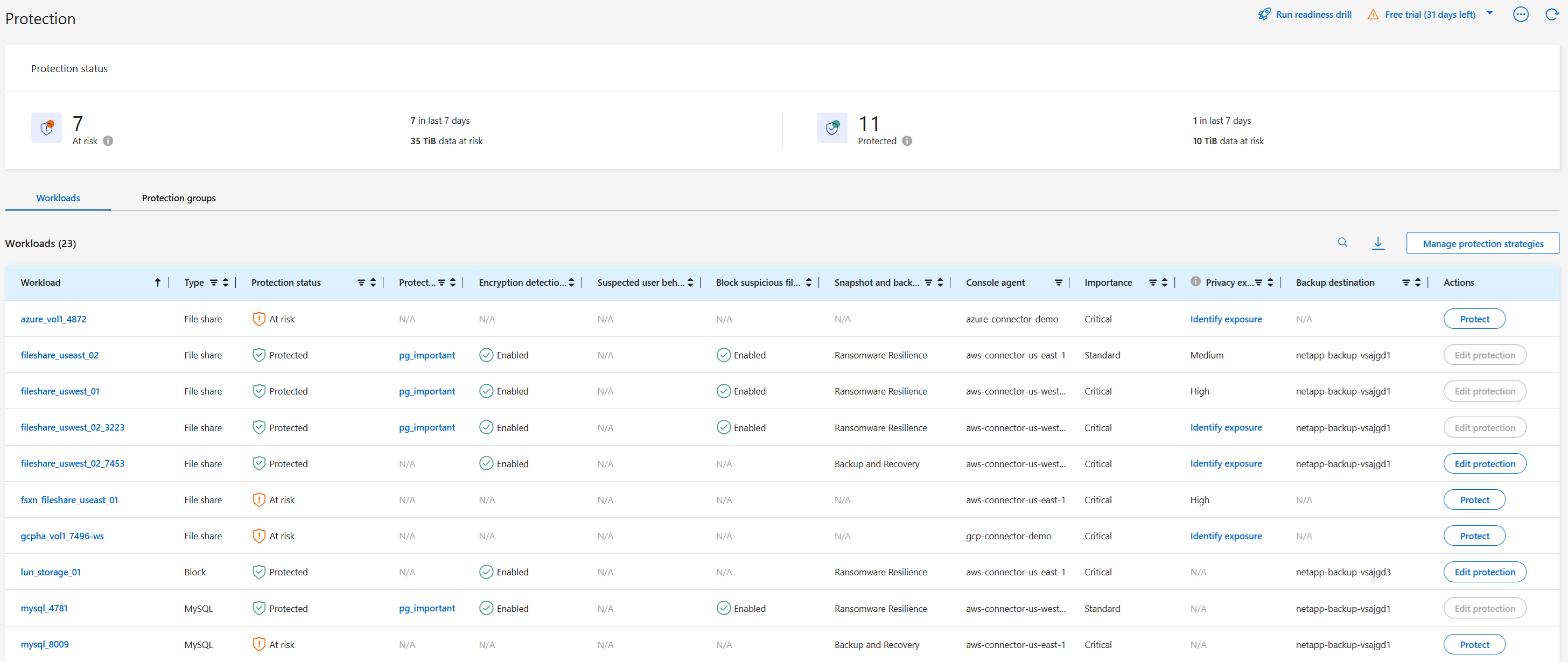
On the Protection page, locate a file share workload in the Workload column.
-
In the Privacy exposure column, select Identify exposure. Scanning can take several minutes.
-
When the scan completes, review your exposure. The exposure is classified into one of three designations:
-
High: Greater than 70% of files contain PII
-
Medium: Greater than 30% and less than 70% of files contain PII
-
Low: Greater than 0% and less than 30% of files contain PII
-
-
To view more details about the privacy exposure, select the workload name and assess the impact of the privacy exposure on workload importance.
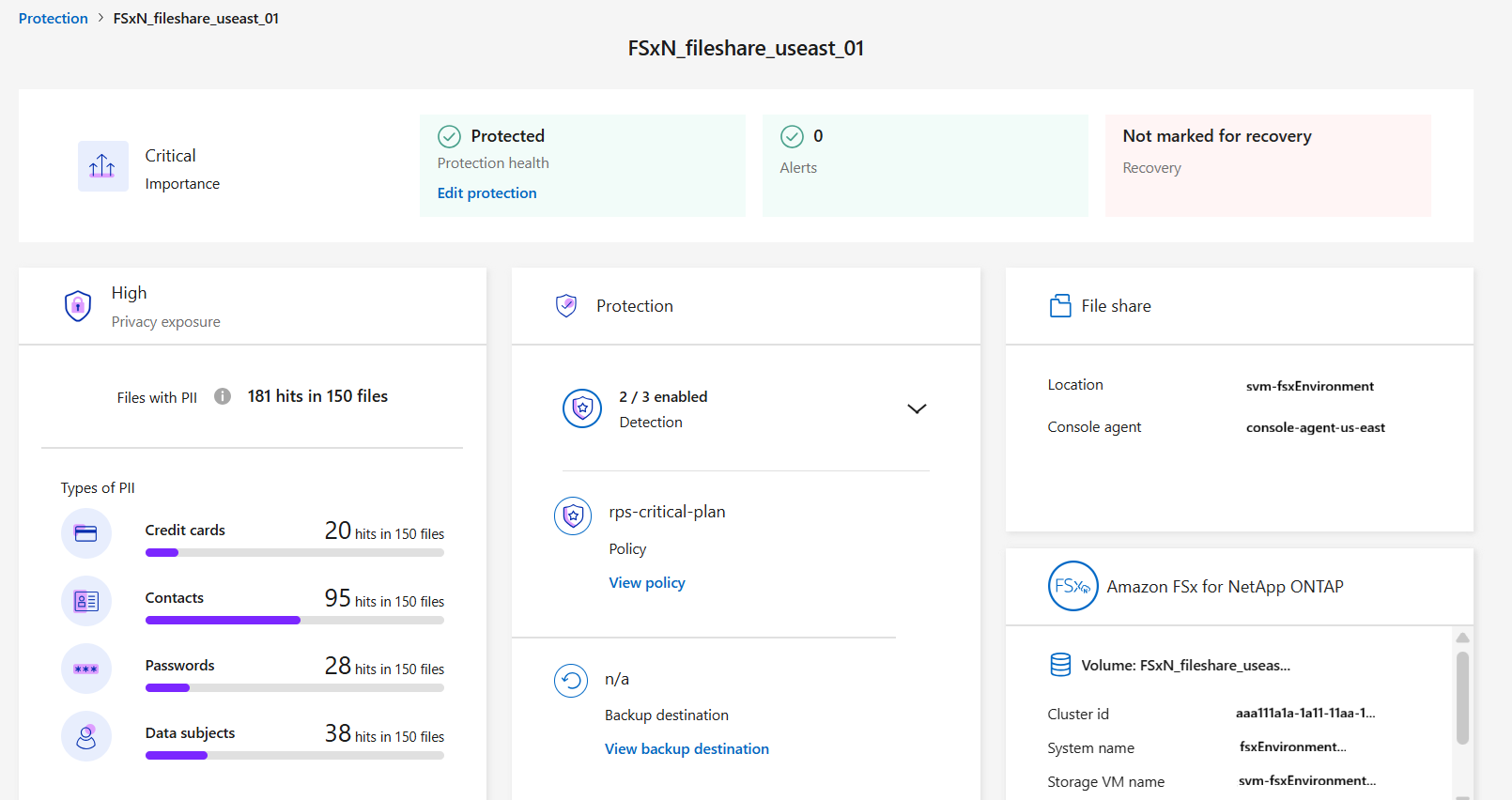
Impact of privacy exposure on workload importance
Privacy exposure changes can impact the workload importance.
| Privacy exposure change | Previous exposure | Current exposure | Change in workload importance |
|---|---|---|---|
Decreases |
High, Medium, or Low |
Medium, Low, or None |
Remains the same |
Increases |
None |
Low |
Remains at Standard |
Low |
Medium |
Changes from Standard to Important |
|
Low or Medium |
High |
Changes from Standard or Important to Critical |
More information
For information about remediating privacy exposure, see the Data Classification documentation: