


Configure a stretch cluster for a VCF workload domain using MetroCluster


 Suggest changes

 PDFs
PDFs
In this use case we outline the procedure to configure a stretch cluster for the VMware Cloud Foundation (VCF) workload domain using ONTAP MetroCluster with FC or iSCSI or NVMe-oF or NFSv3 or NFSv4.1 as the primary datastore. VCF provides flexibility on deployment options based on your needs. VCF Ops tool is used to either deploy a new VCF workload domain or import an existing vSphere environment to a VCF workload domain. In this document, we will focus on MetroCluster portion and point to other documentation based on the deployment steps.
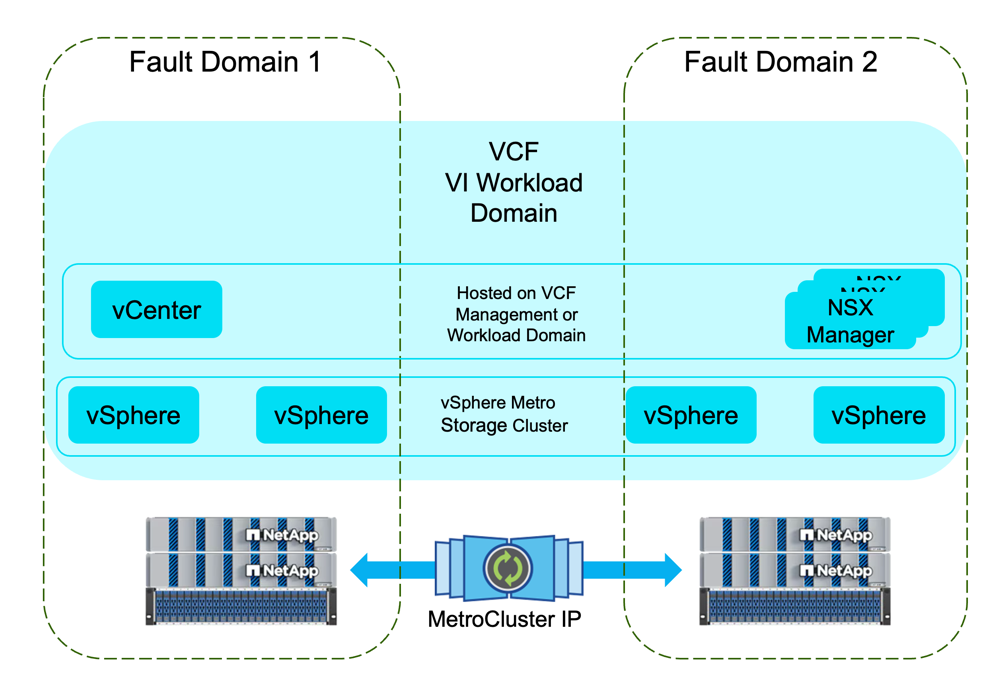
Introduction
In this solution we will demonstrate how to implement Stretched VCF Workload Domain with ONTAP MetroCluster as Principal Datastore. MetroCluster allows to deploy high availability solution for all workloads running on the ONTAP cluster. If need to deploy high availability solution specific to workloads, consider using SnapMirror active sync (SAN and NAS). SnapMirror active sync (SAN) works at consistency group level while SnapMirror active sync (NAS) works at SVM level. For more information, refer to Configure a stretch cluster for a VCF workload domain using SnapMirror Active Sync (SAN and NAS).
Prerequisites
This scenario requires the following components and configurations:
-
Supported ONTAP MetroCluster configuration
-
Storage virtual machine (SVM) configured with preferred storage protocol.
-
Logical interface (LIF) has been created to carry storage traffic and is associated with the SVM.
High-Level Overview
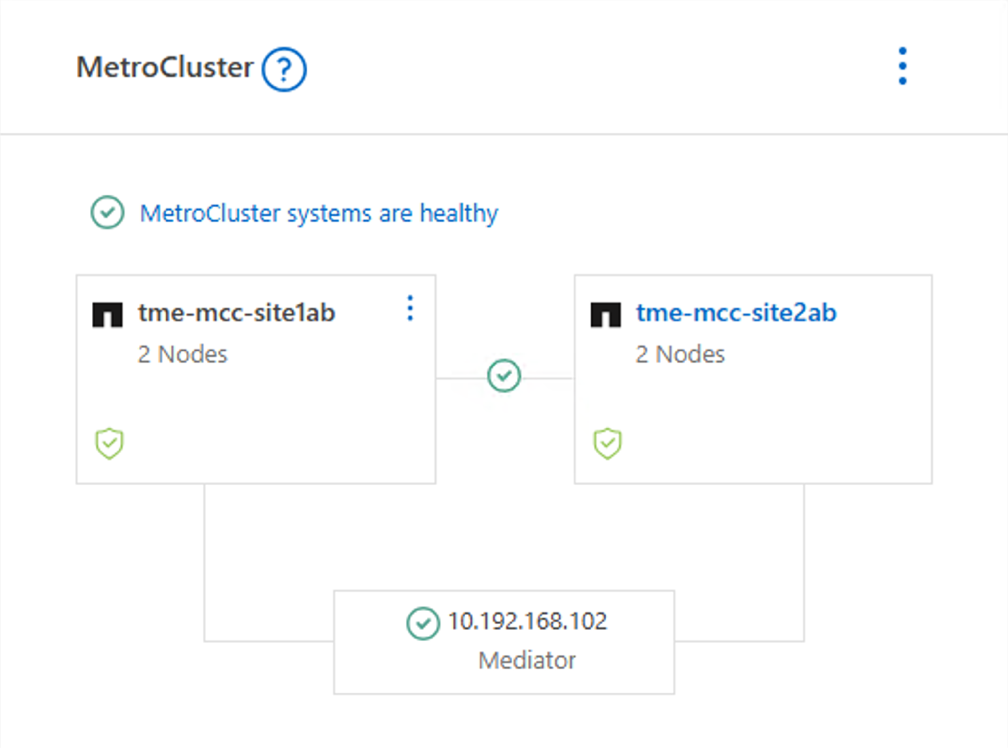
MetroCluster provides a high availability solution for workloads handled at aggregate level. SVM will be active on one of the fault domains in MetroCluster.
Here is the sample screenshot from System Manager showing MetroCluster configuration.
and here is the SVM Network interfaces from both fault domains.
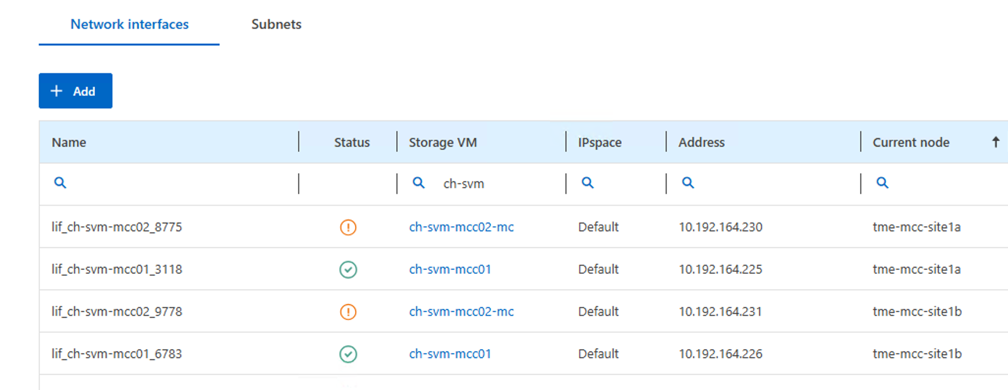
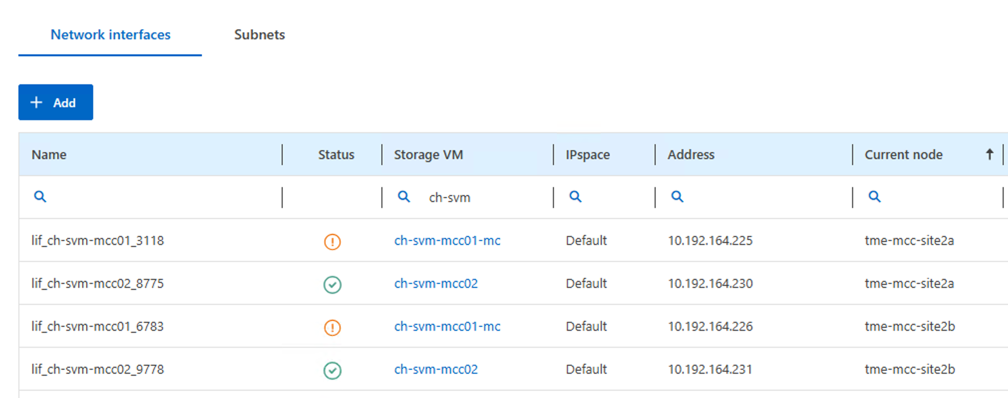
[NOTE] SVM will be active on one of the fault domains in MetroCluster.


Refer vMSC with MetroCluster.
For an overview of the convergence process, refer to the VMware documentation: Converging Existing Virtual Infrastructure to a VCF.
For information on configuring ONTAP storage systems refer to the ONTAP 9 Documentation center.
For information on configuring VCF, refer to the VMware Cloud Foundation 9.1 documentation.
Deployment Steps for Greenfield VCF Workload Domain with MetroCluster
For Greenfield deployment (new deployment without any existing VCF components), VCF Ops tool is used to deploy the workload domain. VMFS on FC and NFSv3 are supported in this scenario.
In case of VMFS on FC, refer VCF workload domain with FC-based VMFS datastore on ONTAP as principal storage for more information. For NFSv3, refer VCF workload domain with NFSv3 datastore on ONTAP as principal storage for more information.
Deployment Steps for Brownfield VCF Workload Domain with MetroCluster
A brownfield deployment is a scenario where you have an existing vSphere environment and you want to import it as a VCF workload domain.
For iSCSI, NVMe-oF, and NFSv4.1, it needs to be setup with vCenter (preferably with ONTAP tools) and later use VCF Ops tool to import it as a workload domain. For more info, refer Import an existing vCenter to create a Workload Domain.
Supplemental Datastores with MetroCluster
When using ONTAP tools, register both the ONTAP clusters. Refer MetroCluster configurations supported by ONTAP Tools for VMware vSphere for more information.
-
Use ONTAP tools to deploy supplemental iSCSI datastores in a VI workload domain
-
Use ONTAP Tools to deploy vVols (iSCSI) datastores in a VI workload domain - Deprecated Option
-
Configure NVMe-oF datastores for use in a VI workload domain
-
Use ONTAP tools to deploy NFSv3/NFSv4.1 datastores in a VI workload domain
-
Use ONTAP tools to deploy vVols (NFS) datastores in a VI workload domain - Deprecated Option
-
Use ONTAP Tools to deploy supplemental FC datastores in a VCF workload domain