


Learn about BYOL licensing in Cloud Volumes ONTAP


 Suggest changes

 PDFs
PDFs
Bring-Your-Own License (BYOL) is a Cloud Volumes ONTAP charging model in which you purchase a license directly from NetApp instead of using a cloud marketplace subscription.
BYOL is available for standard-mode and private-mode deployments, subject to availability restrictions. You can manage BYOL licenses in the Licensing and subscriptions section of NetApp Console under Direct licenses. Each license is associated with your company and specific NetApp Support Site credentials.
-
NetApp has restricted the purchase, extension, and renewal of BYOL licenses for standard-mode deployments that have valid marketplace subscriptions. For more information, refer to Restricted availability of BYOL licensing for Cloud Volumes ONTAP.
-
NetApp is phasing out node-based licensing in favor of capacity-based licensing. Node-based licenses remain available for a limited number of existing deployments, including some USPS customer deployments and deployments in China. For more information, see End of availability of node-based licenses.
BYOL deployment modes
-
Instead of BYOL, NetApp prefers annual or pay-as-you-go (PAYGO) marketplace subscriptions for charging your consumption.
-
Standard-mode deployments generally use capacity-based licenses instead of node-based licenses. Only a limited number of existing standard-mode deployments use node-based licenses.
-
Private-mode deployments rely completely on BYOL licenses because marketplace subscriptions are not available in private mode.
-
For new deployments, use capacity-based Essentials packages instead of node-based licenses. Node-based licensing is used by some older private-mode deployments.
Compare BYOL license types in private mode
The following table summarizes the differences between capacity-based and node-based licenses in private mode.
| Feature | Capacity-based licenses | Node-based licenses |
|---|---|---|
Deployment support |
New private-mode deployments support only capacity-based licenses, specifically the Essentials package. |
New private-mode deployments do not support node-based licenses. Only a limited number of existing node-based deployments can continue using them. |
Purchase |
Purchase a capacity-based BYOL Essentials package from NetApp and assign it to your system during deployment. |
If you have an existing private-mode deployment with a node-based license, you can convert it to capacity-based licensing by purchasing an Essentials package from NetApp. |
Capacity |
The first 500 GiB of consumed capacity does not count toward your license charges. You can purchase additional packages as your workload requirements grow. |
A node-based license provides up to 368 TiB of capacity for a single node or HA pair. To allocate more than 368 TiB to a Cloud Volumes ONTAP system, purchase multiple licenses. For example, two licenses provide up to 736 TiB, and four licenses provide up to 1.4 PiB. |
Scope |
Capacity-based licensing draws from a shared capacity pool across your Cloud Volumes ONTAP systems. You can redistribute the available capacity as your storage needs change. |
Each node-based license applies to one Cloud Volumes ONTAP system and provides a fixed amount of capacity to that system. |
Transferability |
Each capacity-based license is associated with a Console account. Systems created under that account can share the license capacity and serial number. For example, a 5-TiB license can support two systems with 2.5 TiB each or one system with 5 TiB. You can view the license serial number in the Console and assign the same license to multiple systems under the same account. |
You can transfer a node-based BYOL license by deleting the existing system and using the license to create a new system. Only cloud-agnostic serial numbers work across cloud providers. These serial numbers start with the 908xxxx prefix. |
Manage and renew BYOL licenses
Renew a BYOL license
Contact a NetApp representative to renew your BYOL license. The Console automatically obtains and installs the renewed license on the Cloud Volumes ONTAP system.
If the Console cannot access the license file over a secure internet connection, download the license file and manually upload it to the Console.
To manage the NetApp Support Site credentials associated with the Console, see Manage NSS credentials associated with NetApp Console.
Respond to an expiration warning
The Console displays a warning 30 days before a node-based license expires and again when the license expires. Select the Cloud Volumes ONTAP system to review the warning and renew the license.
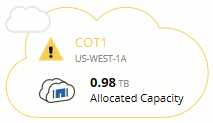
If you are an organization admin or account admin and have enabled the option, the Console includes a license expiration warning in the Cloud Volumes ONTAP report and emails it to you.
If you do not renew the license before it expires, the Cloud Volumes ONTAP system shuts down. Restarting the system without renewing the license causes it to shut down again.