


View the timeline of your Keystone subscriptions

 Suggest changes

 PDFs
PDFs
The Keystone dashboard in the NetApp Console provides a timeline view of your Keystone subscriptions, displaying events such as activation, modification, and renewal dates. This timeline view is not available in Digital Advisor.
To view the subscription timeline, follow these steps:
-
From the Console left navigation menu, select Storage > Keystone > Subscriptions.
-
Select the subscription number in the Subscription number column to view the subscription timeline.
You are redirected to the Current consumption tab.
-
Select the Subscription timeline tab.
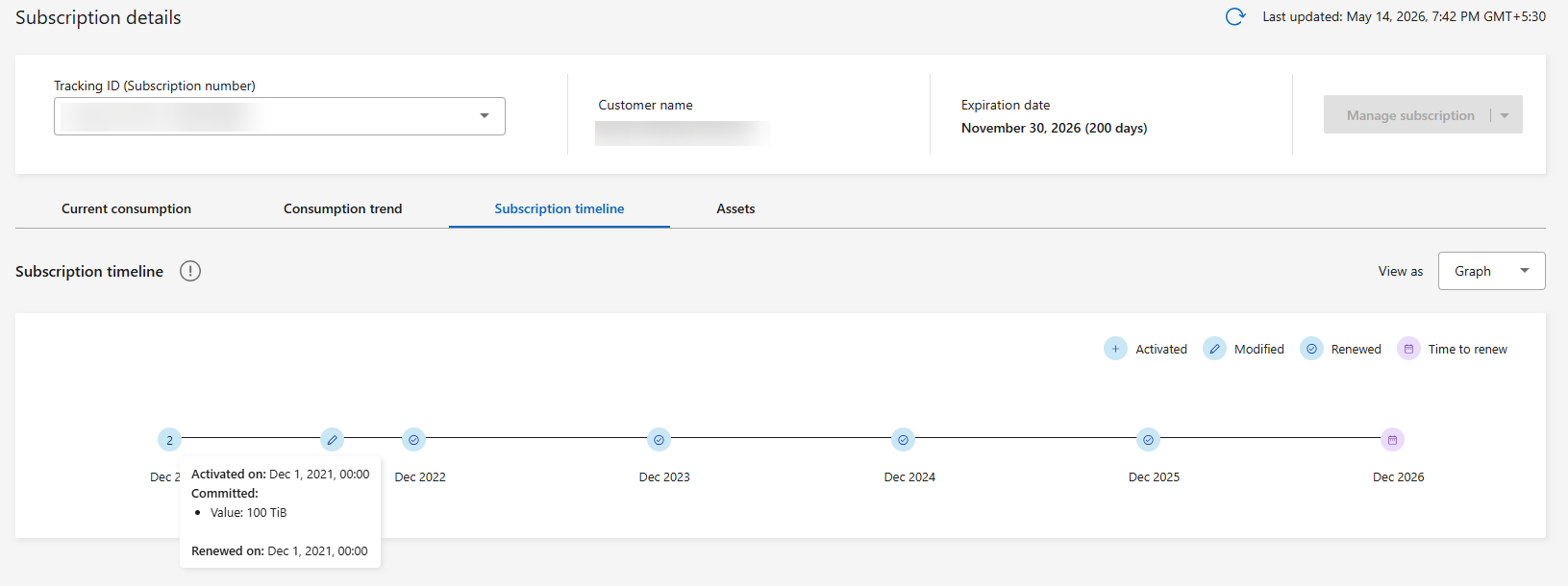
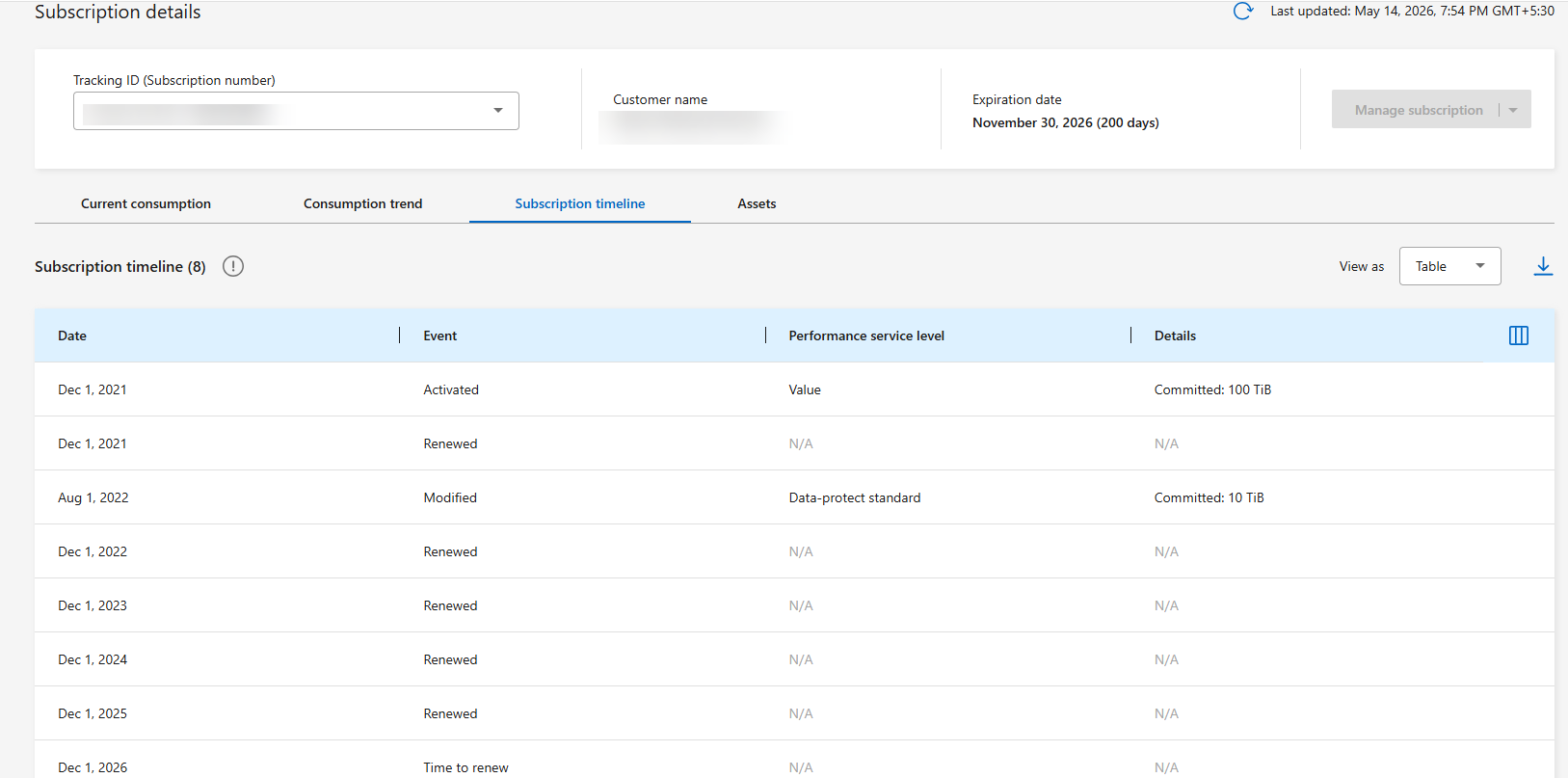
The subscription timeline is displayed as a line graph by default, with icons marking important events. When multiple subscription updates of different types occur on the same day, the chart displays a number instead of separate icons. Hover over the number to see all the update types that occurred on that day, or over any event icon for details such as the date and committed capacity changes. To view these events in a table, select the Table option from the View as dropdown. To view other subscription timelines, select or search from the Tracking ID dropdown.
Related information